Best Single-Needle Embroidery Machines for Home and Small Business
Disclosure: As an Amazon Associate I earn from qualifying purchases. If you buy through links on this page, we may earn a small commission at no extra cost to you.
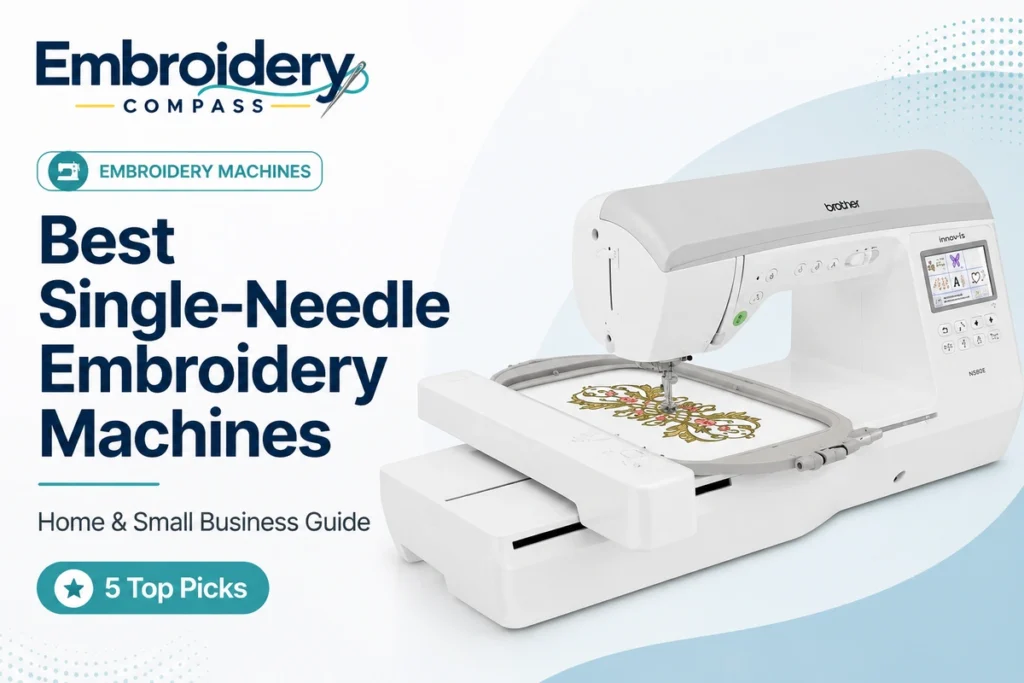
A single-needle embroidery machine can be the right choice whether you are personalizing projects at home or beginning to sell embroidery on a smaller scale. Compared with commercial multi-needle equipment, single-needle machines are generally easier to fit into a home workspace, simpler to learn and available across a much wider range of budgets.
The tradeoff is that every thread color uses the same needle. Multi-color designs therefore require more operator involvement than they would on a 10- or 15-needle commercial machine. For hobby embroidery and lower-volume custom work, however, that limitation may be completely acceptable.
After comparing the best single-needle embroidery machines for embroidery area, design transfer, editing features, sewing capability, positioning, speed and room to grow, our top pick for a serious home or home-business setup is the Brother Entrepreneur One PR1X. Its free-arm design, 8″ x 12″ embroidery field, crosshair positioning laser and maximum speed of 1,000 stitches per minute make it considerably more business-oriented than a conventional flat-bed home machine.
The PR1X is not the best choice for everyone. The Janome Memory Craft 550E Limited Edition provides an excellent large-field embroidery-only setup, the Brother NQ3550W combines sewing and embroidery, the bernette 70 DECO offers a strong non-Brother embroidery-only alternative, and the Singer SE9180 provides sewing and embroidery at a much more accessible level.
Best Single-Needle Embroidery Machines at a Glance
| Embroidery Machine | Best For | Embroidery Area | Machine Type | Maximum Embroidery Speed |
|---|---|---|---|---|
| Brother Entrepreneur One PR1X | Best Overall for Home Business | 8″ x 12″ | Embroidery Only / Free Arm | 1,000 SPM |
| Janome Memory Craft 550E LE | Best Large-Field Home Embroidery | 7.9″ x 14.2″ | Embroidery Only | 860 SPM |
| Brother NQ3550W | Best Premium Sewing + Embroidery | 6″ x 10″ | Sewing + Embroidery | Up to 850 SPM |
| bernette 70 DECO | Best Non-Brother Option | 10.2″ x 6.3″ | Embroidery Only | 850 SPM |
| Singer SE9180 | Best Value Sewing + Embroidery | 7″ x 4.7″ | Sewing + Embroidery | 450 SPM |
These machines cover very different buyers. Someone producing occasional personalized gifts does not need the same machine as a home business embroidering customer-supplied bags, sleeves or caps. Our goal is therefore not to rank specifications alone, but to match each machine to the type of embroidery work it handles best.
How We Chose the Best Single-Needle Embroidery Machines
This guide focuses specifically on single-needle machines. If production volume and automatic multi-color changes are your primary concerns, our best 15-needle embroidery machines and small-business embroidery machine guides cover more production-oriented equipment.
For single-needle machines, we gave particular attention to:
- Embroidery area: A larger field provides more flexibility for apparel, bags, home décor and customer projects.
- Machine configuration: Flat-bed and free-arm embroidery machines serve different kinds of projects.
- Embroidery speed: Speed matters more as stitch counts and order volume increase.
- Design transfer: USB and wireless options affect how easily downloaded or custom designs reach the machine.
- On-screen editing: Resizing, rotating, positioning and combining designs can reduce trips back to a computer.
- Sewing capability: Some users want dedicated embroidery, while others need sewing and embroidery from one machine.
- Positioning tools: Accurate placement becomes increasingly important when working on customer items.
- Hard-to-hoop items: Sleeves, bags and caps are easier on machines designed with free-arm access.
- Room to grow: We considered whether each model still makes sense after the beginner stage.
Embroidery Compass bases its recommendations on manufacturer documentation, specifications, feature comparisons and practical buying considerations. We do not claim hands-on testing unless a machine has actually been personally tested by our editorial team.
1. Brother Entrepreneur One PR1X — Best Overall for Home and Small Business

Best for: Serious home embroiderers and home businesses that want commercial-style access to sleeves, bags and caps without moving to a multi-needle machine.
The Brother Entrepreneur One PR1X is unlike the conventional flat-bed home machines in this comparison. Brother designed it around a free-arm embroidery configuration, which leaves more open space around the needle and makes awkward items easier to position.
That matters when your embroidery moves beyond flat pieces of fabric. Sleeves, bags, tubular items and compatible caps can be significantly easier to manage when material does not have to sit flat across a traditional sewing-machine bed.
The PR1X also offers a generous 8″ x 12″ maximum embroidery area, 495 built-in embroidery designs, 33 embroidery lettering fonts and embroidery speeds from approximately 400 to 1,000 stitches per minute.
Why the PR1X Stands Out for a Home Business
Brother specifically positions the PR1X as a machine for users moving from home embroidery toward a home business, and its feature set reflects that transition.
A hobby user may primarily care about built-in designs. A business owner starts caring much more about placement, turnaround time, access to difficult items and the ability to repeat a design accurately.
The PR1X’s free arm and large working field make it more adaptable for customer items than many conventional home embroidery machines.
Crosshair 2-Point Positioning Laser
One of the most valuable features for paid work is Brother’s Crosshair 2-Point Positioning Laser.
Before the design begins, the positioning system helps show where the embroidery will be placed. That can be useful for centering names, aligning logos and working on finished customer items where a placement mistake may mean replacing the garment.
A positioning laser does not replace careful measuring and hooping, but it gives the operator another visual reference before committing to thousands of stitches.
7-Inch Touchscreen and On-Machine Editing
The PR1X includes a 7-inch color LCD display with on-screen design editing. Designs can be moved, rotated and adjusted directly on the machine, while text editing makes personalization easier when working with names and monograms.
The machine has 495 built-in embroidery designs and 33 lettering fonts, including small and specialty font options. Built-in patterns are not a replacement for custom digitizing, but they provide a substantial library for personalization and experimentation.
Useful for Caps, Sleeves and Bags
The free-arm structure is one of the main reasons to consider the PR1X over a conventional flat-bed machine. Brother lists cap-frame capability, and optional accessories extend the system to specialized items including caps and sleeves.
For cap embroidery, Brother lists a lower operating range of approximately 400–600 SPM with compatible cap-frame setups. That is slower than the machine’s maximum flat embroidery speed but reflects the additional demands of curved hat embroidery.
If hats will become the central part of your business rather than an occasional product, see our best embroidery machines for hats guide before deciding between single- and multi-needle equipment.
Brother PR1X Key Specifications
- Machine type: Single-needle embroidery-only
- Configuration: Free arm
- Maximum embroidery area: 8″ x 12″
- Maximum embroidery speed: 1,000 SPM
- Cap-frame speed range: 400–600 SPM
- Built-in embroidery designs: 495
- Built-in embroidery fonts: 33
- Display: 7-inch color LCD
- Design transfer: USB
- Crosshair positioning laser: Yes
- Upper and bobbin thread sensors: Yes
- Cap-frame capability: Yes
- Included hoops: 8″ x 12″ and 4″ x 4″
- Approximate machine weight: 67.5 lb
What Could Be Better
The PR1X carries a substantial investment for a machine that still has only one needle. A design using eight colors still requires those colors to be managed through one needle rather than switching automatically between eight permanently threaded needles.
It also does not provide conventional sewing functions. If you need one machine for garment construction, quilting and embroidery, the Brother NQ3550W or Singer SE9180 is a better fit.
Finally, the PR1X is physically larger and heavier than typical home machines. It deserves a dedicated working surface and enough clearance to take advantage of its free-arm design.
Who Is the Brother PR1X Best Suited For?
- Home embroiderers moving into paid customer work
- Businesses working with bags, sleeves and tubular items
- Users who want optional cap capability
- People who need an 8″ x 12″ embroidery field
- Users who value precise design positioning
- Shops that do not yet need automatic multi-needle color changes
Our verdict: The PR1X is our best overall single-needle machine for someone bridging the gap between serious home embroidery and a home business. Its free arm, positioning laser, 8″ x 12″ field and 1,000-SPM maximum speed give it capabilities conventional home machines cannot easily match.
2. Janome Memory Craft 550E Limited Edition — Best Large-Field Home Embroidery Machine


Best for: Serious home embroiderers who want a large embroidery field and dedicated embroidery workflow without moving into a commercial free-arm machine.
The Janome Memory Craft 550E Limited Edition stands out for one major reason: its 7.9″ x 14.2″ maximum embroidery area.
That long rectangular field gives home users substantial room for larger embroidery designs while retaining the familiar flat-bed format of a conventional home embroidery machine.
Janome includes four embroidery hoops with the Limited Edition, ranging from a compact 5.5″ x 5.5″ square to the full 7.9″ x 14.2″ RE36b frame. This means you can choose a hoop that better matches each project rather than using the largest frame for everything.
Large Embroidery Area Without a Commercial Machine
The 550E LE is particularly appealing to users who regularly encounter designs that exceed 5″ x 7″ or 6″ x 10″ fields.
Its 7.9″ x 14.2″ maximum area provides enough room for projects such as:
- Large towel designs
- Decorative pillow covers
- Jacket and sweatshirt embroidery
- Large names and lettering arrangements
- Home décor
- Quilting-related embroidery
- Bags and totes
- Multi-element decorative designs
For many home users, a larger field can provide more practical value than having hundreds of additional built-in designs.
860-SPM Embroidery Speed
The Janome runs from approximately 400 to 860 stitches per minute. That makes it considerably faster than basic beginner machines and appropriate for users working with larger, higher-stitch-count designs.
Maximum speed does not mean every design should run at 860 SPM. Dense areas, delicate fabric and small lettering may benefit from a slower setting, but having the additional speed available can shorten straightforward production.
Four Hoops and Strong On-Screen Editing
The 550E LE includes four hoops:
- RE36b: 7.9″ x 14.2″
- SQ20b: 7.9″ x 7.9″
- RE20b: 5.5″ x 7.9″
- SQ14b: 5.5″ x 5.5″
The full-color touchscreen supports functions including resizing, rotating, flipping, combining, copy-and-paste, grouping, arc layout and zoom. That gives users substantial control without returning to a computer for every simple adjustment.
Janome Memory Craft 550E LE Key Specifications
- Machine type: Embroidery only
- Needles: 1
- Maximum embroidery area: 7.9″ x 14.2″
- Maximum embroidery speed: 860 SPM
- Built-in embroidery designs: 180
- Monogramming fonts: 6
- Design transfer: USB
- Supported Janome formats: JEF, JEF+ and JPX
- Full-color touchscreen: Yes
- Programmable jump-thread trimming: Yes
- Automatic thread cutter: Yes
- Bobbin thread sensor: Yes
- Included hoops: 4
- Approximate machine weight: 25.2 lb
What Could Be Better
The 550E LE uses USB for design transfer rather than emphasizing wireless transfer. If you prefer sending designs directly across your network, Brother’s NQ3550W offers a more connected workflow.
The flat-bed design is also less convenient than the PR1X for certain sleeves, bags and tubular items.
And because it is embroidery only, you will need a separate sewing machine for garment construction or conventional sewing.
Our verdict: The Janome 550E Limited Edition is an excellent choice for home users who prioritize large embroidery area over sewing functions or free-arm commercial features. Its 7.9″ x 14.2″ field is the main reason to choose it.
3. Brother NQ3550W — Best Premium Sewing and Embroidery Machine

Best for: Serious home users who want sewing, quilting and embroidery in one premium single-needle machine.
The Brother NQ3550W is the most versatile machine in this comparison. Rather than focusing exclusively on embroidery, it combines a 6″ x 10″ embroidery area with 291 built-in sewing stitches, quilting capability and wireless design transfer.
For someone who constructs garments, quilts or bags and then wants to add embroidery, this combination can be more useful than purchasing separate machines.
Brother includes 258 built-in embroidery designs, 140 frame-pattern combinations and 13 embroidery lettering fonts. The sewing side adds 291 stitches, 10 one-step auto-size buttonhole styles and five sewing lettering fonts.
A Strong 6″ x 10″ Middle Ground
The 6″ x 10″ embroidery field sits between common 5″ x 7″ home machines and the larger areas offered by the Janome 550E LE and Brother PR1X.
For many home embroiderers, 6″ x 10″ is enough room for substantial apparel and decorative projects without requiring the size or cost of a commercial-style machine.
Wireless Design Transfer
One of the NQ3550W’s strongest convenience features is wireless connectivity. Compatible designs can be sent using Brother’s Design Database Transfer system without moving a USB drive back and forth.
The machine also supports Brother’s Artspira ecosystem for compatible creative workflows from mobile devices.
Wireless transfer becomes particularly convenient if you regularly purchase embroidery files online, edit designs on a computer and send them to the machine throughout the day.
Useful for Someone Who Sews the Product First
Some embroidery businesses purchase ready-made blank garments. Others create products themselves.
If you make bags, children’s clothing, quilts, home décor or other sewn products and then personalize them with embroidery, a combination machine can simplify the workspace.
That is where the NQ3550W has a major advantage over the PR1X, Janome 550E LE and bernette 70 DECO.
Brother NQ3550W Key Specifications
- Machine type: Sewing + embroidery + quilting
- Needles: 1
- Maximum embroidery area: 6″ x 10″
- Maximum embroidery speed: up to approximately 850 SPM
- Built-in embroidery designs: 258
- Embroidery lettering fonts: 13
- Built-in sewing stitches: 291
- One-step buttonholes: 10 styles
- Sewing lettering fonts: 5
- Display: 3.67-inch color LCD touchscreen
- Wireless design transfer: Yes
- Artspira compatibility: Yes
- On-screen editing: Yes
What Could Be Better
The NQ3550W does many things well, but buyers interested exclusively in embroidery are paying for sewing and quilting functions they may rarely use.
Its 6″ x 10″ field is also smaller than the Janome’s 7.9″ x 14.2″ area and the PR1X’s 8″ x 12″ field.
Finally, its conventional flat-bed layout is not as flexible for difficult tubular items as the free-arm PR1X.
Our verdict: Choose the NQ3550W when you will genuinely use sewing, quilting and embroidery. It is a strong premium creative machine, but embroidery-only buyers can get a more focused setup elsewhere.
4. bernette 70 DECO — Best Non-Brother Single-Needle Embroidery Machine

Best for: Home embroiderers who want a dedicated embroidery-only machine with a large field, touchscreen editing and a non-Brother platform.
The bernette 70 DECO gives this comparison a strong alternative to Brother and Janome. It is a dedicated embroidery machine with a maximum field of approximately 10.2″ x 6.3″ or 260 x 160 mm.
bernette equips it with a 5-inch color touchscreen, 208 built-in embroidery designs, three included hoops and design import through USB.
The b70 DECO can stitch at speeds up to 850 stitches per minute, putting it comfortably above entry-level embroidery machines while maintaining a home-oriented footprint.
5-Inch Touchscreen Makes Editing Easier
Screen size matters more than it may appear when comparing embroidery machines. A larger display makes it easier to see designs, navigate menus and make placement adjustments.
The b70 DECO allows designs to be positioned and edited using the touchscreen, including drag-and-drop controls. Physical multifunction knobs provide another way to navigate settings.
208 Designs and Multiple File Formats
The machine comes with 208 embroidery motifs. More importantly for long-term use, custom designs can be imported from a USB flash drive.
bernette also emphasizes compatibility with multiple embroidery design formats, making the machine more flexible when working with designs from different sources.
Three Hoops Included
The embroidery module is supplied with three hoops and automatic hoop detection. Using a smaller hoop for a small project can save stabilizer and make fabric easier to handle, while the larger frame provides room when designs expand.
bernette 70 DECO Key Specifications
- Machine type: Embroidery only
- Needles: 1
- Maximum embroidery area: 10.2″ x 6.3″ / 260 x 160 mm
- Maximum embroidery speed: 850 SPM
- Built-in embroidery designs: 208
- Display: 5-inch color touchscreen
- Design transfer: USB
- Included embroidery hoops: 3
- Hoop detection: Yes
- Upper thread sensor: Yes
- Lower thread sensor: Yes
- Automatic thread cutting during embroidery: Yes
- Speed control: Yes
What Could Be Better
The b70 DECO does not provide the free-arm business-oriented flexibility of the PR1X, and it does not offer the sewing capability of the NQ3550W or SE9180.
Its embroidery area is generous for home use but has a different shape from the long 7.9″ x 14.2″ field of the Janome 550E LE. Which shape is more useful depends on the designs you typically make.
Wireless transfer is also not the main workflow here; USB remains the straightforward way to import designs.
Our verdict: The bernette 70 DECO is a strong embroidery-only alternative for users who want a large touchscreen, 850-SPM performance and a generous working field without buying another Brother machine.
5. Singer SE9180 — Best Value Sewing and Embroidery Machine

Best for: Home users who want sewing and embroidery in one machine without moving immediately into a premium price tier.
The Singer SE9180 occupies a very different position from the PR1X. It is not designed as a near-commercial home-business machine. Instead, it offers a broad creative feature set for home users who need both sewing and embroidery.
The SE9180 provides an embroidery area of approximately 7″ x 4.7″ or 170 x 100 mm, 150 built-in embroidery designs, 10 embroidery fonts and more than 250 sewing stitches.
One of its most noticeable features is the 7-inch color touchscreen, which is unusually large for a machine in this part of the market.
Why It Stands Out When Sewing Matters
The SE9180 makes the most sense for someone who does not want a dedicated embroidery-only setup.
You can sew garments, home décor and other projects and then switch into embroidery for names, decorative motifs and personalization.
For a small craft business producing handmade products rather than only selling embroidery services, this versatility may be more important than maximum embroidery speed.
Large 7-Inch Touchscreen
A 7-inch color display provides plenty of room for navigating designs and machine settings. This can make the interface easier to understand for users who prefer visual controls rather than small menus.
The machine includes 150 embroidery designs and 10 fonts, giving beginners and home users a substantial built-in library before they begin importing their own files.
USB Design Import
The SE9180 supports importing custom embroidery designs using a USB stick and SINGER lists support for VP3 design files.
This means users are not restricted to built-in patterns and can expand the machine’s usefulness with compatible downloaded or custom digitized designs.
Singer SE9180 Key Specifications
- Machine type: Sewing + embroidery
- Needles: 1
- Maximum embroidery area: 7″ x 4.7″ / 170 x 100 mm
- Maximum embroidery speed: 450 SPM
- Maximum sewing speed: 800 SPM
- Built-in embroidery designs: 150
- Embroidery fonts: 10
- Built-in sewing stitches: 250+
- Display: 7-inch color touchscreen
- USB design import: Yes
- VP3 design support: Yes
- Automatic needle threader: Yes
- Automatic thread cutter: Yes
- Durable metal interior frame: Yes
Where the SE9180 Falls Behind
The biggest limitation is embroidery speed. At approximately 450 SPM, it is considerably slower than the PR1X, Janome 550E LE, NQ3550W and bernette 70 DECO.
For occasional home projects, this may not matter. For a business working through repeated high-stitch-count designs, the difference becomes much more significant.
Its 7″ x 4.7″ embroidery area also provides less room than our premium recommendations, and its conventional flat-bed format does not provide the PR1X’s free-arm flexibility.
Our verdict: The Singer SE9180 is the value choice for users who want both sewing and embroidery. It is better suited to home crafting and smaller-volume selling than dedicated embroidery production, but its large touchscreen and versatile feature set make it an accessible starting point.
Brother PR1X vs Janome 550E LE vs bernette 70 DECO
These three are the strongest embroidery-focused machines in our comparison, but their strengths are very different.
| Feature | Brother PR1X | Janome 550E LE | bernette 70 DECO |
|---|---|---|---|
| Machine Style | Free-arm embroidery | Flat-bed embroidery | Flat-bed embroidery |
| Embroidery Area | 8″ x 12″ | 7.9″ x 14.2″ | 10.2″ x 6.3″ |
| Max Speed | 1,000 SPM | 860 SPM | 850 SPM |
| Best Advantage | Business-oriented free arm and positioning | Large field and four hoops | Large touchscreen and strong value |
| Best For | Home business | Serious home embroidery | Dedicated home embroidery |
Choose the PR1X when free-arm access and customer work matter most. Choose the Janome 550E LE when your priority is a long, large flat embroidery field. Choose the bernette 70 DECO when you want a capable embroidery-only machine with a large touchscreen and do not need the PR1X’s business-focused free arm.
Single-Needle vs Multi-Needle Embroidery Machines
The biggest question for someone considering a home embroidery business is often whether to stay with a single-needle machine or move directly into multi-needle equipment.
| Feature | Single-Needle Machine | Multi-Needle Machine |
|---|---|---|
| Thread colors loaded | 1 at a time | Multiple colors |
| Initial investment | Generally lower | Generally higher |
| Workspace | Usually smaller | Usually larger |
| Learning curve | Easier | More involved |
| Multi-color production | More operator involvement | Automatic color changes across loaded needles |
| Home use | Excellent | Can be excessive |
| High-volume business | Can become limiting | Better suited |
A single-needle machine can produce embroidery that is every bit as sellable as embroidery produced on a multi-needle machine. Needle count affects workflow and productivity, not whether the finished embroidery is automatically professional.
The limitation appears when your workload grows. If every eight-color customer logo requires repeated manual thread changes, the operator becomes a larger part of the production process.
If that begins limiting your ability to complete profitable orders, it may be time to compare multi-needle options.
Can You Run a Small Embroidery Business With a Single-Needle Machine?
Yes. A single-needle machine can be completely appropriate for a small embroidery business, particularly during the early stages.
It makes the most sense when you are:
- Testing whether there is demand for your products
- Taking relatively small numbers of orders
- Creating personalized one-off gifts
- Working primarily with designs using few colors
- Selling handmade products that also include sewing
- Operating from a limited home workspace
- Building skills before investing in commercial equipment
A single-needle machine becomes less efficient when you are regularly producing large batches of multi-color logos, turning away orders because of hoop limitations or spending too much of the day manually changing thread.
How to Choose a Single-Needle Embroidery Machine
1. Start With the Largest Design You Expect to Make
Embroidery area is one of the hardest limitations to work around after purchasing a machine.
The five machines in this guide range from the Singer SE9180’s approximately 7″ x 4.7″ field to the Janome 550E LE’s 7.9″ x 14.2″ area.
Before buying, look at the types of embroidery designs you actually want to make and note their common dimensions. Do not assume you will always be satisfied with small monograms simply because you are beginning with them today.
2. Decide Whether You Need Sewing
This immediately divides our five recommendations into two groups.
Embroidery-only:
- Brother PR1X
- Janome Memory Craft 550E LE
- bernette 70 DECO
Sewing + embroidery:
- Brother NQ3550W
- Singer SE9180
If you already own a sewing machine you like, a dedicated embroidery machine keeps your purchase focused. If you need one machine to construct and decorate products, a combination model can save space and money.
3. Consider Flat-Bed vs Free-Arm Embroidery
This distinction becomes especially important for business users.
Most home embroidery machines use a flat-bed structure. This works very well for fabric, towels, unassembled garments and many common hoopable projects.
The PR1X uses a free-arm configuration, leaving more room to position items such as sleeves, bags and compatible caps around the embroidery area.
If hard-to-hoop finished products are central to your business plan, the machine’s physical structure may matter more than the number of built-in designs.
4. Look at Embroidery Speed in Context
Our recommendations range from approximately 450 SPM on the Singer SE9180 to 1,000 SPM on the PR1X.
For a hobbyist producing one design on the weekend, the difference may not matter much.
For a home business embroidering several high-stitch-count designs every day, those minutes can begin accumulating into hours.
Still, do not choose solely by maximum speed. Dense embroidery, small lettering and difficult fabrics may require slowing the machine for cleaner results.
5. Compare Design Transfer Options
Most users eventually move beyond built-in designs.
The NQ3550W stands out for wireless Design Database Transfer. The Janome 550E LE, bernette 70 DECO, PR1X and Singer SE9180 all provide ways to import compatible designs through USB-based workflows.
If you frequently create or purchase new designs, consider how often you will move files between your computer and machine.
6. Decide How Much On-Screen Editing You Need
A good machine interface can save time when the adjustment is simple.
Basic operations such as moving a design, rotating it, changing lettering or combining elements are convenient to perform directly on the machine.
More complicated editing and digitizing are still better handled in dedicated software.
Our embroidery software guides explain the difference between simple embroidery editing and full digitizing.
What Do You Need Along With an Embroidery Machine?
A machine is only the beginning of a reliable embroidery setup. Depending on your projects, you may also need:
- Embroidery thread
- Bobbin thread or pre-wound bobbins
- Embroidery needles
- Cut-away stabilizer
- Tear-away stabilizer
- Wash-away stabilizer
- Water-soluble topping
- Temporary adhesive where appropriate
- Additional hoops
- Magnetic hoops where compatible
- Thread scissors
- Seam ripper
- Thread storage
- Practice fabric and blanks
Visit our embroidery supplies and accessories guides for more information about thread, stabilizers, needles, hoops and other essentials.
Which Single-Needle Embroidery Machine Fits Your Needs?
Choose the Brother PR1X if:
You are serious about moving from home embroidery into paid customer work and want a free-arm machine with an 8″ x 12″ field, strong positioning tools and optional cap capability.
Choose the Janome Memory Craft 550E LE if:
You primarily embroider at home and want the largest flat embroidery area in this comparison without paying for sewing functions you do not need.
Choose the Brother NQ3550W if:
You want premium sewing, quilting and embroidery capability in one machine and value wireless design transfer.
Choose the bernette 70 DECO if:
You want a capable embroidery-only machine with an 850-SPM maximum speed, 5-inch touchscreen and generous 10.2″ x 6.3″ field from a brand other than Brother or Janome.
Choose the Singer SE9180 if:
You want a more accessible sewing-and-embroidery machine for home crafting and smaller-volume selling and value a large 7-inch touchscreen over maximum embroidery speed.
Frequently Asked Questions
What is the best single-needle embroidery machine?
Our best overall single-needle embroidery machine for serious home and home-business use is the Brother Entrepreneur One PR1X. Its 8″ x 12″ embroidery area, free-arm design, crosshair positioning laser and maximum 1,000-SPM speed make it particularly useful for users moving into paid embroidery work.
For conventional home embroidery with a larger flat field, we prefer the Janome Memory Craft 550E Limited Edition.
What is the best single-needle embroidery machine for home use?
The best choice depends on whether you need sewing. For dedicated home embroidery, the Janome Memory Craft 550E LE provides a large 7.9″ x 14.2″ embroidery field and strong on-machine editing.
If you also need sewing and quilting, the Brother NQ3550W is a more versatile option.
What is the best single-needle embroidery machine for a small business?
We recommend the Brother PR1X for a small home-based embroidery business that is not yet ready for multi-needle equipment. Its free-arm configuration is better suited to awkward finished items than many conventional home machines, while the 8″ x 12″ field and 1,000-SPM maximum speed provide useful production capacity.
Can a single-needle embroidery machine make professional-quality embroidery?
Yes. Needle count does not automatically determine embroidery quality. A properly digitized design, appropriate stabilizer, suitable needle and thread, correct tension and careful hooping all contribute to the finished result.
The main limitation of a single-needle machine is productivity because thread colors require more operator involvement.
Can you start an embroidery business with a single-needle machine?
Yes. Starting with a single-needle machine can be a sensible way to learn embroidery and prove customer demand before making a much larger investment in commercial equipment.
Upgrade when manual color changes, limited hoop size or production speed begin preventing you from accepting profitable work.
What is the disadvantage of a single-needle embroidery machine?
The main disadvantage is that only one thread color is active at a time. Multi-color embroidery therefore requires more thread-changing and operator intervention than a multi-needle machine.
Single-needle home machines may also have less convenient access for caps and tubular garments, although free-arm models such as the PR1X address some of that limitation.
Is a single-needle or multi-needle embroidery machine better for beginners?
A single-needle machine is usually easier for a beginner because it requires a smaller investment and introduces fewer machine systems at once.
Our best embroidery machines for beginners guide covers machines specifically chosen around ease of learning.
How large of an embroidery area do I need?
Choose based on the largest projects you realistically expect to make. A smaller field works for monograms and small logos, while 6″ x 10″, 8″ x 12″ and larger areas provide much more flexibility for apparel, towels, bags and decorative designs.
Buying a physically larger optional hoop does not necessarily increase the machine’s maximum stitchable embroidery area, so always check the manufacturer’s stated maximum field.
Do I need embroidery software for a single-needle machine?
Not necessarily. You can use built-in designs and compatible purchased embroidery files without learning digitizing software.
Software becomes more important when you want to create original embroidery files, convert logos into stitches, adjust stitch properties or make significant design changes.
When should I upgrade from single-needle to multi-needle?
Consider upgrading when your single-needle machine becomes a production bottleneck rather than simply because your business has started making sales.
Signs include repeated multi-color orders, too much time spent changing thread, difficulty keeping up with deadlines, growing demand for commercial cap embroidery or enough order volume to keep a multi-needle machine productively occupied.
Final Verdict
The best single-needle embroidery machine depends heavily on whether your priority is home creativity, sewing versatility or the first stage of an embroidery business.
The Singer SE9180 is our value-oriented choice for users who want sewing and embroidery without moving immediately into a premium machine. The bernette 70 DECO provides a stronger dedicated embroidery alternative with a larger field and faster embroidery.
The Brother NQ3550W is our premium combination-machine choice for users who genuinely need sewing, quilting and embroidery, while the Janome Memory Craft 550E Limited Edition is particularly appealing to dedicated home embroiderers who want its large 7.9″ x 14.2″ field.
For users moving from home embroidery toward customer work, however, our best overall single-needle embroidery machine is the Brother Entrepreneur One PR1X. Its free-arm construction, 8″ x 12″ embroidery area, 1,000-SPM maximum speed, precision crosshair positioning and ability to work with difficult items give it the strongest bridge between a home machine and a full commercial multi-needle setup.