Brother SE700 vs SE2000: Which Brother Combo Machine Should You Buy?
Disclosure: As an Amazon Associate I earn from qualifying purchases. If you buy through links on this page, we may earn a small commission at no extra cost to you.
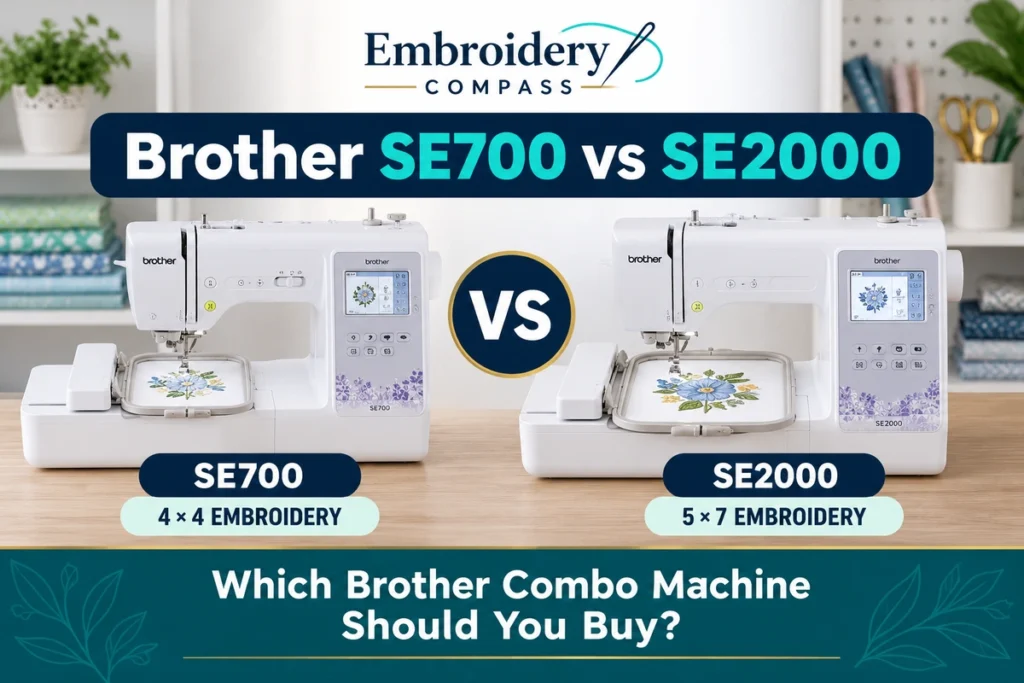
Choosing between the Brother SE700 vs SE2000 comes down to more than price. Both machines combine sewing and embroidery, offer wireless design transfer, and support Brother’s Artspira app. However, their embroidery areas, built-in designs, sewing features, and overall capabilities are different.
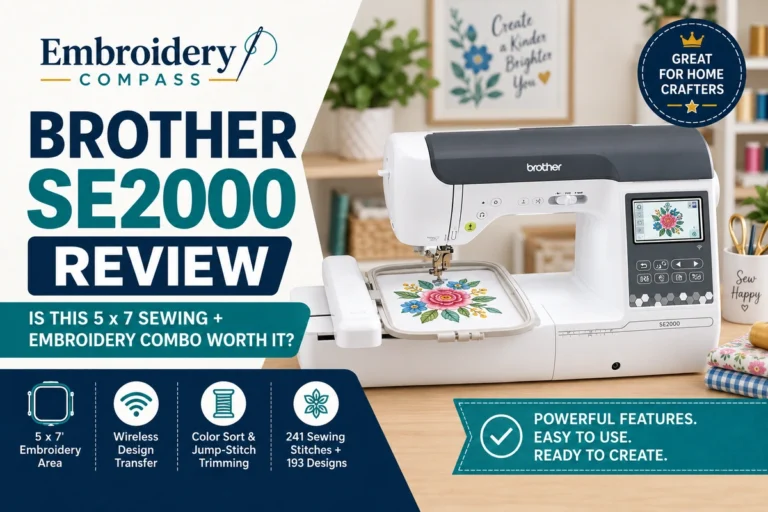
The Brother SE700 offers a 4×4-inch embroidery area, 135 built-in embroidery designs, and 103 sewing stitches. The Brother SE2000 expands the embroidery area to 5×7 inches and includes 193 embroidery designs, 241 sewing stitches, and additional features such as a knee lifter and My Custom Stitch.
For beginners interested in small embroidery projects and everyday sewing, the SE700 offers a more affordable starting point. For users who need larger embroidery designs and additional sewing capabilities, the SE2000 provides more flexibility.
In this Brother SE700 vs SE2000 comparison, we examine their embroidery capabilities, sewing features, touchscreen controls, wireless connectivity, included accessories, ease of use, and value to help you determine which machine fits your projects and budget.
Brother SE700 vs SE2000: Quick Comparison
The biggest difference is embroidery size: the SE700 has a maximum embroidery area of 4×4 inches, while the SE2000 provides a larger 5×7-inch embroidery field.
Both machines can perform conventional sewing and embroidery, but the SE2000 also includes more built-in designs, additional sewing stitches, a larger display, and several advanced sewing features.
| Feature | Brother SE700 | Brother SE2000 |
|---|---|---|
| Machine type | Sewing and embroidery | Sewing and embroidery |
| Maximum embroidery area | 4×4 inches | 5×7 inches |
| Built-in embroidery designs | 135 | 193 |
| Embroidery fonts | 10 | 13 |
| Built-in sewing stitches | 103 | 241 |
| One-step buttonhole styles | 10 | 10 |
| Maximum sewing speed | 710 SPM | 850 SPM |
| Maximum embroidery speed | Not confirmed in reviewed specifications | 650 SPM |
| LCD display | 3.2×1.8 inches | 3.7-inch color LCD |
| Wireless LAN | Yes | Yes |
| USB design transfer | Yes | Yes |
| Artspira compatibility | Yes | Yes |
| Automatic thread cutter | Yes | Yes |
| Advanced needle threading | Yes | Yes |
| My Custom Stitch | Not listed | Yes |
| Knee lifter | No | Yes |
| Included embroidery hoop | 4×4 inches | 5×7 inches |
| Machine weight | 15.06 lb | 20.5 lb |
Specifications are based on Brother’s published product information. SPM means stitches per minute. Actual stitching speeds vary according to the design, fabric, machine settings, and other project requirements.
Brother SE700: Affordable 4×4 Sewing and Embroidery Machine
The Brother SE700 is a computerized sewing and embroidery machine designed for users who want to explore both crafts without purchasing two separate machines.
It features a 4×4-inch embroidery area, 135 built-in embroidery designs, 10 embroidery fonts, and 103 sewing stitches. Its wireless LAN connectivity and compatibility with Brother’s Artspira app provide additional options for working with embroidery designs.
The SE700 can handle many everyday sewing tasks, including garment alterations, basic clothing construction, decorative stitching, and home crafting. Its embroidery functions allow users to personalize suitable fabric projects with names, monograms, and decorative designs.
Its main limitation is the 4×4-inch embroidery field, which restricts the size of designs that can be completed in a single hooping.


What Makes the Brother SE700 Useful?
The SE700 combines two different functions in one machine. You can sew a fabric project using its conventional sewing features and then add embroidery using the included embroidery unit and hoop.
Its 103 built-in sewing stitches provide options for everyday sewing, garment alterations, and decorative stitching. The machine also includes 10 one-step buttonhole styles, an automatic thread cutter, and advanced needle threading.
For embroidery, the SE700 includes 135 built-in designs and 10 lettering fonts. Its wireless and USB design-transfer capabilities also allow users to work with compatible imported designs rather than relying exclusively on the built-in library.
The SE700 is particularly relevant for beginners who want to learn basic sewing and small-format embroidery before investing in a larger embroidery machine.
For a more detailed look at its individual features, read our Brother SE700 review.
Brother SE700 Limitations
The SE700’s maximum embroidery field is 4×4 inches. Although this is sufficient for many small designs, larger embroidery projects may require splitting a design into multiple sections, repositioning the fabric, or using a machine with a larger embroidery field.
The machine also has fewer built-in embroidery designs and sewing stitches than the SE2000. It does not include a knee lifter, and Brother does not list My Custom Stitch among its standard features.
Like the SE2000, the SE700 uses a single needle for embroidery. Multicolor designs require manual thread changes, which can increase production time when completing repeated embroidery orders.
Brother SE2000: Larger 5×7 Sewing and Embroidery Machine
The Brother SE2000 combines conventional sewing with a larger 5×7-inch embroidery area, providing more flexibility for users who want to create medium-sized embroidery designs alongside garment construction and other sewing projects.
It includes 193 built-in embroidery designs, 13 embroidery fonts, 241 sewing stitches, and 10 one-step buttonhole styles. The machine also features a 3.7-inch color LCD touchscreen, wireless connectivity, and compatibility with Brother’s Artspira app.
Compared with the SE700, the SE2000 offers a larger embroidery field, more built-in designs, additional sewing stitches, a knee lifter, and My Custom Stitch.
These differences make the SE2000 worth considering for users who expect to work with larger embroidery designs or want additional flexibility for conventional sewing.

What Makes the Brother SE2000 Different?
The SE2000’s larger embroidery field is its most important practical advantage over the SE700.
A 5×7-inch embroidery area accommodates larger lettering, decorative designs, garment personalization, and medium-sized logos without requiring the same degree of design splitting or repositioning that may be necessary on a 4×4-inch machine.
The SE2000 also provides 241 built-in sewing stitches and My Custom Stitch, which allows users to create and save custom sewing stitch patterns.
Its knee lifter provides hands-free presser-foot control during sewing, while the larger touchscreen offers additional display space for selecting and editing embroidery designs.
For a detailed examination of this machine, see our Brother SE2000 review.
Brother SE2000 Limitations
The SE2000 costs substantially more than the SE700. Although it provides a larger embroidery field and additional sewing features, not every user needs those capabilities.
For someone who mainly embroiders small monograms, names, and compact decorative designs, the SE2000’s larger field may not justify the additional expense.
Its 5×7-inch embroidery area also remains limited compared with larger-field embroidery machines. Users planning oversized jacket-back designs or other large embroidery projects should consider whether a larger machine would better suit their needs.
The SE2000 is also a single-needle machine, meaning multicolor designs require manual thread changes. It does not provide the automatic multi-needle color-change workflow available on commercial multi-needle embroidery machines.
Embroidery Area: 4×4 vs 5×7 Inches
The embroidery field is the most important difference in the Brother SE700 vs SE2000 comparison.
The SE700 offers a maximum embroidery area of 4×4 inches, equivalent to 16 square inches. The SE2000 provides a 5×7-inch embroidery area, equivalent to 35 square inches.
That gives the SE2000 approximately 2.19 times the maximum embroidery field area of the SE700. However, this does not mean every design can simply be enlarged by that amount; the design must still fit within the machine’s maximum width and height.
What Can You Embroider With the SE700?
The SE700’s 4×4-inch embroidery field is suitable for many compact personalization projects, including:
- Small names and monograms
- Compact decorative embroidery
- Small garment logos
- Personalized baby clothing
- Small patches and appliqué designs
- Decorative details on towels and fabric accessories
These projects must fit within the machine’s maximum embroidery field and be compatible with the fabric, hooping method, and design requirements.
What Can You Embroider With the SE2000?
The SE2000 can handle the same types of small projects while providing additional room for larger designs, such as:
- Larger names and decorative lettering
- Medium-sized garment logos
- Decorative designs on tote bags
- Personalized towels and household linens
- Medium-sized patches and appliqué projects
- More detailed decorative embroidery within the 5×7-inch field
The larger embroidery area can reduce the need to split some designs into multiple sections, making it particularly useful for projects that exceed the SE700’s 4×4-inch limit.
However, a larger hoop does not automatically increase a machine’s maximum embroidery area. The SE700 cannot produce a full 5×7-inch design in one hooping simply by attaching a larger compatible hoop.
Sewing Capabilities: 103 vs 241 Built-In Stitches
Both machines can perform conventional sewing, including garment alterations, basic clothing construction, decorative stitching, and home crafting.
The SE700 includes 103 built-in sewing stitches, while the SE2000 offers 241. Both machines provide 10 one-step buttonhole styles.
The SE700’s stitch selection covers many everyday sewing applications. For beginners and occasional home sewers, its available utility and decorative stitches may be sufficient.
The SE2000 offers additional stitch choices, My Custom Stitch, a knee lifter, and a higher advertised maximum sewing speed of 850 stitches per minute compared with the SE700’s 710 stitches per minute.
My Custom Stitch allows users to create and save custom sewing stitch patterns. The knee lifter provides another way to raise and lower the presser foot without using your hands.
These additional features may be useful for people who regularly sew garments, work on decorative projects, or want more control over their sewing workflow.
However, a higher built-in stitch count does not automatically mean better stitch quality. Buyers should consider which stitches and sewing functions they expect to use rather than choosing solely by the total number of available stitches.
Built-In Embroidery Designs and Fonts
The Brother SE700 includes 135 built-in embroidery designs and 10 embroidery lettering fonts. The SE2000 provides 193 built-in embroidery designs and 13 embroidery fonts.
The SE2000 therefore offers 58 additional built-in embroidery designs and three more lettering fonts.
Both machines provide a starting library for decorative embroidery and personalization projects. Users can select compatible built-in designs, adjust supported settings, and prepare embroidery through the machine’s touchscreen interface.
However, neither machine limits users exclusively to its built-in designs. Both support compatible imported embroidery files through USB and wireless design-transfer options.
If you mainly use your own embroidery files or purchase compatible designs from external sources, the difference in built-in design count may be less important than embroidery field size and other machine capabilities.
Touchscreen and Embroidery Editing
Both machines include a color LCD touchscreen for selecting embroidery designs, adjusting supported settings, and managing embroidery projects.
The SE700 has a 3.2×1.8-inch display, while the SE2000 features a larger 3.7-inch color LCD touchscreen.
The SE2000’s larger display provides additional screen space for viewing designs and navigating the machine’s embroidery interface.
Both machines support on-screen embroidery editing, but buyers should consult Brother’s current documentation for the exact editing functions available on each model.
For users who frequently adjust lettering, combine designs, or manage more detailed embroidery projects, touchscreen size and available editing functions may influence the overall workflow.
Wireless Connectivity and Design Transfer
The SE700 and SE2000 both support wireless LAN, USB design import, Brother’s Design Database Transfer software, and compatibility with the Artspira app.
Wireless connectivity allows users to transfer compatible embroidery designs through Brother’s supported software without relying exclusively on a USB drive.
The Artspira app provides access to supported mobile-based embroidery design and transfer features. Available functions may depend on the current app version, device compatibility, and account requirements.
Both machines also support USB design import, providing another method for transferring compatible embroidery files.
Because both machines include wireless connectivity and compatible design-transfer options, these features alone are not a major reason to choose the more expensive SE2000.
Included Accessories: What Comes With Each Machine?
The SE700 and SE2000 include accessories for both sewing and embroidery, although their standard embroidery hoops and certain sewing accessories differ.
Brother SE700 Included Accessories
Brother’s standard SE700 accessory package includes a 4×4-inch embroidery frame, embroidery foot, foot controller, multiple sewing presser feet, bobbins, needles, basic maintenance tools, a dust cover, and operating documentation.
The included 4×4-inch hoop is designed for embroidery projects within the machine’s maximum embroidery field.
Brother SE2000 Included Accessories
The SE2000’s standard accessory package includes a 5×7-inch embroidery frame, embroidery foot, foot controller, knee lifter, multiple sewing presser feet, bobbins, needles, maintenance accessories, and operating documentation.
The included 5×7-inch hoop allows users to take advantage of the machine’s larger maximum embroidery field without purchasing a separate standard hoop for that size.
Optional hoops and accessories should not be confused with items included in the standard package. Always check the exact retailer listing to confirm what is supplied with the machine you are purchasing.
Ease of Use: Which Machine Is Better for Beginners?
Both machines include features that can help beginners learn sewing and embroidery, including built-in designs, touchscreen controls, advanced needle threading, and automatic thread cutting.
The SE700 provides an accessible starting point for users who want to learn conventional sewing and experiment with smaller embroidery designs.
Its 4×4-inch embroidery area is suitable for many beginner projects, while its 103 sewing stitches provide options for everyday sewing and decorative work.
The SE2000 offers more room for embroidery projects and additional sewing capabilities, but beginners should consider whether they expect to use these features regularly.
Both machines require users to learn proper hooping, stabilizer selection, needle and thread compatibility, fabric preparation, and design placement.
Neither machine automatically guarantees successful embroidery results. The quality of the finished project depends on appropriate preparation, compatible materials, machine settings, and the embroidery design itself.
Brother SE700 vs SE2000 for Home Crafting
For home crafting, the choice between the SE700 and SE2000 depends largely on the size and complexity of your planned embroidery projects.
If you mainly want to personalize baby clothing, add small monograms to towels, create compact decorative patches, or complete basic sewing projects, the SE700 may provide the features you need.
If you expect to embroider larger designs on tote bags, garments, household linens, or other fabric projects, the SE2000’s 5×7-inch field provides additional flexibility.
The SE2000 also offers more sewing stitches and a knee lifter, which may be useful for users who spend considerable time on conventional sewing projects.
For a broader look at combination machines across different brands and price ranges, visit our best sewing and embroidery machines guide.
Which Machine Makes More Sense for a Small Business?
Both machines can be used to explore small-scale personalization, including embroidered names, monograms, decorative patches, and suitable garment logos.
The SE700 may be sufficient for a small business focused on compact embroidery designs. For example, it can be used to personalize suitable baby clothing, small accessories, and other items that fit within its 4×4-inch embroidery field.
The SE2000 provides a larger embroidery field, allowing users to offer a wider range of medium-sized designs without splitting or repositioning projects that exceed 4×4 inches.
However, both machines use a single needle for embroidery. Multicolor designs require manual thread changes, and repeated orders may involve significant setup and handling time.
For occasional personalized products or testing a home-based business idea, either machine may be suitable depending on the design sizes required.
For sustained high-volume embroidery production, buyers should also consider larger-field and multi-needle machines that provide additional production capabilities.
Brother SE700 vs SE2000: Price and Value
The SE700 and SE2000 occupy different price ranges, making budget an important consideration in this comparison.
The SE700 provides conventional sewing and 4×4-inch embroidery functionality at a lower purchase price. For users who mainly need small embroidery designs and everyday sewing features, it may offer sufficient capability without the additional cost of the SE2000.
The SE2000 costs more because it provides a larger embroidery field, additional built-in embroidery designs, more sewing stitches, a larger touchscreen, a knee lifter, and other advanced features.
The value of those additional capabilities depends on how frequently you expect to use them.
If your projects consistently fit within a 4×4-inch embroidery area, the SE700 may meet your requirements. If you regularly need designs larger than 4×4 inches, the SE2000’s larger field becomes a more important purchasing consideration.
Before purchasing, compare the current Amazon listings and confirm that the machine’s embroidery area, included accessories, and sewing capabilities match your intended projects.
Brother SE700 Pros and Cons
Pros
- Combines sewing and embroidery in one machine
- 4×4-inch embroidery area suitable for small designs
- 135 built-in embroidery designs and 10 fonts
- 103 built-in sewing stitches
- 10 one-step buttonhole styles
- Wireless LAN and USB design transfer
- Artspira compatibility
- Automatic thread cutting and advanced needle threading
- Lower purchase price than the SE2000
Cons
- 4×4-inch embroidery area limits larger designs
- Fewer built-in embroidery designs than the SE2000
- Fewer sewing stitches and additional sewing features
- No included knee lifter
- Single needle requires manual thread changes
- Not designed for sustained high-volume commercial embroidery
Brother SE2000 Pros and Cons
Pros
- Combines sewing and embroidery in one machine
- Larger 5×7-inch maximum embroidery area
- 193 built-in embroidery designs and 13 fonts
- 241 built-in sewing stitches
- 10 one-step buttonhole styles
- 3.7-inch color LCD touchscreen
- Wireless LAN and USB design transfer
- Artspira compatibility
- Includes a knee lifter and My Custom Stitch
- More flexibility for medium-sized embroidery designs
Cons
- Substantially higher purchase price than the SE700
- Additional features may be unnecessary for occasional users
- 5×7-inch embroidery area still limits oversized designs
- Single needle requires manual thread changes
- Heavier than the SE700
- Not equivalent to a commercial multi-needle embroidery machine
Who Should Buy the Brother SE700?
The SE700 is worth considering if you want to learn sewing and embroidery without investing in a larger, more expensive combination machine.
- Beginners: Learn conventional sewing and small-format embroidery using one machine.
- Home hobbyists: Create monograms, decorative patches, and personalized gifts.
- Budget-conscious buyers: Access both sewing and embroidery capabilities at a lower purchase price.
- Occasional embroidery users: Complete projects that fit within a 4×4-inch embroidery field.
- Small personalization businesses: Explore compact embroidery products and occasional custom orders.
The SE700 is less suitable if you frequently need embroidery designs larger than 4×4 inches or require the SE2000’s additional sewing capabilities.
Who Should Buy the Brother SE2000?
The SE2000 is worth considering if you want a larger embroidery field while retaining conventional sewing capabilities in one machine.
- Users planning larger embroidery projects: Work with designs up to 5×7 inches in a single embroidery field.
- Experienced home crafters: Create larger personalized fabric projects and decorative embroidery.
- Garment makers: Combine conventional sewing with medium-sized garment embroidery.
- Users wanting additional sewing features: Access 241 built-in stitches, My Custom Stitch, and a knee lifter.
- Small personalization businesses: Offer a wider range of design sizes than a 4×4-inch embroidery machine permits.
The SE2000 may be unnecessary if your projects consistently fit within a 4×4-inch embroidery field and you do not expect to use its additional sewing features.
Brother SE700 vs SE2000: Frequently Asked Questions
What is the main difference between the Brother SE700 and SE2000?
The main difference is embroidery field size. The SE700 has a maximum embroidery area of 4×4 inches, while the SE2000 offers a larger 5×7-inch field. The SE2000 also includes more built-in embroidery designs, additional sewing stitches, a larger touchscreen, and a knee lifter.
Can the Brother SE700 embroider 5×7-inch designs?
No. The SE700 has a maximum embroidery area of 4×4 inches in a single embroidery field. Larger designs may require splitting and repositioning, depending on the design and available compatible accessories. Attaching a larger hoop does not increase the machine’s maximum embroidery field.
Does the Brother SE2000 have more embroidery designs?
Yes. The SE2000 includes 193 built-in embroidery designs and 13 embroidery fonts, compared with the SE700’s 135 designs and 10 fonts. Both machines also support compatible imported embroidery files.
Can both machines sew regular fabric?
Yes. Both the SE700 and SE2000 combine conventional sewing and embroidery. They can perform everyday sewing tasks, garment alterations, decorative stitching, and embroidery projects using the appropriate machine setup and accessories.
Is the Brother SE2000 faster than the SE700?
Brother lists a maximum conventional sewing speed of 850 stitches per minute for the SE2000 and 710 stitches per minute for the SE700. The SE2000’s published maximum embroidery speed is 650 stitches per minute. A directly comparable SE700 maximum embroidery speed was not confirmed in the manufacturer specifications reviewed for this comparison.
Do both machines support wireless embroidery design transfer?
Yes. Both machines support wireless LAN, Brother’s Design Database Transfer software, USB design import, and compatibility with the Artspira app for supported design workflows.
Which machine is more suitable for beginners?
The SE700 provides sewing and embroidery capabilities at a lower purchase price and may be sufficient for beginners interested in smaller designs. The SE2000 offers a larger embroidery area and additional features for users who expect to work on larger or more varied projects. Both require learning proper embroidery preparation and machine operation.
Can I use the Brother SE700 or SE2000 for a small business?
Both machines can be used for occasional personalized products and small-scale embroidery projects. The SE700 is limited to a 4×4-inch embroidery field, while the SE2000 accommodates designs up to 5×7 inches. Both are single-needle machines, so manual thread changes and limited embroidery field sizes should be considered when planning commercial production.
Is the Brother SE2000 worth the additional cost?
The additional cost may be worthwhile if you need its larger 5×7-inch embroidery field, additional built-in designs, 241 sewing stitches, knee lifter, and other advanced features. If your projects fit within a 4×4-inch field and you mainly need basic sewing and embroidery, the SE700 may meet your requirements at a lower purchase price.
Final Verdict: Brother SE700 vs SE2000
The Brother SE700 and SE2000 both provide conventional sewing and embroidery capabilities, but they are designed for different project requirements and budgets.
Choose the Brother SE700 if: You want an affordable sewing and embroidery machine for smaller designs, everyday sewing, monograms, personalized gifts, and occasional home crafting. Its 4×4-inch embroidery field and 103 sewing stitches may provide everything you need without the additional cost of the SE2000.
Choose the Brother SE2000 if: You need a larger 5×7-inch embroidery field, want additional built-in embroidery designs and sewing stitches, or expect to use features such as the knee lifter and My Custom Stitch. Its larger embroidery area provides additional flexibility for medium-sized garment designs and decorative projects.
For buyers whose main concern is embroidery size, the SE2000 provides a larger maximum field. For users who mainly complete small embroidery projects, the SE700 offers a lower-cost way to combine sewing and embroidery in one machine.
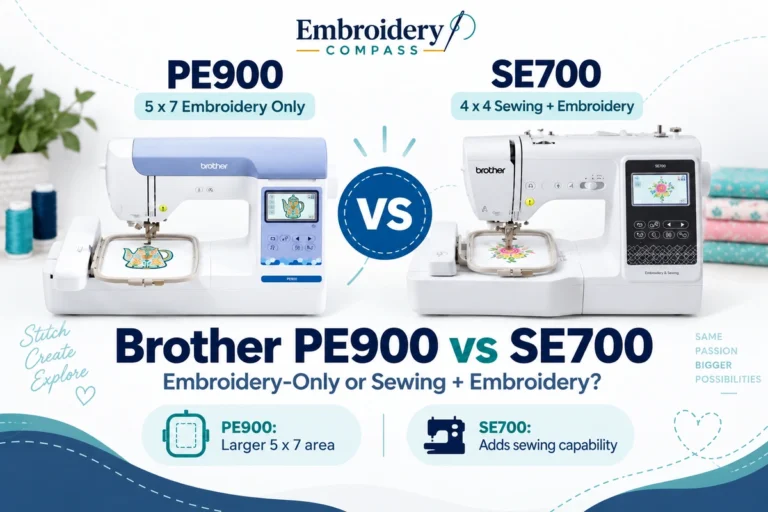
If you are also considering a dedicated embroidery-only machine, read our Brother PE900 vs SE700 comparison to understand the differences between a 5×7-inch embroidery-only machine and a 4×4-inch sewing and embroidery combination model.
You can also explore our Brother PE900 vs SE2000 comparison if you want to compare two machines with the same 5×7-inch maximum embroidery field.
For additional Brother models across different embroidery sizes and machine categories, visit our best Brother embroidery machines guide.
How We Research Embroidery Machines
Embroidery Compass develops its machine comparisons and buying guides through manufacturer documentation, published specifications, product research, and feature comparisons.
For this comparison, we reviewed Brother’s published product information for the SE700 and SE2000, including embroidery field size, built-in designs, sewing capabilities, connectivity, included accessories, and purchasing considerations.
This article is based on research and published product information. We do not claim hands-on testing of either machine. Specifications, included accessories, prices, and availability may change, so confirm the current product details before purchasing.