Best Brother Embroidery Machines: PE, SE, NQ & PR Models Compared
Disclosure: As an Amazon Associate I earn from qualifying purchases. If you buy through links on this page, we may earn a small commission at no extra cost to you.
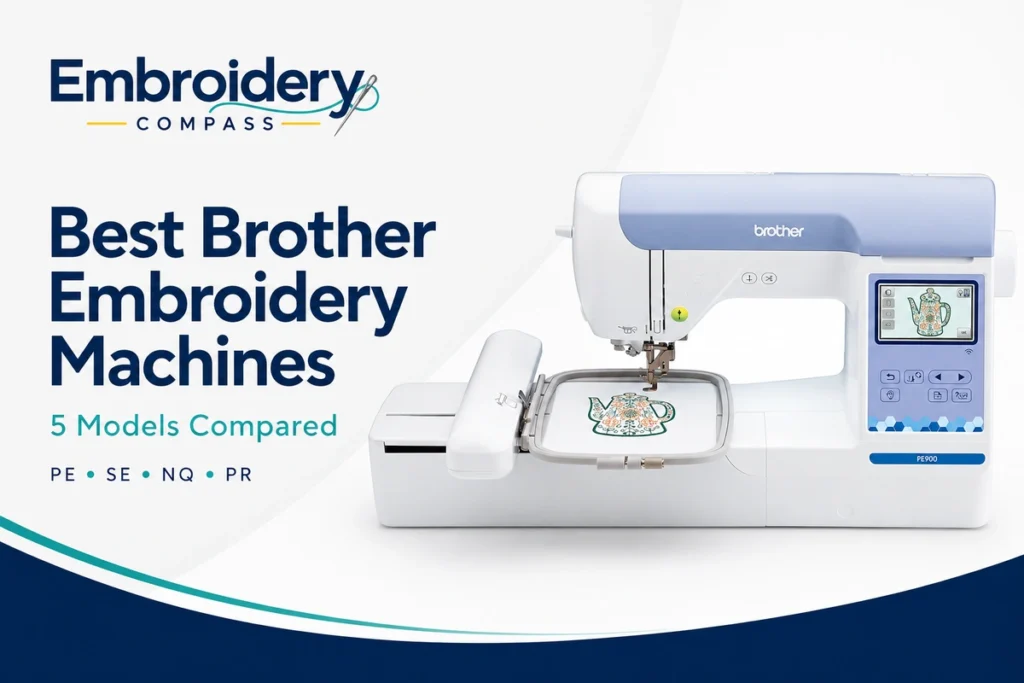
Brother has one of the broadest embroidery machine lineups for home users, beginners and growing embroidery businesses. The challenge is understanding what the model families actually mean. A PE machine may look similar to an SE machine, while an NQ model can cost considerably more without necessarily being the right choice for every user.
The biggest differences come down to whether you need regular sewing, how large an embroidery area you want, how frequently you plan to embroider and whether you expect to move toward professional production later.
After comparing the best Brother embroidery machines across the PE, SE and NQ families, our best overall choice for most embroidery-focused home users is the Brother PE900. Its 5″ x 7″ embroidery area, 193 built-in designs, wireless transfer, Color Sort and automatic jump-stitch trimming provide a strong balance between beginner accessibility and room to grow.
If budget matters more, the Brother PE545 provides an affordable embroidery-only starting point. Users who also need regular sewing should look at the SE700 or SE2000 instead, while the NQ1700E offers a larger 6″ x 10″ field for more advanced embroidery.
Brother’s professional PR family sits above these home-oriented models and becomes more relevant when free-arm access, multi-needle automation or business production is the priority. We explain that step-up later in this comparison rather than recommending an unavailable PR listing simply to fill a product slot.
Best Brother Embroidery Machines at a Glance
| Brother Machine | Best For | Machine Type | Embroidery Area | Built-In Embroidery Designs |
|---|---|---|---|---|
| Brother PE900 | Best Overall | Embroidery Only | 5″ x 7″ | 193 |
| Brother PE545 | Best Budget Embroidery-Only | Embroidery Only | 4″ x 4″ | 135 |
| Brother SE700 | Best Budget Sewing + Embroidery | Sewing + Embroidery | 4″ x 4″ | 135 |
| Brother SE2000 | Best Sewing + Embroidery | Sewing + Embroidery | 5″ x 7″ | 193 |
| Brother NQ1700E | Best Large-Field Home Embroidery | Embroidery Only | 6″ x 10″ | 258 |
These five machines cover a useful progression from compact beginner embroidery to larger-field enthusiast machines. The best choice depends much more on your workflow than on simply buying the most expensive Brother available.
How We Chose the Best Brother Embroidery Machines
This guide is specifically about choosing between Brother’s machine families, so we evaluated the models differently from our broader best embroidery machines comparison.
We considered:
- Embroidery area: Hoop size determines how large a design can be stitched without splitting or repositioning it.
- Embroidery-only vs combo design: PE and embroidery-focused NQ models serve different buyers from SE sewing-and-embroidery machines.
- Built-in designs and fonts: Useful for personalization without immediately purchasing additional files.
- Wireless transfer: Current Brother machines can move compatible designs from a computer without relying only on USB drives.
- On-screen editing: Resizing, rotating, positioning and combining designs can simplify everyday projects.
- Automatic features: Thread cutting, Color Sort and jump-stitch trimming can reduce repetitive work.
- Sewing capability: Some buyers need one machine for both garment construction and embroidery.
- Room to grow: A machine that fits today should ideally remain useful as embroidery skills improve.
- Business potential: We considered where each home machine fits before moving into Brother’s PR professional range.
Embroidery Compass develops its recommendations through manufacturer documentation, specifications, feature comparisons and practical buying research. We do not describe machines as personally tested unless hands-on testing has actually taken place.
1. Brother PE900 — Best Overall Brother Embroidery Machine


Best for: Home embroiderers who want a dedicated embroidery machine with a useful 5″ x 7″ field, wireless transfer and automation beyond entry-level models.
The Brother PE900 earns our best overall position because it provides one of the most useful combinations of price, embroidery area and modern Brother features without forcing users to pay for regular sewing functions they may not need.
It is an embroidery-only machine with a 5″ x 7″ maximum embroidery field, 193 built-in designs, 13 embroidery fonts and speeds up to approximately 650 stitches per minute.
Compared with the PE545, the larger field is the most important upgrade. Moving from 4″ x 4″ to 5″ x 7″ opens the door to noticeably larger lettering arrangements, apparel designs, towel embroidery and decorative projects.
Why the PE900 Stands Out for Embroidery-Only Buyers
The PE900 sits in a practical middle ground. It is substantially more capable than a basic 4″ x 4″ machine, but it remains smaller and easier to accommodate than larger enthusiast and professional systems.
That makes it particularly appealing to someone who already knows embroidery is more than a temporary hobby but does not yet require a 6″ x 10″, 8″ x 12″ or multi-needle commercial platform.
Because it is embroidery only, there is also no need to switch between sewing and embroidery configurations if personalization is your primary activity.
5″ x 7″ Embroidery Area
The 5″ x 7″ field is one of the PE900’s biggest advantages over Brother’s entry-level machines.
It provides useful room for:
- Medium-size shirt designs
- Towels
- Baby and children’s clothing
- Tote bags
- Decorative patches
- Names and monograms
- Home décor
- Quilt labels and blocks
A 5″ x 7″ field is not enormous, but it is large enough that many home users will not immediately feel constrained by their first serious projects.
Color Sort and Jump-Stitch Trimming
The PE900 also gains productivity features that matter more as designs become complex.
Color Sort can reorganize the sewing order of compatible multi-color designs to reduce unnecessary color changes. This does not turn the PE900 into a multi-needle machine—you still have one active needle—but fewer unnecessary thread changes can make a complicated design easier to manage.
The automatic jump-stitch trimming feature can also cut excess jump threads within a color, reducing some of the manual trimming required after embroidery.
Wireless Design Transfer
The PE900 supports Brother’s wireless Design Database Transfer system, allowing compatible embroidery files to be sent from a Windows PC to the machine over a wireless network.
Brother’s Artspira ecosystem adds another way to access and create compatible designs from a mobile device.
You can still use USB when appropriate, but wireless transfer is convenient if you frequently download designs and do not want to move a flash drive between your computer and embroidery room.
Brother PE900 Key Specifications
- Machine type: Embroidery only
- Maximum embroidery area: 5″ x 7″
- Built-in embroidery designs: 193
- Embroidery lettering fonts: 13
- Maximum embroidery speed: 650 SPM
- Display: 3.7-inch color LCD
- Wireless LAN: Yes
- USB: Yes
- Design Database Transfer: Yes
- Artspira compatibility: Yes
- Color Sort: Yes
- Jump-stitch trimming: Yes
- Automatic thread cutter: Yes
- Upper and bobbin thread sensors: Yes
What Could Be Better
The PE900 cannot perform ordinary sewing, so buyers who need garment construction or quilting should consider the SE2000 instead.
The 5″ x 7″ field can also become restrictive for users interested in larger sweatshirt, jacket or decorative designs. In that case, the NQ1700E’s 6″ x 10″ field provides significantly more room.
Our verdict: The Brother PE900 is our best overall Brother embroidery machine for most home embroidery-focused buyers. It provides a meaningful step beyond beginner 4″ x 4″ machines while remaining approachable, compact and easy to integrate into a home workspace.
2. Brother PE545 — Best Budget Brother Embroidery Machine

Best for: Beginners and home users who want an affordable dedicated embroidery machine and are comfortable starting with a 4″ x 4″ field.
The Brother PE545 is the simplest embroidery-only machine in our comparison, but that is also part of its appeal.
It provides 135 built-in embroidery designs, 10 lettering fonts, wireless LAN, USB import, a color touchscreen and a 4″ x 4″ maximum embroidery area.
Brother lists embroidery speeds up to approximately 400 stitches per minute, which is slower than the PE900 and NQ1700E but appropriate for a beginner-oriented home machine.
Why Start With a 4″ x 4″ Machine?
It is easy to focus only on hoop size and assume a 4″ x 4″ machine is automatically inadequate. For many beginner projects, that is not true.
A 4″ x 4″ field is well suited to:
- Monograms
- Names
- Small children’s designs
- Small patches
- Napkins
- Quilt labels
- Small towel motifs
- Craft and gift personalization
If those are the projects you actually want to make, paying substantially more for unused embroidery area may not be necessary.
The limitation appears when you begin purchasing designs larger than 4″ x 4″. At that point, the machine cannot simply stitch the larger design because you attach a bigger hoop; the machine’s supported embroidery field remains the limiting factor.
Wireless Features at an Entry-Level Price
One of the PE545’s stronger features is that Brother did not limit it to built-in designs.
Wireless LAN supports Design Database Transfer from a compatible Windows computer, and Artspira provides another way to work with compatible designs from a mobile device.
There is also a USB port for transferring designs into the machine’s built-in memory.
135 Designs and 10 Fonts
The PE545 includes 135 embroidery designs divided among motifs, alphabet designs and frames, along with 10 built-in embroidery lettering fonts.
The built-in library is useful for learning because you can begin stitching immediately without first purchasing embroidery files or learning digitizing software.
Brother PE545 Key Specifications
- Machine type: Embroidery only
- Maximum embroidery area: 4″ x 4″
- Built-in embroidery designs: 135
- Embroidery lettering fonts: 10
- Maximum embroidery speed: 400 SPM
- Display: 3.7-inch LCD color display
- Wireless LAN: Yes
- USB design import: Yes
- Design Database Transfer: Yes
- Artspira compatibility: Yes
- Automatic thread cutter: Yes
- Advanced needle threading: Yes
- Upper and bobbin thread sensors: Yes
What Could Be Better
The 4″ x 4″ embroidery area is the obvious limitation. Users who already know they want medium-size apparel or decorative embroidery should consider the PE900 instead of planning to upgrade shortly after purchase.
At 400 SPM, it is also slower than Brother’s larger embroidery-focused machines. That matters more as stitch counts increase.
Our verdict: The Brother PE545 is one of the most logical Brother choices for beginners who want embroidery only. It keeps the initial setup approachable while retaining useful modern features such as wireless design transfer and a color touchscreen.
3. Brother SE700 — Best Budget Brother Sewing and Embroidery Machine

Best for: Beginners who want regular sewing and embroidery from one affordable Brother machine.
The Brother SE700 shares several embroidery characteristics with the PE545 but adds a complete computerized sewing system.
It provides the same basic 4″ x 4″ maximum embroidery area, 135 embroidery designs and 10 embroidery fonts, but also includes 103 built-in sewing stitches and 10 one-step auto-size buttonhole styles.
This makes the SE700 a much better choice for someone who wants to sew garments, bags, home décor or craft projects and then personalize those projects with embroidery.
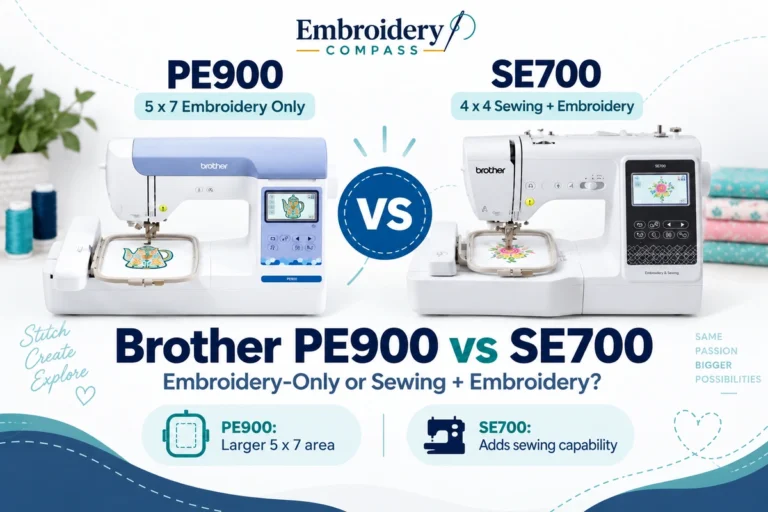
PE545 vs SE700: The Key Difference
The most important difference is easy to understand:
PE545 = embroidery only.
SE700 = sewing + embroidery.
If you already own a sewing machine you like, the PE545 keeps your embroidery setup dedicated and straightforward.
If this will be your only machine, the SE700 offers much greater flexibility because you can remove the embroidery unit and use it for conventional sewing.
103 Sewing Stitches
The SE700 includes utility and decorative sewing stitches as well as 10 styles of one-step buttonholes.
Brother lists regular sewing speeds up to approximately 710 stitches per minute. Eight presser feet are included for common sewing and embroidery tasks.
This is enough capability for a beginner to learn garment construction, repairs, craft sewing and basic decorative work alongside embroidery.
Wireless Embroidery Workflow
Like the current PE models in this guide, the SE700 includes wireless LAN and supports Brother Design Database Transfer.
Artspira compatibility provides access to additional creative tools and compatible downloadable designs from a mobile device.
This means buying the less expensive SE700 does not require giving up Brother’s modern wireless ecosystem.
Brother SE700 Key Specifications
- Machine type: Sewing + embroidery
- Maximum embroidery area: 4″ x 4″
- Built-in embroidery designs: 135
- Embroidery fonts: 10
- Built-in sewing stitches: 103
- Buttonhole styles: 10
- Maximum sewing speed: 710 SPM
- Color LCD display: Yes
- Wireless LAN: Yes
- Design Database Transfer: Yes
- Artspira compatibility: Yes
- Automatic thread cutter: Yes
- Advanced needle threading: Yes
- Included presser feet: 8
What Could Be Better
The embroidery side remains limited to 4″ x 4″. Buyers attracted mainly by embroidery rather than sewing may quickly want more room.
If your budget allows and you know embroidery will be a major part of your hobby, the SE2000’s 5″ x 7″ field is a more future-proof combination setup.
Our verdict: The SE700 is the Brother model we prefer for buyers who want to learn both sewing and embroidery without making a large initial investment. It offers substantially more versatility than an embroidery-only beginner machine while keeping the interface accessible.
4. Brother SE2000 — Best Brother Sewing and Embroidery Machine

Best for: Users who want a more capable all-in-one Brother machine with 5″ x 7″ embroidery, advanced sewing functions and stronger embroidery automation.
The Brother SE2000 is the logical upgrade from the SE700 when both sewing and embroidery matter.
Its embroidery specifications closely resemble the PE900: a 5″ x 7″ maximum field, 193 built-in embroidery designs, 13 embroidery fonts, wireless transfer, Color Sort and automatic jump-stitch trimming.
The difference is that the SE2000 also functions as a much more capable sewing machine with 241 built-in sewing stitches, 10 one-step buttonholes, My Custom Stitch and regular sewing speeds up to approximately 850 SPM.
PE900 vs SE2000: Which Should You Choose?
These two machines are among the most easily confused Brother choices because their embroidery specifications overlap substantially.
Choose the PE900 when embroidery is your priority and you already have a separate sewing machine—or simply do not need regular sewing.
Choose the SE2000 when you want to construct and embellish projects using one machine.
The SE2000 is especially useful for people who make bags, garments, costumes, children’s clothing and home décor and then add personalized embroidery to those same projects.
241 Sewing Stitches and My Custom Stitch
The SE2000 has considerably more regular sewing capability than the SE700.
Its 241 built-in stitches cover utility and decorative applications, while My Custom Stitch allows users to create and save custom sewing stitch patterns.
A knee lifter is also included, which can be particularly useful when you need to raise the presser foot while keeping your hands on a sewing project.
650-SPM Embroidery and 850-SPM Sewing
Brother lists embroidery speeds up to approximately 650 stitches per minute and conventional sewing speeds up to approximately 850 stitches per minute.
This is an important reminder that sewing speed and embroidery speed are separate specifications on a combination machine.
For embroidery, the SE2000 is substantially better suited to larger, higher-stitch-count projects than a basic 4″ x 4″ beginner model.
Brother SE2000 Key Specifications
- Machine type: Sewing + embroidery
- Maximum embroidery area: 5″ x 7″
- Built-in embroidery designs: 193
- Embroidery lettering fonts: 13
- Built-in sewing stitches: 241
- One-step buttonhole styles: 10
- Maximum embroidery speed: 650 SPM
- Maximum sewing speed: 850 SPM
- Display: 3.7-inch color LCD
- Wireless LAN: Yes
- Design Database Transfer: Yes
- Artspira compatibility: Yes
- Color Sort: Yes
- Jump-stitch trimming: Yes
- My Custom Stitch: Yes
- Knee lifter: Yes
What Could Be Better
If you do not need sewing, much of the SE2000’s extra capability becomes unnecessary. A dedicated embroidery machine can provide a simpler workflow.
The 5″ x 7″ field is also still smaller than the NQ1700E’s 6″ x 10″ area.
Our verdict: The Brother SE2000 is our preferred Brother sewing-and-embroidery combination machine. It combines the useful embroidery capabilities of Brother’s stronger home models with a sewing system substantial enough for users who genuinely work in both disciplines.
5. Brother NQ1700E — Best Brother Machine for Larger Home Embroidery

Best for: Serious home embroiderers who have outgrown 4″ x 4″ and 5″ x 7″ fields and want a dedicated 6″ x 10″ Brother embroidery machine.
The Brother Innov-ís NQ1700E is the largest and most advanced embroidery-only machine among our five recommendations.
Its main advantage is the generous 6″ x 10″ embroidery area. It also provides 258 built-in embroidery designs, 140 frame-pattern combinations, 13 embroidery lettering fonts and a larger 4.85-inch color touchscreen.
Brother lists embroidery speeds up to approximately 850 stitches per minute, which makes the NQ1700E significantly more production-capable than its smaller PE-series siblings while remaining a single-needle home embroidery machine.
6″ x 10″ Changes What You Can Embroider
The larger field is the primary reason to choose the NQ1700E over the PE900.
A 6″ x 10″ embroidery area is useful for projects such as:
- Larger sweatshirt designs
- Jacket and shirt embroidery
- Tote bags
- Large towel designs
- Decorative pillow projects
- Long names and lettering arrangements
- Large quilt blocks
- More elaborate multi-element layouts
If your design library regularly includes files larger than 5″ x 7″, the larger hoop can save substantial frustration and reduce the need to split projects into multiple sections.
4.85-Inch Touchscreen
The larger display provides more working room for embroidery editing than Brother’s smaller PE and SE machines.
Designs can be resized, rotated, repositioned, combined and moved through drag-and-drop controls directly on the touchscreen.
This is particularly useful when working with the larger field because more complex arrangements become practical without constantly returning to a computer for minor adjustments.
Color Sort and Automatic Thread Trimming
The NQ1700E includes Brother productivity functions such as Color Sort, automatic thread cutting and advanced thread trimming.
These features do not eliminate manual thread changes on a single-needle machine, but they can reduce unnecessary interruption and finishing work during complex embroidery.
Wireless Transfer
The NQ1700E supports wireless Design Database Transfer, so compatible files can be sent from a Windows computer without requiring a USB drive for every project.
USB connectivity remains available, giving users more than one way to manage a growing embroidery design library.
Brother NQ1700E Key Specifications
- Machine type: Dedicated embroidery
- Needles: 1
- Maximum embroidery area: 6″ x 10″
- Built-in embroidery designs: 258
- Frame pattern combinations: 140
- Embroidery lettering fonts: 13
- Maximum embroidery speed: 850 SPM
- Display: 4.85-inch color LCD touchscreen
- Wireless transfer: Yes
- Design Database Transfer: Yes
- USB: Yes
- Color Sort: Yes
- Automatic thread cutting: Yes
- Advanced automatic thread trimming: Yes
- Space from needle to arm: 8.3 inches
What Could Be Better
The NQ1700E remains a single-needle machine. A design using many thread colors still requires manual color changes rather than automatically switching among multiple pre-threaded needles.
It also does not perform ordinary sewing. If you want a single machine for both construction and embroidery, the SE2000 is the better match.
And although the 6″ x 10″ field is generous for home embroidery, users moving into higher-volume business work may eventually benefit more from a free-arm or multi-needle professional machine.
Our verdict: Choose the NQ1700E when embroidery area and advanced home embroidery matter more than keeping the initial investment low. Its 6″ x 10″ field, 850-SPM maximum speed and larger editing screen provide a meaningful step above Brother’s PE-series machines.
Brother PE vs SE vs NQ vs PR: What Do the Series Mean?
Understanding Brother’s model families can make choosing a machine much easier.
| Brother Series | Main Purpose | Typical Buyer | Examples |
|---|---|---|---|
| PE | Dedicated home embroidery | Beginner to enthusiast | PE545, PE900 |
| SE | Sewing + embroidery combination | Home sewist / crafter | SE700, SE2000 |
| NQ | Advanced Innov-ís home machines | Serious hobbyist / advanced home user | NQ1700E |
| PR | Professional embroidery | Home business / commercial user | PR professional models |
Brother PE Series
PE machines are dedicated embroidery machines. Their purpose is straightforward: embroidery without conventional sewing functions.
This makes the PE family especially attractive to people who already own a sewing machine or have little interest in regular sewing.
Brother SE Series
SE models combine computerized sewing and machine embroidery.
The main advantage is versatility. You can construct a project using the regular sewing system and then attach the embroidery unit for personalization.
If that workflow sounds like what you need, our best sewing and embroidery machines guide compares Brother-style combo machines with alternatives from other manufacturers.
Brother NQ Series
NQ machines sit higher in Brother’s Innov-ís home lineup and generally target users wanting more workspace, larger embroidery capability or stronger creative features.
The NQ1700E in this guide is embroidery only, which makes it a natural step up from the PE900 for users who want a 6″ x 10″ field.
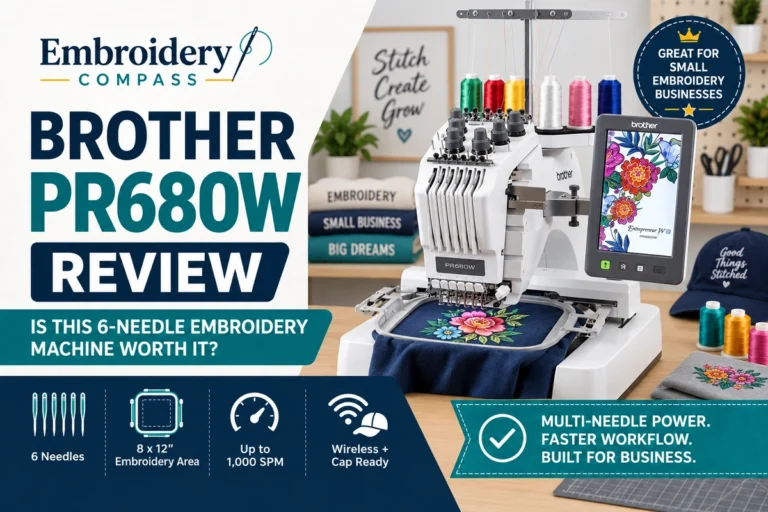
Brother PR Series
The PR family moves toward professional embroidery. Depending on the model, this category can include commercial-style free-arm access and multi-needle systems designed around faster business workflows.
A PR machine becomes more attractive when your priority changes from occasional home embroidery to paid orders, hats, sleeves, tubular items or repeated multi-color production.
Why a Brother PR Machine Is Not in Our Top Five
Brother PR machines are relevant to this comparison, but availability through Amazon can be inconsistent, particularly compared with Brother’s PE and SE home models.
Rather than recommend a product simply because its model number fits the article, we prefer to keep our primary recommendations focused on machines with an active purchase path when the article is prepared.
If you are specifically shopping for a Brother PR machine, compare current authorized-dealer and manufacturer availability as well as Amazon. Professional machines require a larger investment, and technical support, training, warranty service and local parts availability deserve more attention than they do with a basic home model.
If your goal is primarily business production rather than home embroidery, our best embroidery machines for small business guide covers multi-needle and commercial-style options from multiple manufacturers.
Brother PE545 vs PE900
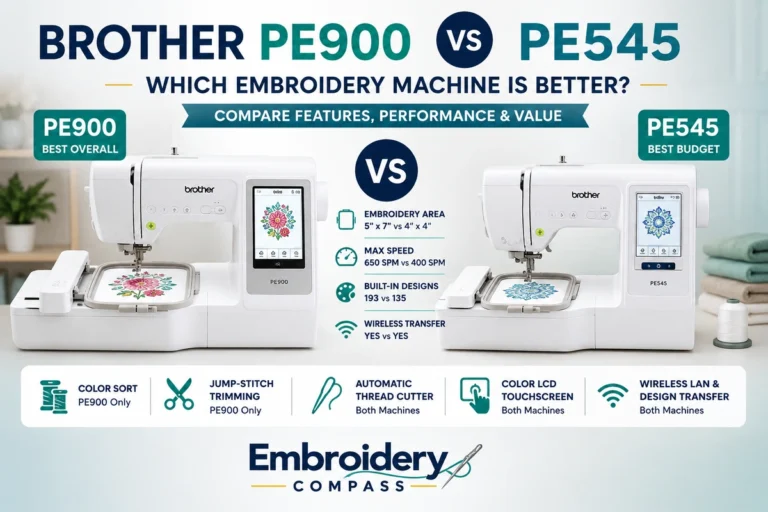
| Feature | Brother PE545 | Brother PE900 |
|---|---|---|
| Machine Type | Embroidery only | Embroidery only |
| Maximum Embroidery Area | 4″ x 4″ | 5″ x 7″ |
| Built-In Designs | 135 | 193 |
| Embroidery Fonts | 10 | 13 |
| Maximum Embroidery Speed | 400 SPM | 650 SPM |
| Wireless | Yes | Yes |
| Color Sort | No | Yes |
| Automatic Jump-Stitch Trim | No | Yes |
| Best For | Budget/beginner | Growing home embroiderer |
The PE545 makes sense if you want an inexpensive way to begin embroidery and expect to work mainly with small designs.
The PE900 is the better long-term purchase for most embroidery-focused users because the 5″ x 7″ field and higher speed significantly expand what the machine can handle. For a deeper side-by-side look at these two embroidery-only models, see our Brother PE545 vs PE900 comparison.
Brother SE700 vs SE2000
| Feature | Brother SE700 | Brother SE2000 |
|---|---|---|
| Machine Type | Sewing + embroidery | Sewing + embroidery |
| Embroidery Area | 4″ x 4″ | 5″ x 7″ |
| Embroidery Designs | 135 | 193 |
| Sewing Stitches | 103 | 241 |
| Embroidery Fonts | 10 | 13 |
| Maximum Sewing Speed | 710 SPM | 850 SPM |
| Wireless | Yes | Yes |
| Color Sort | No | Yes |
| Best For | Beginner combo | Serious combo user |
The decision is similar to PE545 versus PE900.
Choose the SE700 to keep your investment lower while learning both sewing and embroidery. Choose the SE2000 if you already know you want larger embroidery, more sewing stitches and more advanced features.
Brother PE900 vs NQ1700E
| Feature | Brother PE900 | Brother NQ1700E |
|---|---|---|
| Machine Type | Embroidery only | Embroidery only |
| Embroidery Area | 5″ x 7″ | 6″ x 10″ |
| Built-In Designs | 193 | 258 |
| Fonts | 13 | 13 |
| Maximum Embroidery Speed | 650 SPM | 850 SPM |
| Display | 3.7″ | 4.85″ |
| Wireless Transfer | Yes | Yes |
| Best For | Most home embroiderers | Larger and more advanced projects |
The PE900 offers better overall value for the average home embroiderer.
The NQ1700E is worth moving up to when you can identify a specific reason for needing the 6″ x 10″ field, faster embroidery and larger editing interface.
Embroidery-Only or Sewing and Embroidery Combo?
This decision should come before comparing small specification differences.
| If You… | Better Choice |
|---|---|
| Already own a sewing machine | PE or NQ embroidery-only |
| Only care about embroidery | PE or NQ embroidery-only |
| Need one machine for both functions | SE |
| Construct products before embroidering them | SE |
| Want the simplest embroidery workflow | PE or NQ |
| Have limited room for two machines | SE |
Neither approach is inherently better.
A dedicated embroidery machine has the advantage that it can remain configured for embroidery. If you own two machines, you may even be able to sew on one while the embroidery machine is completing a design.
A combination machine saves space and avoids buying separate equipment, which can be particularly attractive for beginners and home craft rooms.
How Much Embroidery Area Do You Need?
Hoop size is one of the most important specifications because it directly affects which embroidery files you can stitch at their intended size.
4″ x 4″
Best for monograms, small motifs, quilt labels, baby items and beginner projects.
Brother options in this guide: PE545 and SE700.
5″ x 7″
A much more flexible home size for medium apparel designs, towels, bags and larger personalization.
Brother options in this guide: PE900 and SE2000.
6″ x 10″
Better suited to advanced home embroidery and users working with larger decorative designs.
Brother option in this guide: NQ1700E.
If your projects require still larger areas or business-oriented free-arm access, that is where Brother’s professional machines and other commercial multi-needle systems become more relevant.
Can You Start an Embroidery Business With a Brother PE or SE?
Yes. A home Brother machine can be enough to start accepting smaller embroidery orders, particularly while you are testing demand.
Products such as monogrammed towels, baby gifts, small shirts, personalized bags, quilt labels and simple custom items can all be produced on a single-needle home machine when the design fits within its supported field.
The challenge appears when order volume increases.
A single-needle Brother requires manual thread changes during multi-color designs. Home-style flat-bed machines can also be less convenient for caps, sleeves and other tubular finished products than commercial free-arm machines.
If business demand starts exposing those limitations, compare our best single-needle embroidery machines and best 15-needle embroidery machines to understand the next stage of equipment.
How to Choose the Best Brother Embroidery Machine
1. Choose Sewing + Embroidery or Embroidery Only
Do this first because it immediately narrows the decision.
If you only need embroidery, focus on the PE545, PE900 or NQ1700E. If you also need ordinary sewing, focus on the SE700 or SE2000.
2. Buy Enough Embroidery Area
Look through embroidery designs you would realistically like to make and check their dimensions.
If many are larger than 4″ x 4″, buying a PE545 or SE700 merely because they are less expensive may result in an early upgrade.
3. Do Not Choose Based Only on Built-In Design Count
A machine with more built-in designs is convenient, but modern Brother machines can import additional compatible embroidery files.
Hoop size, workflow, sewing capability and automation often have a much larger long-term effect than whether the machine includes 135 or 193 factory designs.
4. Consider Wireless Transfer
All five recommendations in this guide support modern design-transfer workflows, including wireless capability.
This is useful if you frequently purchase files online or build a large embroidery library on your computer.
5. Think About Thread Changes
Every recommended machine in our top five uses one needle.
If a design contains multiple thread colors, you will need to change the thread as the design progresses.
That is perfectly acceptable for home embroidery. It becomes a larger concern when you begin producing repeated commercial orders, which is where multi-needle equipment has a major workflow advantage.
6. Plan for Supplies
Good embroidery depends on more than the machine.
You will also need suitable embroidery thread, bobbins, needles and stabilizer matched to the fabric and design.
Our embroidery supplies and accessories guides cover these materials in more detail.
Which Brother Embroidery Machine Should You Buy?
Choose the Brother PE545 if:
You are a beginner, want embroidery only and expect most of your projects to fit comfortably within a 4″ x 4″ field.
Choose the Brother PE900 if:
You want our best overall Brother embroidery-only recommendation with a more useful 5″ x 7″ field, faster embroidery and stronger automatic features.
Choose the Brother SE700 if:
You want an affordable first machine that can perform both normal sewing and 4″ x 4″ embroidery.
Choose the Brother SE2000 if:
You want sewing and embroidery but do not want the 4″ x 4″ limitation of the SE700. Its 5″ x 7″ field and 241 sewing stitches make it a much stronger long-term combination machine.
Choose the Brother NQ1700E if:
You are primarily interested in embroidery and need a larger 6″ x 10″ field, faster 850-SPM operation and a larger editing screen.
Frequently Asked Questions
What is the best Brother embroidery machine?
Our best overall Brother embroidery machine for most home users is the Brother PE900. It combines a 5″ x 7″ embroidery field, 193 built-in designs, 13 fonts, wireless transfer, Color Sort and automatic jump-stitch trimming in a dedicated embroidery machine.
Users needing a larger field should consider the NQ1700E, while users who also need conventional sewing should consider the SE2000.
What is the best Brother embroidery machine for beginners?
The Brother PE545 is an excellent beginner option when embroidery is the only priority. Its 4″ x 4″ field keeps the machine approachable while wireless transfer and a color display provide modern conveniences.
If the beginner also wants regular sewing, the SE700 is the better choice.
For more beginner-focused alternatives, see our best embroidery machines for beginners.
What is the difference between Brother PE and SE machines?
Brother PE models are dedicated embroidery machines, while Brother SE models combine normal sewing and embroidery in one machine.
If you already own a sewing machine or only want embroidery, a PE model usually makes more sense. If you need both functions from one machine, consider an SE model.
Is the Brother PE900 better than the PE545?
The PE900 is the more capable machine because it provides a larger 5″ x 7″ embroidery field, more built-in designs and fonts, faster embroidery and features such as Color Sort and automatic jump-stitch trimming.
The PE545 remains the better value when your projects fit within 4″ x 4″ and keeping the initial investment lower is more important.
Is the Brother SE2000 better than the SE700?
The SE2000 is considerably more capable. It provides a 5″ x 7″ embroidery field rather than 4″ x 4″, 241 sewing stitches instead of 103 and additional embroidery automation.
The SE700 is still an attractive beginner machine when budget matters more than maximum hoop size.
Is the Brother NQ1700E a sewing machine too?
No. The Brother NQ1700E is a dedicated embroidery machine. Its advantages include a larger 6″ x 10″ embroidery field, 258 designs and speeds up to approximately 850 SPM, but it does not replace a conventional sewing machine.
Can Brother embroidery machines use downloaded designs?
Yes. Current Brother models in this comparison support importing compatible embroidery designs beyond the patterns built into the machine.
Wireless Design Database Transfer and USB options vary by workflow and model, so always confirm file compatibility before purchasing a design collection.
Do Brother embroidery machines work with Artspira?
Several current Brother home embroidery and sewing-and-embroidery machines support Brother’s Artspira creative ecosystem, including models such as the PE545, PE900, SE700 and SE2000.
Check current compatibility requirements for the exact machine and mobile device before relying on a specific app feature.
Can I use a bigger hoop on a Brother PE545 to stitch a design larger than 4″ x 4″?
A physically larger or repositionable hoop does not change the machine’s maximum supported embroidery field. The PE545 remains a 4″ x 4″ machine, so a single design larger than its supported area cannot simply be stitched because a larger frame is attached.
Which Brother machine is best for a home embroidery business?
For lower-volume home business work, the PE900 or NQ1700E can be useful starting points. The NQ1700E provides the larger 6″ x 10″ field and faster embroidery, while the PE900 offers a lower-cost route into 5″ x 7″ embroidery.
If you regularly handle multi-color commercial orders, hats or difficult tubular products, a Brother PR or another professional multi-needle machine may eventually provide a more efficient workflow.
Are Brother PR machines better than PE and SE machines?
They are designed for a different level of use rather than simply being universally better.
PE and SE machines are excellent for home embroidery and creative work. PR machines become more appropriate when professional workflow, free-arm access, higher production demands or multi-needle capability justify the larger investment.
Final Verdict
Brother makes embroidery machines for very different buyers, so choosing the best model starts with understanding the series rather than simply comparing prices.
The Brother PE545 is our budget embroidery-only choice for beginners working within a 4″ x 4″ field. The Brother SE700 fills a similar entry-level role for buyers who also need conventional sewing.
For users who want one stronger machine for both sewing and embroidery, the Brother SE2000 provides the more useful 5″ x 7″ field, 241 sewing stitches and additional automation.
The Brother NQ1700E is the best choice in this comparison for larger dedicated home embroidery. Its 6″ x 10″ field, 258 built-in designs, 850-SPM maximum speed and larger touchscreen provide a substantial step above entry-level machines.
For the broadest range of home embroidery users, however, our best overall Brother embroidery machine is the Brother PE900. Its 5″ x 7″ field provides noticeably more flexibility than a 4″ x 4″ beginner machine, while wireless transfer, 193 built-in designs, Color Sort and jump-stitch trimming provide enough advanced capability to remain useful as embroidery skills grow.