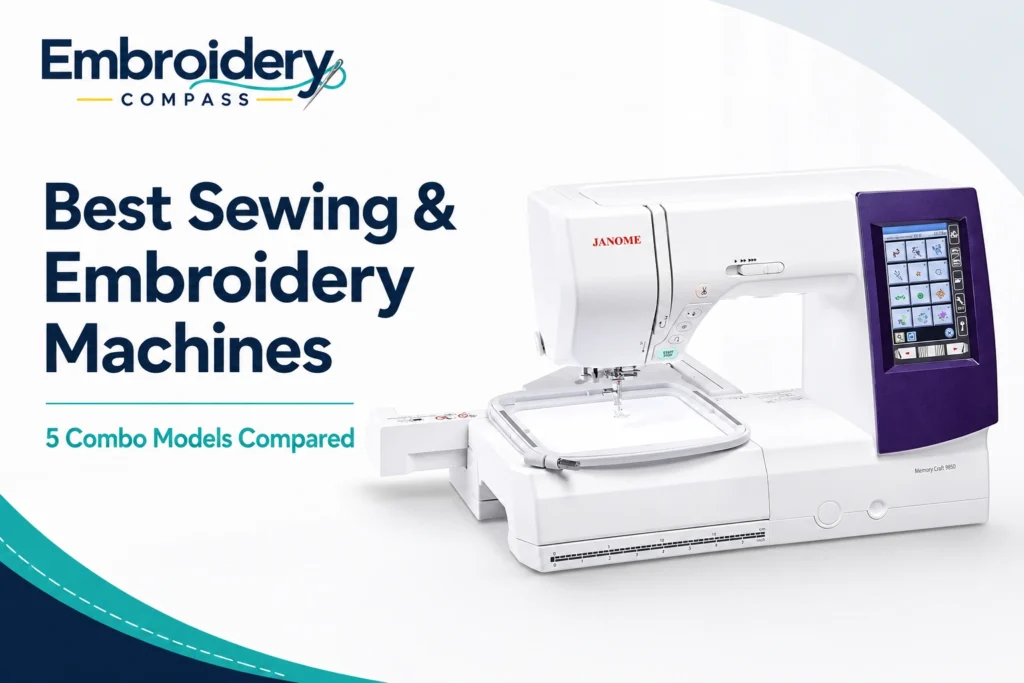
Best Sewing and Embroidery Machines: 5 Combo Models Compared
Disclosure: As an Amazon Associate I earn from qualifying purchases. If you buy through links on this page, we may earn a small commission at no extra cost to you.
The best sewing and embroidery machines combine two creative tools into one system: a computerized sewing machine for garment construction, quilting and everyday stitching, plus an embroidery module for monograms, logos, decorative designs and personalization.
For many home users and small craft businesses, a combination machine makes more sense than maintaining separate sewing and embroidery machines. You can construct a bag, garment or home décor project, attach the embroidery module, and then personalize the finished piece without changing to an entirely different machine.
However, combo machines vary significantly. Embroidery areas range from compact home-project sizes to larger fields approaching 8 inches, while sewing features range from basic utility stitches to advanced dual-feed systems, automatic tension, wireless design transfer and hundreds of decorative stitches.
After comparing embroidery area, sewing capability, design transfer, touchscreen controls, embroidery speed and overall versatility, our best overall sewing and embroidery machine is the Janome Memory Craft 9850. It provides a useful 6.7″ x 7.9″ embroidery area, 200 sewing stitches, 175 embroidery designs, strong on-screen editing and up to 1,000 stitches per minute for regular sewing.
For lower budgets, the EverSewn Sparrow X2 and PooLin EOC03 2-in-1 offer considerably more accessible ways to combine both functions. At the premium end, the bernette b79 and Janome Skyline S9 provide stronger sewing systems, larger feature sets and more advanced embroidery controls.
Best Sewing and Embroidery Machines at a Glance
| Machine | Best For | Embroidery Area | Sewing Stitches | Embroidery Designs |
|---|---|---|---|---|
| Janome Memory Craft 9850 | Best Overall | 6.7″ x 7.9″ | 200 | 175 |
| PooLin EOC03 2-in-1 | Best Value | 4″ x 9.25″ | 207 | 130 |
| EverSewn Sparrow X2 | Best Budget Smart Combo | Approx. 4.75″ x 7″ | 120 | 100+ |
| bernette b79 | Best Premium Combo | 10.2″ x 6.3″ | 500 | 208 |
| Janome Skyline S9 | Best High-End Combo | 6.7″ x 7.9″ | 300 | 250 |
There is no single machine here that is best for every buyer. The right choice depends on whether your priority is affordable embroidery, garment sewing, quilting, wireless workflow, a larger embroidery field or advanced creative control.
How We Chose These Sewing and Embroidery Machines
A combination machine needs to perform well on both sides of its job. We therefore did not rank these models based only on embroidery design counts or the number of decorative sewing stitches.
We considered:
- Embroidery area: Larger fields provide more flexibility for apparel, bags, towels and decorative projects.
- Sewing capability: Utility stitches, decorative stitches, buttonholes, fabric feeding and speed all affect everyday sewing.
- Embroidery speed: Higher speeds can shorten longer designs, especially for frequent users.
- Design transfer: USB, wireless and app-based workflows affect how easily custom files reach the machine.
- Touchscreen controls: A good interface makes design selection, positioning and editing easier.
- Automatic features: Thread cutting, tension control, needle positioning and related automation can reduce repetitive steps.
- Hoop flexibility: The included and compatible hoop sizes determine the practical range of embroidery projects.
- Room to grow: We considered whether users are likely to outgrow the machine quickly.
- Value: A machine should justify its position in the market through useful capabilities rather than simply offering a long specification list.
Embroidery Compass develops its recommendations through manufacturer documentation, specifications, feature comparisons and practical buying research. We do not claim hands-on testing unless a machine has actually been personally tested.
If you only need embroidery and do not need regular sewing functions, see our best single-needle embroidery machines instead. Buyers completely new to machine embroidery can also start with our best embroidery machines for beginners.
1. Janome Memory Craft 9850 — Best Overall Sewing and Embroidery Machine
Best for: Home sewists and serious hobbyists who want a balanced combination of large-area embroidery and capable computerized sewing.
The Janome Memory Craft 9850 earns our best overall position because it delivers a particularly balanced combination of sewing and embroidery features without making either side feel secondary.
For embroidery, it provides a maximum working area of 6.7″ x 7.9″, 175 built-in embroidery designs, a full-color touchscreen and embroidery speeds from approximately 60 to 800 stitches per minute.
Switch back to regular sewing and you get 200 built-in stitches, six one-step buttonholes, automatic thread tension, a built-in needle threader, drop feed, adjustable foot pressure and sewing speeds up to 1,000 stitches per minute.
Why the Janome 9850 Stands Out Overall
Many combination machines lean heavily toward one function. Some are primarily sewing machines with a relatively small embroidery system attached, while others provide good embroidery but limited sewing flexibility.
The Memory Craft 9850 feels more balanced. Its embroidery field is large enough for substantial home projects, while its regular sewing system has enough capability for garment construction, quilting, craft sewing and more advanced creative work.
This makes it particularly useful for someone who genuinely intends to use both functions instead of buying an embroidery module that spends most of its life in storage.
6.7″ x 7.9″ Embroidery Area
The 170 x 200 mm maximum embroidery field gives the MC9850 considerably more freedom than compact 4″ x 4″ machines.
That additional room is useful for projects such as:
- Sweatshirts and jackets
- Towels
- Tote bags
- Pillow covers
- Children’s clothing
- Quilt blocks
- Larger monograms
- Decorative home projects
You can still use smaller hoops for smaller designs, but having a larger maximum field means the machine is less likely to become restrictive as your skills develop.
Strong On-Screen Embroidery Editing
The full-color touchscreen allows designs to be resized, combined, duplicated, flipped, arranged in an arc, grouped, moved and zoomed directly on the machine.
That does not replace dedicated digitizing software, but it can eliminate unnecessary trips back to a computer when you simply need to adjust the placement or arrangement of an existing design.
Strong Everyday Sewing Capability
The 9850’s regular sewing side is one of the main reasons we rank it ahead of less expensive combo machines.
Its 200 stitches cover utility, decorative and creative sewing, while the 9 mm maximum stitch width provides room for decorative effects. A seven-piece feed dog helps move fabric consistently, and drop-feed capability lets you handle applications such as free-motion work.
Automatic tension is another useful convenience because it reduces the amount of manual adjustment required as you switch between different sewing tasks.
Janome Memory Craft 9850 Key Specifications
- Machine type: Sewing + embroidery
- Maximum embroidery area: 6.7″ x 7.9″ / 170 x 200 mm
- Built-in sewing stitches: 200
- One-step buttonholes: 6
- Built-in embroidery designs: 175
- Maximum embroidery speed: 800 SPM
- Maximum regular sewing speed: 1,000 SPM
- Display: Full-color touchscreen
- Design transfer: USB
- Embroidery formats: JEF / JEF+
- Automatic thread tension: Yes
- Automatic thread cutter: Yes
- Programmable jump-thread trimming: Yes
- Free arm for regular sewing: Yes
- Drop feed: Yes
- Machine weight: approximately 22.9 lb
What Could Be Better
The MC9850 does not provide the wireless design-transfer convenience found on the Skyline S9 or PooLin EOC03. Custom embroidery files are transferred through USB.
It is also a relatively serious investment for a first sewing and embroidery machine. Beginners who are still deciding whether embroidery will become a long-term hobby may be better served by the EverSewn or PooLin first.
Our verdict: The Janome Memory Craft 9850 is the strongest all-around choice for someone who wants to use both halves of a combination machine seriously. The 6.7″ x 7.9″ field, 800-SPM embroidery capability, 200 sewing stitches and strong editing controls create a balanced machine with room to grow.
2. PooLin EOC03 2-in-1 — Best Value Sewing and Embroidery Machine

Best for: Beginners, home crafters and smaller sellers who want a modern sewing-and-embroidery combination machine with a larger-than-4″ x 4″ field and Wi-Fi transfer.
The PooLin EOC03 2-in-1 is our value pick because it gives buyers a surprising amount of embroidery and sewing capability without immediately moving into the price range of the Janome and bernette machines.
It combines 207 sewing stitches with 130 built-in embroidery designs and comes with both a 4″ x 4″ hoop and an elongated 4″ x 9.25″ hoop.
The machine also provides a 4.3-inch touchscreen, Wi-Fi and USB design transfer and a maximum operating speed of approximately 650 stitches per minute.
Why the 4″ x 9.25″ Field Matters
A common problem with affordable embroidery machines is the 4″ x 4″ limitation. That size is perfectly adequate for monograms and small motifs, but users can outgrow it quickly.
The EOC03 retains a narrow four-inch dimension but extends the working length to approximately 9.25 inches. That makes it better suited to long names, vertical designs, decorative borders and other elongated layouts.
It is not equivalent to a full 6″ x 10″ or 8″ x 12″ rectangular embroidery area, but the added length provides significantly more flexibility than a basic 4″ x 4″ system.
207 Sewing Stitches
The sewing side is more than an afterthought. With 207 stitch choices, the EOC03 can handle everyday sewing as well as a broad range of decorative work.
This makes it attractive to crafters who want to make a product first and then embellish it—for example, constructing a tote bag before adding an embroidered name or creating children’s clothing and then personalizing it.
Wi-Fi and USB Design Transfer
Wireless design transfer is a particularly useful feature at this price level. Instead of relying only on built-in designs, users can transfer compatible custom embroidery files using Wi-Fi or USB.
The EOC03 supports DST and DSB embroidery formats, making it possible to expand beyond the machine’s included design library.
PooLin EOC03 2-in-1 Key Specifications
- Machine type: Sewing + embroidery
- Maximum embroidery area: 4″ x 9.25″ / approximately 100 x 235 mm
- Included hoop sizes: 4″ x 4″ and 4″ x 9.25″
- Built-in sewing stitches: 207
- Built-in embroidery designs: 130
- Maximum speed: approximately 650 SPM
- Display: 4.3-inch touchscreen
- Connectivity: Wi-Fi / USB
- Embroidery formats: DST / DSB
- One-step buttonhole: Yes
- Thread-break alarm: Yes
- Automatic bobbin winding: Yes
- Computerized controls: Yes
What Could Be Better
The embroidery area’s four-inch width is the biggest limitation. Buyers who frequently use large square or wide designs will have more freedom with the Janome 9850, bernette b79 or Skyline S9.
PooLin also has a shorter history in the U.S. home-sewing market than Janome or bernette. Before purchasing, it is worth reviewing the current warranty, training options, customer-service process and availability of accessories that matter to you.
Our verdict: The PooLin EOC03 2-in-1 provides an attractive balance for buyers who want more than a basic 4″ x 4″ beginner machine but are not ready for a premium combination system. Its 207 sewing stitches, elongated hoop and wireless transfer give it excellent value potential.
3. EverSewn Sparrow X2 — Best Budget Smart Sewing and Embroidery Machine

Best for: Tech-comfortable home users who want affordable sewing and embroidery with app-based embroidery control.
The EverSewn Sparrow X2 takes a different approach from the other machines in this guide. Instead of putting every embroidery control on a large built-in machine display, the X2 works with the EverSewn X2 app on a compatible 64-bit Apple or Android smart device.
This helps keep the machine relatively approachable while still providing embroidery editing and control features through a familiar touchscreen device.
The machine provides an embroidery area of approximately 4.75″ x 7″, embroidery speeds up to about 850 stitches per minute, more than 100 included embroidery designs and two embroidery hoop sizes.
Remove the embroidery arm and the Sparrow X2 becomes a regular computerized sewing machine with 120 stitch patterns, automatic threading and a built-in thread cutter.
App-Based Embroidery Control
The app is the feature that most clearly separates the Sparrow X2 from conventional combo machines.
Compatible smart devices can be used to work with designs and perform functions such as resizing, combining and adding text. The app can also provide additional embroidery controls, including selecting the stitch number from which embroidery should begin.
An important detail is that EverSewn says Wi-Fi internet access is not required for the machine-to-device technology itself. The system communicates with a compatible smart device as part of the embroidery workflow.
4.75″ x 7″ Embroidery Area
The approximately 4.75″ x 7″ field gives the Sparrow X2 more room than a standard 4″ x 4″ beginner machine.
It is useful for:
- Names and monograms
- Towels
- Children’s garments
- Tote bags
- Small apparel designs
- Home décor
- Patches
- Craft projects
It is still smaller than the fields offered by our premium recommendations, but it provides enough space for a broad range of typical home embroidery.
120-Stitch Sewing Machine When the Embroidery Arm Is Removed
The X2 is not limited to embroidery. Removing the embroidery unit leaves a computerized sewing machine with 120 stitch patterns and approximately six inches of throat space.
That combination makes sense for users who regularly switch between making and decorating projects rather than operating the machine primarily as an embroidery station.
EverSewn Sparrow X2 Key Specifications
- Machine type: Sewing + embroidery
- Maximum embroidery area: approximately 4.75″ x 7″
- Maximum embroidery speed: approximately 850 SPM
- Built-in sewing stitch patterns: 120
- Included embroidery designs: 100+
- Included embroidery hoops: 2
- Embroidery interface: EverSewn X2 app
- Smart-device compatibility: 64-bit Apple / Android devices
- Automatic threading: Yes
- Built-in thread cutter: Yes
- Throat space: approximately 6 inches
- Machine and embroidery-arm weight: approximately 28 lb
What Could Be Better
The app-based workflow will not appeal to everyone. Some users prefer having all embroidery controls contained directly on the machine without depending on a phone or tablet.
You should also confirm that the smart device you intend to use meets EverSewn’s compatibility requirements before purchasing.
The embroidery area is useful but smaller than our Janome and bernette recommendations, so buyers interested in consistently larger projects should consider moving up a level.
Our verdict: The EverSewn Sparrow X2 is an interesting budget-friendly choice for users comfortable with smart-device control. It combines a useful 4.75″ x 7″ embroidery field with 120 sewing stitches and an app-centered creative workflow.
4. bernette b79 — Best Premium Sewing and Embroidery Machine

Best for: Advanced home sewists who want extensive sewing capability, a large embroidery area, dual feed and premium creative controls in one machine.
The bernette b79 is the premium all-rounder of this comparison. It essentially combines the sewing capabilities associated with bernette’s b77 platform with the embroidery functionality of the b70 DECO.
The result is a machine with 500 sewing stitches, 208 embroidery designs, a 10.2″ x 6.3″ embroidery area, a five-inch color touchscreen and bernette Dual Feed.
Maximum sewing speed reaches approximately 1,000 stitches per minute, while embroidery can run up to approximately 850 stitches per minute.
500 Sewing Stitches and Stitch Designer
The b79 is especially strong for users who consider themselves sewists first but also want serious embroidery capability.
Its 500-stitch library gives substantial freedom for utility work, decorative sewing and creative projects. The Stitch Designer adds another level by allowing users to create or modify stitch patterns rather than relying only on factory presets.
This is far more sewing capability than a buyer needs merely to hem a garment, but it becomes valuable for advanced creative sewing, costumes, quilting and decorative work.
bernette Dual Feed
Dual feed helps move fabric from both above and below instead of relying only on the feed dogs underneath.
This can be especially useful when working with multiple layers, slippery fabrics, long seams or projects where keeping layers aligned is important.
For buyers who plan to quilt or construct more demanding garments in addition to embroidery, this is a meaningful advantage over simpler combination machines.
10.2″ x 6.3″ Embroidery Area
The b79 supports designs up to approximately 260 x 160 mm, or 10.2″ x 6.3″, without re-hooping.
Three embroidery hoops are supplied, and automatic hoop detection allows the machine to recognize the available embroidery area and display it on the touchscreen.
This provides more flexibility than an entry-level combo machine and makes the b79 much better suited to larger decorative embroidery.
208 Designs and Broad Format Compatibility
The machine includes 208 embroidery designs and seven embroidery alphabets.
Designs can be edited directly from the touchscreen with functions such as rotating, flipping and combining elements. bernette also emphasizes support for multiple embroidery design formats, reducing the need to convert every design before importing it.
bernette b79 Key Specifications
- Machine type: Sewing + embroidery
- Maximum embroidery area: 10.2″ x 6.3″ / 260 x 160 mm
- Built-in sewing stitches: 500
- Built-in embroidery designs: 208
- Embroidery alphabets: 7
- Maximum sewing speed: 1,000 SPM
- Maximum embroidery speed: 850 SPM
- Display: 5-inch color touchscreen
- bernette Dual Feed: Yes
- Stitch Designer: Yes
- Automatic thread cutter: Yes
- Needle stop up/down: Yes
- Included embroidery hoops: 3
- Automatic hoop detection: Yes
- Space to right of needle: 9 inches
What Could Be Better
The b79’s extensive feature set can be unnecessary for buyers interested primarily in straightforward monograms and occasional home embroidery.
It is also larger and more expensive than the entry-level machines in this comparison. The value makes more sense when you will actually use its stronger sewing system, dual feed and advanced editing capabilities.
Our verdict: The bernette b79 is our premium choice because it provides one of the most complete combinations of serious sewing and capable embroidery in this lineup. It particularly suits advanced users who do not want to compromise on the sewing side simply to gain embroidery functionality.
5. Janome Skyline S9 — Best High-End Sewing and Embroidery Machine

Best for: Experienced creators who want advanced sewing, embroidery, quilting, free-arm embroidery and wireless design transfer from one high-end Janome platform.
The Janome Skyline S9 sits at the top of this comparison for buyers who want a highly developed home sewing and embroidery system.
It combines 300 built-in sewing stitches with 250 embroidery designs, a 6.7″ x 7.9″ maximum embroidery area, wireless connectivity, USB transfer, direct PC connectivity and support for free-arm embroidery.
The S9 also brings Janome’s AcuFeed fabric-feeding system, automatic thread tension, an automatic presser-foot lift, programmable jump-thread trimming and extensive on-screen embroidery editing.
Why Choose the Skyline S9 Over the Memory Craft 9850?
Both machines provide a 6.7″ x 7.9″ maximum embroidery area, so paying more for the Skyline S9 is not primarily about gaining a larger hoop.
The S9 is more attractive when you value its broader sewing library, wireless connectivity, AcuFeed system, expanded embroidery library and more advanced workflow features.
If you simply want excellent sewing and embroidery without needing those extras, the Memory Craft 9850 remains the better overall value in our comparison.
250 Built-In Embroidery Designs
The Skyline S9 provides 250 built-in embroidery designs, including a collection of exclusive designs, along with extensive monogramming choices.
Built-in designs are most useful when combined with good editing controls. The S9 allows users to enlarge or reduce designs, rotate, flip, drag, zoom, combine and re-edit patterns directly through the machine interface.
Wireless, USB and Direct PC Transfer
Design-transfer flexibility is one of the S9’s strongest advantages.
Users can work through wireless connectivity, USB or a direct PC connection. This is particularly useful for someone who maintains a large digital embroidery library or frequently edits and sends new designs to the machine.
The machine supports common Janome formats as well as DST, giving users flexibility when sourcing designs from different embroidery libraries.
Free-Arm Embroidery
Another differentiator is support for free-arm embroidery with a compatible hoop.
This can make certain cuffs, sleeves and small tubular areas more accessible than they would be with a conventional large flat hoop.
It is not the same type of commercial free-arm arrangement found on a machine such as the Brother PR1X, but it expands what the Skyline can do within a home-machine platform.
Advanced Sewing Capability
The S9 provides 300 sewing stitches, automatic thread tension, a knee lift, automatic thread cutting and the AcuFeed system for improved fabric control.
With sewing speeds up to approximately 1,000 SPM and 8.5 inches of workspace to the right of the needle, it is capable of handling much more than occasional repairs between embroidery projects.
Janome Skyline S9 Key Specifications
- Machine type: Sewing + embroidery
- Maximum embroidery area: 6.7″ x 7.9″
- Built-in sewing stitches: 300
- Built-in embroidery designs: 250
- Maximum embroidery speed: 800 SPM
- Maximum sewing speed: 1,000 SPM
- Design transfer: Wireless / USB / direct PC
- Embroidery formats: JEF / JEF+ / JPX / DST
- Color touchscreen: Yes
- AcuFeed: Yes
- Automatic thread tension: Yes
- Automatic thread cutter: Yes
- Programmable jump-thread trimming: Yes
- Free-arm embroidery: Yes, with compatible hoop
- Machine weight: approximately 26 lb
What Could Be Better
The biggest drawback is straightforward: many users simply do not need this much machine.
If you primarily embroider names on towels and occasionally sew a basic project, the S9’s advanced feeding, connectivity and creative functions may not justify its premium position.
The embroidery field is also the same maximum 6.7″ x 7.9″ size available on the less expensive Memory Craft 9850. Buyers paying more should therefore be doing so for the S9’s complete feature set rather than expecting a dramatically larger embroidery area.
Our verdict: The Skyline S9 is the strongest high-end choice here for experienced users who want advanced sewing and embroidery in a single machine. Its wireless workflow, AcuFeed system, 300 sewing stitches and 250 embroidery designs provide substantial creative flexibility.
Janome 9850 vs bernette b79 vs Skyline S9
These are the three strongest choices in this guide for buyers moving beyond entry-level combination machines.
| Feature | Janome MC9850 | bernette b79 | Janome Skyline S9 |
|---|---|---|---|
| Embroidery Area | 6.7″ x 7.9″ | 10.2″ x 6.3″ | 6.7″ x 7.9″ |
| Sewing Stitches | 200 | 500 | 300 |
| Embroidery Designs | 175 | 208 | 250 |
| Embroidery Speed | 800 SPM | 850 SPM | 800 SPM |
| Sewing Speed | 1,000 SPM | 1,000 SPM | 1,000 SPM |
| Wireless Transfer | No | No | Yes |
| Special Strength | Balanced overall value | Dual feed + 500 stitches | Wireless + advanced Janome features |
For most buyers, the Janome Memory Craft 9850 offers the best balance. Choose the bernette b79 if advanced sewing and dual-feed fabric control are especially important. Choose the Skyline S9 if you want Janome’s more advanced feature set and wireless embroidery workflow.
Sewing and Embroidery Combo Machine vs Separate Machines
A combination machine saves space and can reduce the initial cost of building a sewing-and-embroidery setup, but separate machines still have advantages.
| Consideration | Combo Machine | Separate Machines |
|---|---|---|
| Workspace | Uses less space | Requires more room |
| Initial equipment | One machine | Two machines |
| Switching functions | Attach/remove embroidery module | Move between machines |
| Simultaneous work | Not possible on one machine | Can sew while another machine embroiders |
| Specialization | One machine handles both | Each machine can be optimized for its job |
| Best for | Home users and space-conscious creators | Higher-volume or specialized workflows |
A combo machine is particularly attractive when space is limited and your projects frequently require both construction and decoration.
Separate machines become more useful when production volume grows. For example, one embroidery machine could stitch a design while you use the sewing machine to prepare the next item.
Who Is a Sewing and Embroidery Combo Machine Best For?
A combination machine makes the most sense when you genuinely plan to use both sewing and embroidery.
It can be particularly useful for:
- Home sewists who want to add embroidery
- Quilters who want decorative embroidery
- People making children’s clothing
- Bag and accessory makers
- Costume and cosplay creators
- Home décor crafters
- Small handmade-product businesses
- Users with limited room for multiple machines
- Beginners who want one machine they can grow into
If your primary goal is producing customer logos repeatedly, a dedicated embroidery machine may eventually be more efficient. Our broader best embroidery machines guide compares home and small-business options across different machine types.
How to Choose a Sewing and Embroidery Machine
1. Decide How Much Embroidery Area You Need
Embroidery area should be one of your first filters because you cannot simply install any oversized hoop and make the machine stitch beyond its designed limits.
Smaller fields work well for monograms, patches and compact decorative designs. Larger fields make it easier to embroider sweatshirts, bags, towels, jacket designs and more elaborate arrangements.
If you think you may quickly outgrow a compact hoop, buying more embroidery area at the beginning can be less frustrating than replacing the entire machine later.
2. Do Not Ignore the Sewing Side
A machine can have hundreds of embroidery designs and still be the wrong choice if its normal sewing capabilities do not match your projects.
Consider:
- Utility stitch selection
- Buttonhole options
- Fabric-feed system
- Maximum stitch width
- Automatic tension
- Needle up/down
- Drop feed
- Automatic thread cutting
- Workspace to the right of the needle
- Presser-foot pressure adjustment
Quilters and garment makers may place much more value on these features than someone primarily interested in embroidery.
3. Compare Embroidery Speed
A design with 25,000 stitches can take a substantial amount of machine time. Higher embroidery speeds therefore become more valuable as your designs become larger or your project volume increases.
However, maximum speed is not always the best speed. Dense designs, small lettering and delicate materials may produce better results when the machine runs more slowly.
Treat maximum SPM as available capacity rather than a setting that must be used for every project.
4. Think About How You Will Transfer Designs
Built-in designs are useful when learning, but most embroidery users eventually buy or create additional files.
USB remains simple and reliable. Wireless transfer can be more convenient if you regularly move designs between a computer and machine.
The Skyline S9 offers the most flexible transfer options in this comparison, while the PooLin EOC03 provides both Wi-Fi and USB at a considerably lower entry point.
5. Check File Format Compatibility
Embroidery machines do not all use the same native design format.
Janome machines commonly work with JEF-family files, while DST is widely used throughout embroidery. PooLin lists DST and DSB support for the EOC03.
Before purchasing a large design collection, confirm that those files are compatible with your machine or can be converted appropriately.
6. Understand Editing vs Digitizing
On-machine editing and digitizing are not the same thing.
A machine may let you resize, rotate, combine or reposition an existing embroidery file. Digitizing means creating stitch instructions from artwork or substantially rebuilding the stitch structure of a design.
If you eventually want to convert customer logos or artwork into embroidery files yourself, see our embroidery software guides.
7. Consider Supplies and Ongoing Costs
Your machine is only part of the cost of embroidery.
You will also use embroidery thread, bobbins, needles, stabilizers, specialty hoops and other supplies over time. Larger projects may consume significantly more backing and thread than small monograms.
Our embroidery supplies and accessories guides cover these materials in more detail.
Can You Start a Small Business With a Sewing and Embroidery Machine?
Yes. A combo machine can be an excellent starting point for certain types of home businesses.
It is especially useful when you are selling finished handmade products rather than operating only as an embroidery service.
For example, you could use the sewing side to create:
- Tote bags
- Baby accessories
- Pillow covers
- Aprons
- Small garments
- Home décor
- Quilted products
- Fabric organizers
You could then use the embroidery module to add names, monograms or decorative designs to the same products.
Where a combo machine becomes less efficient is higher-volume embroidery production. Because these are single-needle machines, multi-color designs require thread changes rather than automatically switching among several loaded needles.
If order volume reaches the point where those manual changes are limiting output, a dedicated multi-needle machine becomes worth considering.
Which Sewing and Embroidery Machine Should You Buy?
Choose the Janome Memory Craft 9850 if:
You want the best balance of serious sewing and embroidery capability without paying primarily for high-end connectivity and specialist features. It is our strongest all-around recommendation.
Choose the PooLin EOC03 2-in-1 if:
You want strong value, 207 sewing stitches, a longer-than-basic embroidery field and Wi-Fi transfer without immediately moving into the premium price range.
Choose the EverSewn Sparrow X2 if:
You want an affordable combo machine and like the idea of controlling and editing embroidery through a compatible smartphone or tablet.
Choose the bernette b79 if:
You are a serious sewist who also wants strong embroidery capability, a large embroidery area, dual feed and a much broader selection of sewing stitches.
Choose the Janome Skyline S9 if:
You want a high-end creative platform with advanced sewing, free-arm embroidery, wireless transfer and a large built-in sewing and embroidery library.
Frequently Asked Questions
What is the best sewing and embroidery machine?
Our best overall choice is the Janome Memory Craft 9850. It combines a 6.7″ x 7.9″ embroidery field, 175 built-in embroidery designs, 200 sewing stitches, an 800-SPM maximum embroidery speed and sewing speeds up to 1,000 SPM.
Advanced users wanting stronger connectivity and more premium features should also consider the Janome Skyline S9 or bernette b79.
Is it better to buy a sewing and embroidery machine together?
A combination machine is usually a good choice when you need both functions and have limited workspace. One machine can handle normal sewing and then switch to embroidery when the module is attached.
Separate machines become more attractive when you need to sew while another machine is embroidering or when you want highly specialized equipment for each task.
Can sewing and embroidery machines do regular sewing?
Yes, true sewing-and-embroidery combination machines can perform conventional sewing when the machine is configured for that function. All five models in this guide provide normal sewing capability in addition to machine embroidery.
Can a sewing and embroidery combo machine quilt?
Many combination machines can be used for quilting, but their suitability varies. Features such as drop feed, large workspace, dual feed, knee lifts and compatible quilting feet can make a significant difference.
The bernette b79 and Janome Skyline S9 are particularly attractive when advanced sewing and quilting are important alongside embroidery.
What embroidery hoop size should a beginner get?
A 4″ x 4″ field is enough for small monograms and beginner projects, but users often appreciate more space once they begin downloading larger designs.
If your budget permits, starting with a machine that can embroider beyond 4″ x 4″ provides more room to grow.
Can I upload my own designs to these machines?
Yes. These machines provide methods for adding compatible embroidery designs beyond their built-in libraries, although the exact workflow and supported file formats vary by model.
Always verify the machine’s supported file format before purchasing or downloading a design collection.
Do I need embroidery software?
No, not for ordinary embroidery using built-in or pre-digitized designs. Embroidery software becomes much more useful when you want to create original stitch files, digitize logos or make extensive edits to purchased designs.
Can I use a combo machine for a home business?
Yes. Combination machines can work particularly well for businesses selling handmade products that require both sewing and personalization.
For higher-volume embroidery-only orders, however, a dedicated multi-needle machine will eventually provide a more efficient workflow.
What is the difference between embroidery speed and sewing speed?
The machine may have separate maximum speeds for conventional sewing and automated embroidery. For example, a model may sew regular stitches at up to 1,000 SPM but limit automated embroidery to around 800 SPM.
When comparing machines specifically for embroidery, use the embroidery-speed specification rather than assuming the regular sewing maximum also applies to the embroidery module.
Is a larger embroidery area always better?
A larger area gives you more flexibility, but it should not be the only buying factor. A smaller machine may still be the better choice if its sewing features, interface, price and workflow better match your projects.
The goal is to have enough embroidery area for the projects you actually expect to make without paying for capacity you are unlikely to use.
Final Verdict
The best sewing and embroidery machines make sense for creators who do not want to choose between constructing a project and decorating it. They provide normal computerized sewing when you need it and switch into automated embroidery when it is time to personalize the finished piece.
The EverSewn Sparrow X2 is our budget-oriented smart option, particularly for users comfortable with app-based embroidery control. The PooLin EOC03 2-in-1 is our value choice because its 207 sewing stitches, 4″ x 9.25″ field and Wi-Fi transfer provide substantial capability for the money.
Moving higher, the bernette b79 is our premium recommendation for serious sewists who want dual feed, 500 sewing stitches and a generous 10.2″ x 6.3″ embroidery field. The Janome Skyline S9 is our high-end pick for experienced creators who value wireless connectivity, AcuFeed, free-arm embroidery and a sophisticated overall workflow.
For the broadest range of users, however, we recommend the Janome Memory Craft 9850 as the best overall sewing and embroidery machine. Its combination of a 6.7″ x 7.9″ embroidery area, 175 designs, 200 sewing stitches, strong touchscreen editing and capable sewing system provides an excellent middle ground between affordable beginner machines and significantly more expensive premium models.