Best Embroidery Machines for Small Business: 5 Pro Picks
Disclosure: As an Amazon Associate I earn from qualifying purchases. If you buy through links on this page, we may earn a small commission at no extra cost to you.
Running an embroidery business changes what matters in a machine. A home embroiderer may be comfortable changing thread colors manually and waiting longer for a design to finish, but those same interruptions can become expensive when customer orders begin stacking up.
For a small business, the most important upgrades are usually multiple needles, larger embroidery areas, faster production, automatic color changes, dependable thread trimming, cap capability and an efficient design-transfer workflow. The right machine should help you complete more work without forcing you to buy production capacity you are not ready to use.
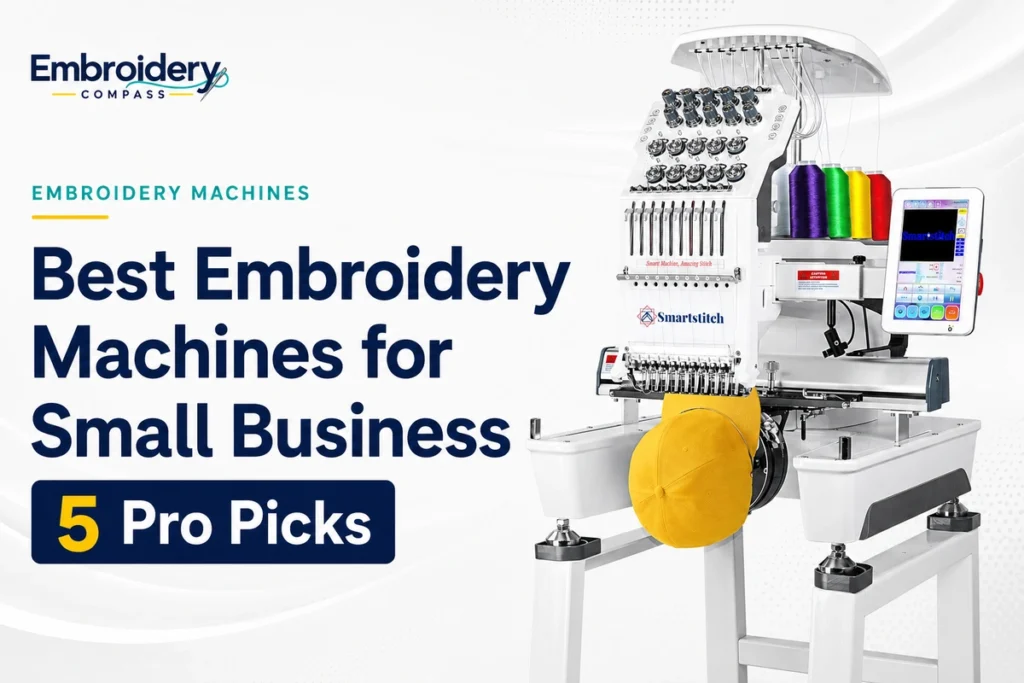
Based on our comparison of current specifications and business-oriented features, our best embroidery machine for small business is the Smartstitch S-1001. Its 10-needle configuration, 9.5″ x 14.2″ flat embroidery area, Wi-Fi and USB transfer, cap capability and maximum speed of 1,200 stitches per minute provide a strong bridge between home embroidery and commercial production.
Businesses with heavier workloads have other good options. The Smartstitch S-1201 Plus increases needle count and embroidery area, BAI The Mirror moves to a 15-needle commercial platform, the Janome MB-7 offers a lighter professional-style seven-needle alternative, and the Brother PR680W provides a premium six-needle system with advanced on-machine editing and wireless features.
Best Embroidery Machines for Small Business at a Glance
| Embroidery Machine | Best For | Needles | Maximum Embroidery Area | Max Speed |
|---|---|---|---|---|
| Smartstitch S-1001 | Best Overall for Small Business | 10 | 9.5″ x 14.2″ | 1,200 SPM |
| Smartstitch S-1201 Plus | Best 12-Needle Upgrade | 12 | 11.8″ x 15.7″ | 1,200 SPM |
| BAI The Mirror | Best 15-Needle Production Pick | 15 | 13.8″ x 19.7″ | 1,200 SPM |
| Janome MB-7 | Best Lightweight Professional-Style Option | 7 | 9.4″ x 7.9″ | 800 SPM |
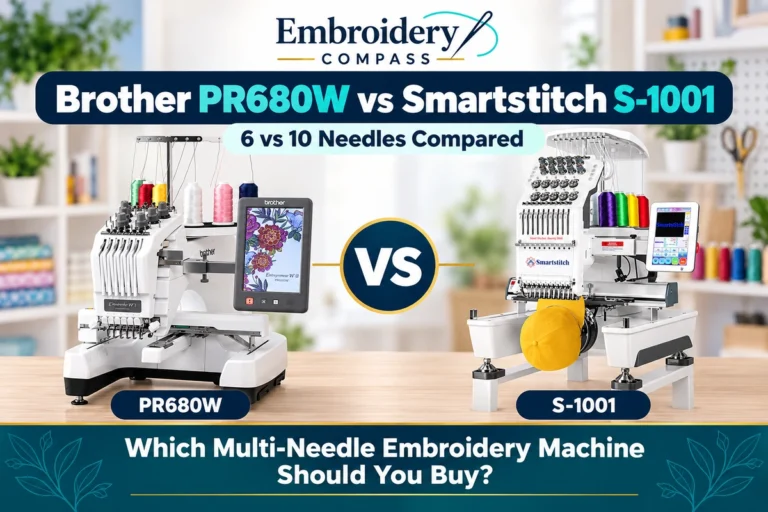
| Brother PR680W | Best Premium Brother Option | 6 | 8″ x 12″ | 1,000 SPM |
All five machines use multiple needles, but more needles do not automatically make one machine better. Your expected order volume, design size, number of thread colors, workspace, cap requirements, software workflow and support preferences should influence the final decision.
How We Chose Embroidery Machines for Small Business
This guide has a different purpose from our broader best embroidery machines comparison. Here, we are specifically evaluating machines from the perspective of someone producing embroidery for customers rather than primarily embroidering as a hobby.
We paid particular attention to:
- Needle count: More needles allow additional thread colors to remain loaded, reducing manual changes during multi-color jobs.
- Embroidery area: Larger working fields provide more flexibility for jackets, bags, large logos and other commercial projects.
- Production speed: Higher stitch speeds can reduce machine time, particularly across repeated orders.
- Cap capability: Hats can become an important product category for personalization businesses, so we considered cap-frame support and cap-oriented specifications.
- Automatic workflow: Thread trimming, color changes, thread-break detection and positioning systems can reduce operator intervention.
- Design transfer: USB and Wi-Fi connectivity affect how efficiently designs can move from the computer to the machine.
- Machine size and weight: A home-based shop may have very different space constraints from a dedicated commercial workspace.
- Room for growth: A machine should provide enough capacity for the business you expect to have next year, not just the orders you have today.
Our recommendations are based on manufacturer documentation, current product specifications, feature comparisons and practical buying considerations. We do not claim hands-on testing unless a machine has actually been personally tested by our editorial team.
1. Smartstitch S-1001 — Best Overall Embroidery Machine for Small Business


Best for: Home-based and growing embroidery businesses moving beyond the limitations of a single-needle machine.
The Smartstitch S-1001 earns our best overall position because it combines several capabilities that become genuinely useful once embroidery turns into paid work without immediately moving into the size of a much heavier 15-needle commercial platform.
Its 10 needles allow a business owner to keep multiple colors threaded at the same time. For a design using several colors, this can dramatically reduce the number of times the operator needs to stop and rethread compared with a single-needle home machine.
The S-1001 also provides a large 9.5″ x 14.2″ flat embroidery area, maximum embroidery speed up to 1,200 stitches per minute, a 7-inch touchscreen and USB or Wi-Fi design transfer.
Why the S-1001 Stands Out as a First Business Machine
The jump from a home embroidery machine to a commercial-style multi-needle machine can be significant. The S-1001 provides many of the production features a growing business wants while remaining relatively compact for its class.
Smartstitch lists the machine at approximately 92.4 pounds. That is still substantial equipment, but it is considerably easier to accommodate in a home studio than some larger commercial machines weighing several hundred pounds.
The 10-needle setup is also a practical middle ground. Many customer logos and personalized designs can be prepared with several commonly used thread colors already loaded, while automatic color changes reduce the amount of operator involvement required during a run.
Useful for Flats and Caps
Small embroidery businesses often begin with shirts and sweatshirts but later receive requests for hats, bags, uniforms and other finished items.
The S-1001 supports a 270-degree cap driver. Smartstitch lists a maximum flat speed of 1,200 SPM and maximum cap speed of up to 850 SPM. That makes it substantially more versatile for a business than a basic flat-only home setup.
Smartstitch S-1001 Key Specifications
- Needles: 10
- Heads: 1
- Maximum flat embroidery area: 9.5″ x 14.2″
- Maximum flat embroidery speed: 1,200 SPM
- Maximum listed cap speed: 850 SPM
- Touchscreen: 7 inches
- Pattern transfer: USB / Wi-Fi
- Supported listed formats: DST / DSB
- Cap driver: 270 degrees
- Laser positioning: Yes
- Automatic thread trimming: Yes
- Approximate machine weight: 92.4 lb
What Could Be Better
Ten needles are a major improvement over a single-needle machine, but businesses regularly producing designs with many thread colors may eventually prefer a 12- or 15-needle platform.
A commercial-style machine also introduces a larger learning curve. Owners need to become comfortable with multi-needle threading, tension, bobbins, cap setup, maintenance, hoop positioning and the machine’s control system.
That means the S-1001 should not be purchased only because it is faster. It makes the most sense when your existing or expected workload can actually benefit from multi-needle automation.
Who Should Buy the Smartstitch S-1001?
- Home businesses upgrading from single-needle embroidery
- New businesses planning to offer shirts, hats and personalized goods
- Users regularly stitching multi-color customer designs
- Shops that need a relatively compact commercial-style machine
- Business owners who want Wi-Fi and USB design transfer
- Users who want 1,200-SPM maximum production speed without starting with a 15-needle machine
Our verdict: The S-1001 offers the most balanced starting point in this group for a small business that has moved beyond hobby-level embroidery. Its combination of 10 needles, a large working field, cap support and production-oriented speed gives a growing shop meaningful room to expand.
2. Smartstitch S-1201 Plus — Best 12-Needle Upgrade

Best for: Growing shops that want additional thread capacity and a larger embroidery field than the S-1001.
The Smartstitch S-1201 Plus takes the same general business concept further by increasing the needle count to 12 and expanding the flat embroidery area to approximately 11.8″ x 15.7″.
Those changes may matter more to a growing shop than the headline speed figure because both the S-1001 and S-1201 Plus can reach up to 1,200 stitches per minute. The reason to move up is primarily additional color capacity, more working area and the upgraded mechanical platform.
Two More Needles Can Reduce Thread Changes
The difference between 10 and 12 needles may sound small, but businesses often develop a core thread palette that remains on the machine throughout the workday.
Keeping two additional colors threaded can be convenient when producing logos, school or team colors, corporate uniforms and other repeated designs. It will not eliminate every manual thread change, but it provides more flexibility before one becomes necessary.
Larger Working Area
The S-1201 Plus also expands the embroidery field beyond the S-1001. Smartstitch specifies a 300 x 400 mm working area, approximately 11.8″ x 15.7″.
That extra space can be valuable for larger garment decoration, bags, jacket designs and projects that would otherwise approach or exceed the limits of a smaller commercial-style machine.
Larger Touchscreen and Business Workflow
The S-1201 Plus uses a 10-inch touchscreen and supports USB and Wi-Fi pattern transfer. Smartstitch also lists laser positioning, automatic thread trimming, thread-break detection and a 270-degree cap driver.
It includes 28 built-in fonts for creating basic names, numbers and lettering directly from the control system, although businesses producing custom logos will still typically prepare designs in dedicated embroidery software.
Smartstitch S-1201 Plus Key Specifications
- Needles: 12
- Heads: 1
- Maximum flat embroidery area: 11.8″ x 15.7″
- Maximum flat embroidery speed: 1,200 SPM
- Maximum listed cap speed: 850 SPM
- Touchscreen: 10 inches
- Pattern transfer: USB / Wi-Fi
- Supported listed formats: DST / DSB
- Built-in fonts: 28
- Cap driver: 270 degrees
- Laser positioning: Yes
- Approximate machine weight: 114.6 lb
S-1001 vs S-1201 Plus: Which Makes More Sense?
Choose the S-1001 if 10 needles and a 9.5″ x 14.2″ field comfortably fit the work you expect to accept. It is lighter and already offers many of the features a first multi-needle business needs.
Choose the S-1201 Plus when you can justify the additional needles and larger embroidery field. For a business that regularly works with large designs or wants more thread colors permanently loaded, the step up can have practical value every working day.
Our verdict: The S-1201 Plus is the stronger option for a growing business that already knows it wants more than a compact 10-needle platform. The extra working area is just as important as the two additional needles.
3. BAI The Mirror — Best 15-Needle Production Pick

Best for: Businesses ready for a larger 15-needle commercial machine and broader production capacity.
The BAI The Mirror moves substantially further into commercial territory. It provides 15 needles, a maximum embroidery area of approximately 13.8″ x 19.7″ and speeds up to 1,200 stitches per minute.
Those specifications make it particularly interesting to a shop that already understands what it wants to produce and expects its embroidery machine to handle large designs and multi-color jobs regularly.
Why 15 Needles Matter in Production
Needle count is not simply a specification to maximize. Its real value is the number of thread colors that can remain ready for use.
With 15 needles, a business can build a broader everyday color palette into the machine. Repeated jobs using common brand colors may require fewer thread swaps, which can reduce setup time across a busy production schedule.
The advantage grows when you repeatedly embroider the same logo or maintain several commonly used colors for customer work.
Large 13.8″ x 19.7″ Embroidery Field
One of The Mirror’s strongest specifications is its large 350 x 500 mm embroidery area. That is approximately 13.8″ x 19.7″, giving the machine much more room than the home-oriented and compact multi-needle machines in our other guides.
This larger field is useful for projects such as jacket backs, larger bags, oversized branding and other work where smaller embroidery areas can become a genuine production limitation.
Connectivity and Commercial Setup
BAI lists USB and Wi-Fi connectivity with its Institch platform, along with automatic thread trimming, thread-break detection and automatic color changes.
The machine also supports cap embroidery and is substantially larger and heavier than compact home-business models. That means buyers should plan the workspace before delivery rather than treating this like a machine that can easily be moved between tables.
BAI The Mirror Key Specifications
- Needles: 15
- Heads: 1
- Maximum embroidery area: 13.8″ x 19.7″
- Maximum embroidery speed: 1,200 SPM
- Maximum listed hat speed: 850 SPM
- Design transfer: USB / Wi-Fi
- Control system: Institch OS5
- Automatic color change: Yes
- Thread-break detection: Yes
- Automatic thread trimming: Yes
- Cap embroidery capability: Yes
- Approximate machine weight: 295 lb
What Could Be Better
The Mirror requires substantially more dedicated space than the S-1001 or Janome MB-7. Its listed machine weight is around 295 pounds, so this is equipment you plan a workspace around rather than routinely repositioning.
A first-time embroidery buyer should also consider whether a large 15-needle machine is necessary. The capacity is attractive, but a smaller machine can be easier to learn and financially easier to justify while demand is still being proven.
Who Should Buy BAI The Mirror?
- Businesses that already have recurring embroidery orders
- Users who want 15 colors available on one head
- Shops producing larger jacket, bag or apparel designs
- Businesses with a dedicated embroidery workspace
- Users who want USB and Wi-Fi design transfer
- Owners who expect commercial production rather than occasional side-hustle use
Our verdict: BAI The Mirror is our pick for a business that wants to move beyond compact multi-needle equipment into a larger 15-needle production platform. Its size and capacity are advantages when the order volume justifies them, but they are unnecessary for a business that is still testing the market.
4. Janome MB-7 — Best Lightweight Professional-Style Option
Best for: Home-based businesses that want a seven-needle professional-style machine in a relatively compact, lighter package.
The Janome MB-7 takes a different approach from the larger commercial machines in this comparison. Janome describes it as a professional-style seven-needle embroidery machine, but its approximately 50-pound machine weight makes it considerably easier to accommodate in a home studio.
It has a maximum embroidery area of 9.4″ x 7.9″ and can stitch at up to 800 stitches per minute. The seven-needle system provides multi-color convenience without requiring the floor space associated with a much larger 12- or 15-needle machine.
Seven Needles Can Be Enough for the Right Business
A business does not automatically need 15 needles to sell professional embroidery.
If most of your products use a relatively small color palette, seven needles can still reduce manual color changes substantially compared with a single-needle home machine. This can make the MB-7 appealing to a home business that values a compact setup over maximum thread capacity.
Independent Bobbin Winder
One particularly practical feature is the independent bobbin-winding motor. It allows a bobbin to be prepared while the machine is embroidering instead of requiring embroidery production to stop for that task.
Janome also uses an extra-large bobbin and provides a 5.7-inch Remote Computer Screen for design selection, editing and machine control.
Commercial-Friendly File Support
The MB-7 can import designs through USB and supports .jef+, .jef and .dst embroidery formats. DST support is particularly relevant because it is widely encountered in professional embroidery workflows.
The machine also supports programmable jump-thread trimming, embroidery-area tracing and compatibility with Tajima hoops.
Janome MB-7 Key Specifications
- Needles: 7
- Maximum embroidery area: 9.4″ x 7.9″
- Maximum embroidery speed: 800 SPM
- Display: 5.7-inch Remote Computer Screen
- Built-in embroidery designs: 50
- Monogramming fonts: 10
- Design transfer: USB
- Supported formats: .jef+, .jef, .dst
- Independent bobbin winder: Yes
- Programmable jump-thread trimming: Yes
- Tajima hoop compatibility: Yes
- Approximate machine weight: 50 lb
Where the MB-7 Falls Behind Larger Machines
The MB-7’s strengths are also connected to its limitations. Seven needles provide less permanently loaded color capacity than 10-, 12- or 15-needle machines.
Its 9.4″ x 7.9″ embroidery area is also smaller than the working fields on the S-1001, S-1201 Plus and BAI The Mirror. Businesses specializing in large jacket-back designs or oversized branding should pay particular attention to this limitation.
It also relies on USB rather than providing the Wi-Fi transfer offered by several other machines in this comparison.
Our verdict: The Janome MB-7 is a particularly interesting choice when workspace, portability and a professional-style multi-needle workflow matter more than having the largest possible embroidery field or needle count.
5. Brother PR680W — Best Premium Brother Embroidery Machine for Small Business

Best for: Businesses that prefer Brother’s premium multi-needle ecosystem, advanced on-machine controls and wireless workflow.
The Brother PR680W proves that needle count alone does not define a business embroidery machine. It has six needles, fewer than every other machine in this comparison, yet combines them with an extensive editing interface, wireless functionality, precision positioning and several features designed around repeatable business workflow.
The machine provides an 8″ x 12″ maximum embroidery area and reaches speeds up to 1,000 stitches per minute. A large 10.1-inch high-definition color LCD gives the operator significantly more on-machine control than many basic embroidery systems.
Advanced On-Machine Editing
The PR680W includes 100 built-in embroidery designs, 50 lettering fonts, monogramming options and extensive on-screen editing tools.
Features such as drag-and-drop editing, Color Sort, color grouping and automatic density adjustment can be useful for shops that want to make adjustments directly at the machine instead of returning to a computer for every minor change.
Precision Positioning
Brother equips the PR680W with an embroidery positioning marker that helps the operator line up designs more accurately. Accurate placement is especially important when personalizing finished garments, bags or customer-supplied items where a positioning mistake can be expensive.
Wireless Business Workflow
The PR680W is wireless enabled and supports Brother’s Design Database Transfer workflow. Brother also supports linking multiple compatible machines when using additional PE-DESIGN 11 software, which gives the platform a potential growth path for shops eventually operating more than one machine.
That ecosystem is one of the reasons to consider the PR680W even though competing machines may provide more needles for the investment.
Brother PR680W Key Specifications
- Needles: 6
- Maximum embroidery area: 8″ x 12″
- Maximum embroidery speed: 1,000 SPM
- Display: 10.1-inch color LCD
- Built-in embroidery designs: 100
- Built-in lettering fonts: 50
- Wireless connectivity: Yes
- USB connectivity: Yes
- Color Sort: Yes
- Automatic thread cutter: Yes
- Jump-stitch thread trimming: Yes
- Cap-frame capability: Yes
- Included standard frames: 8″ x 12″, 5″ x 7″, 4″ x 4″, 1.5″ x 2″
The Main Question: Do You Need Six Needles or More?
The PR680W’s most obvious limitation compared with the other machines here is its six-needle configuration.
A business producing highly colorful logos may need to change thread more frequently than it would with a 10-, 12- or 15-needle machine. Buyers therefore need to decide whether Brother’s interface, wireless ecosystem, positioning tools and workflow features are more important to them than maximizing needle count.
Our verdict: The PR680W is not our value-first recommendation. It is the premium option for a business specifically attracted to Brother’s multi-needle platform, polished controls, positioning features and wireless ecosystem.
10 vs 12 vs 15 Needles: How Many Does a Small Business Need?
It is tempting to assume that more needles are always better. In practice, the right needle count depends on the designs your business actually sells.
| Needle Count | Best Fit | Main Advantage |
|---|---|---|
| 6–7 Needles | Smaller shops and simpler color palettes | Compact professional-style workflow |
| 10 Needles | Growing home and small businesses | Strong balance of color capacity and size |
| 12 Needles | Busy shops needing more permanently loaded colors | Additional flexibility without moving directly to 15 needles |
| 15 Needles | Higher-volume commercial production | Maximum thread-color capacity among our five picks |
If most of your designs use four or five colors, a six- or seven-needle machine may already provide enough capacity.
If you regularly produce logos with eight, ten or more colors, additional needles can save setup time and allow commonly used thread colors to stay loaded between orders.
Smartstitch S-1001 vs S-1201 Plus vs BAI The Mirror
These three machines are the most direct production-oriented choices in this comparison, but they target businesses at different stages.
| Feature | Smartstitch S-1001 | Smartstitch S-1201 Plus | BAI The Mirror |
|---|---|---|---|
| Needles | 10 | 12 | 15 |
| Embroidery Area | 9.5″ x 14.2″ | 11.8″ x 15.7″ | 13.8″ x 19.7″ |
| Max Speed | 1,200 SPM | 1,200 SPM | 1,200 SPM |
| Wi-Fi | Yes | Yes | Yes |
| Best Fit | First serious business machine | Growing shop | Larger commercial workload |
Our recommendation is not to buy the largest machine automatically. Choose the smallest platform that comfortably supports the products, design sizes and order volume you expect to handle.
How to Choose an Embroidery Machine for a Small Business
1. Start With the Products You Plan to Sell
The right embroidery machine depends heavily on what your customers will order.
A shop specializing in left-chest business logos has different requirements from one producing large jacket backs or embroidered caps.
Before buying a machine, make a realistic list of your expected products:
- T-shirts and polos
- Business uniforms
- Sweatshirts and hoodies
- Caps and hats
- Jackets
- Bags and backpacks
- Patches
- Towels
- Personalized gifts
- Team and school apparel
That list will help determine whether cap capability, a large embroidery field or maximum needle count deserves priority.
2. Calculate Whether Multi-Needle Automation Will Save Real Time
The biggest advantage of a multi-needle machine is not simply speed. It is reduced operator intervention.
A single-needle machine can produce sellable embroidery, but someone must manage repeated thread-color changes. A multi-needle machine keeps several colors ready and switches between them automatically according to the design.
When you stitch the same multi-color logo across dozens of garments, saving even a few manual steps on every item can improve the overall workflow substantially.
3. Do Not Underestimate Embroidery Area
A large number of needles will not help if the design does not fit inside the machine’s maximum embroidery field.
For example, our five picks range from the Janome MB-7’s 9.4″ x 7.9″ field to BAI The Mirror’s much larger 13.8″ x 19.7″ area.
If oversized designs are central to your business plan, prioritize embroidery area before built-in designs or decorative features.
4. Decide Whether Caps Will Be Part of Your Business
Cap embroidery requires a different setup from ordinary flat garments. If hats are an important part of your business plan, evaluate the machine’s cap driver, available cap frames and the actual working area available on caps.
Do this before purchasing because cap capability can involve additional frames, drivers or accessories depending on the machine and package.
5. Consider Workspace Before Delivery
Commercial embroidery equipment can be much larger than photographs suggest.
The Janome MB-7 weighs about 50 pounds and the Smartstitch S-1001 about 92 pounds, while BAI lists The Mirror at approximately 295 pounds.
Before ordering, measure doorways, working clearances and the area needed around the machine for hoops, garments and maintenance access. A machine that technically fits on the floor may still be frustrating to operate if large hoops cannot move freely.
6. Plan Your Design and Digitizing Workflow
Commercial embroidery depends on more than the machine itself. Customer logos need to be converted into stitch instructions that the embroidery machine can understand.
You can outsource digitizing initially, purchase ready-made designs or learn to digitize in-house using embroidery software.
Our embroidery software guides explain the different tools available for editing designs, lettering and full digitizing.
7. Budget Beyond the Machine
The machine may be the largest purchase, but a business setup also needs consumable supplies and supporting equipment.
- Commercial embroidery thread
- Pre-wound or wound bobbins
- Embroidery needles
- Cut-away stabilizer
- Tear-away stabilizer
- Water-soluble stabilizer
- Additional hoops and frames
- Cap accessories where needed
- Thread racks and storage
- Garment blanks
- Scissors and trimming tools
- Maintenance supplies
- Embroidery or digitizing software
Visit our embroidery supplies and accessories guides when planning the rest of your setup.
Can You Start an Embroidery Business With a Home Machine?
Yes. You do not need a commercial multi-needle machine before accepting your first order.
A home embroidery machine can make sense when you are:
- Learning embroidery fundamentals
- Testing whether customers will actually buy your products
- Producing small quantities
- Working mainly with simple designs
- Operating with a very limited starting budget
The upgrade becomes easier to justify when the machine itself becomes the bottleneck. Warning signs include spending too much time changing thread, turning away larger designs, struggling to keep up with repeat orders or needing cap capability your current setup cannot provide efficiently.
If you are still at the learning stage, our best embroidery machines for beginners guide covers smaller machines that may make more sense before investing in commercial equipment.
Single-Needle vs Multi-Needle for an Embroidery Business
| Feature | Single-Needle Home Machine | Multi-Needle Business Machine |
|---|---|---|
| Initial investment | Lower | Higher |
| Thread colors ready | Usually 1 | Multiple |
| Automatic color changes | Limited by single needle | Major advantage |
| Production workflow | Better for low volume | Better for repeated orders |
| Cap capability | Varies significantly | Common on commercial-style platforms |
| Workspace | Smaller | Usually larger |
| Learning curve | Lower | Higher |
The decision should be based on workload rather than status. A profitable business can begin with a home machine, while an expensive multi-needle machine can sit unused if orders have not yet materialized.
Which Small Business Embroidery Machine Fits Your Needs?
Choose the Smartstitch S-1001 if:
You are moving from hobby embroidery into regular paid work and want a strong balance of 10 needles, cap capability, working area, production speed and a relatively compact footprint.
Choose the Smartstitch S-1201 Plus if:
Your business can benefit from 12 needles and a larger 11.8″ x 15.7″ embroidery field, particularly for larger garments and more complex color palettes.
Choose BAI The Mirror if:
You have a dedicated workspace and want a larger 15-needle machine with a 13.8″ x 19.7″ embroidery area for more demanding commercial production.
Choose the Janome MB-7 if:
You value a comparatively compact, lightweight professional-style seven-needle machine and do not require the larger field or higher needle count of full commercial platforms.
Choose the Brother PR680W if:
You specifically want Brother’s premium multi-needle ecosystem, advanced on-machine editing, wireless connectivity and positioning features and are comfortable with a six-needle configuration.
Frequently Asked Questions
What is the best embroidery machine for a small business?
Our best overall pick is the Smartstitch S-1001. Its 10 needles, 9.5″ x 14.2″ embroidery area, maximum 1,200-SPM speed, USB and Wi-Fi transfer and cap capability provide a strong combination for a growing home or small embroidery business.
A larger business may benefit more from the 12-needle Smartstitch S-1201 Plus or 15-needle BAI The Mirror.
How many needles should a business embroidery machine have?
There is no single correct number. Six or seven needles can be enough for businesses producing designs with relatively few colors. Ten to 12 needles provide more flexibility for typical multi-color work, while 15 needles are useful when you want a broader thread palette permanently available for production.
The best needle count is the one that reduces thread changes for the designs your customers actually order.
Is a 10-needle embroidery machine enough for a small business?
Yes. A 10-needle machine can be an excellent small-business platform. It allows multiple colors to remain loaded and can significantly reduce manual thread changes compared with a single-needle machine.
You may want more needles if your normal designs regularly use more than ten colors or if maintaining a larger permanent thread palette would improve production efficiency.
Is a 15-needle embroidery machine better than a 10-needle machine?
A 15-needle machine provides more thread-color capacity, but that does not make it better for every business. A 10-needle machine may be smaller, easier to accommodate and completely adequate for the designs you sell.
Buy additional needle capacity when it solves an actual workflow problem rather than simply because the specification is larger.
What embroidery machine is best for a home business?
The Smartstitch S-1001 is our preferred option for a home business that is ready for a commercial-style multi-needle machine. Its approximately 92-pound machine weight and 10-needle configuration make it easier to accommodate than some much larger commercial systems while still providing serious production capability.
For a lighter option, the Janome MB-7 weighs approximately 50 pounds, although it provides fewer needles and a smaller embroidery area.
Can you make money with a single-needle embroidery machine?
Yes. A single-needle machine can produce embroidery that you sell. Many new businesses are better served by proving demand before investing heavily in commercial equipment.
The reason to upgrade is efficiency. If repeated thread changes, limited hoop size or slower production begin preventing you from handling profitable orders, a multi-needle machine becomes easier to justify.
Do I need a commercial embroidery machine to embroider hats?
Not every hat project requires a commercial machine, but structured cap embroidery can be much easier on equipment designed around dedicated cap frames and drivers.
If hats are going to be an important revenue category, evaluate cap capability carefully before purchasing rather than treating it as an accessory you will solve later.
Do I need embroidery software for a small business?
You need a reliable way to obtain properly digitized embroidery files, but you do not necessarily need to digitize everything yourself.
A new business can outsource digitizing while learning production. Bringing digitizing in-house becomes more attractive when you have enough custom work to justify learning professional software and stitch-design principles.
What embroidery file format is commonly used for business machines?
DST is widely supported in commercial embroidery workflows and is supported by several machines in this comparison. However, file compatibility varies by machine, so always confirm the supported formats before transferring or purchasing a design.
Final Verdict
The best embroidery machine for a small business is the machine that removes the bottlenecks your business actually has.
The Janome MB-7 is attractive when you want a lighter seven-needle professional-style platform. The Brother PR680W targets businesses that value Brother’s premium interface, editing tools, wireless features and positioning system.
For businesses expecting larger workloads, the Smartstitch S-1201 Plus provides 12 needles and a larger working area, while BAI The Mirror moves into a substantial 15-needle platform with a 13.8″ x 19.7″ embroidery field.
For the widest range of growing small businesses, however, our best overall pick is the Smartstitch S-1001. Its 10 needles, large 9.5″ x 14.2″ working area, 1,200-SPM maximum speed, cap capability, laser positioning and USB/Wi-Fi transfer provide a strong step into multi-needle production without immediately requiring the size of a larger 15-needle commercial system.