Brother PE900 vs SE700: Embroidery-Only or Sewing + Embroidery?
Disclosure: As an Amazon Associate I earn from qualifying purchases. If you buy through links on this page, we may earn a small commission at no extra cost to you.
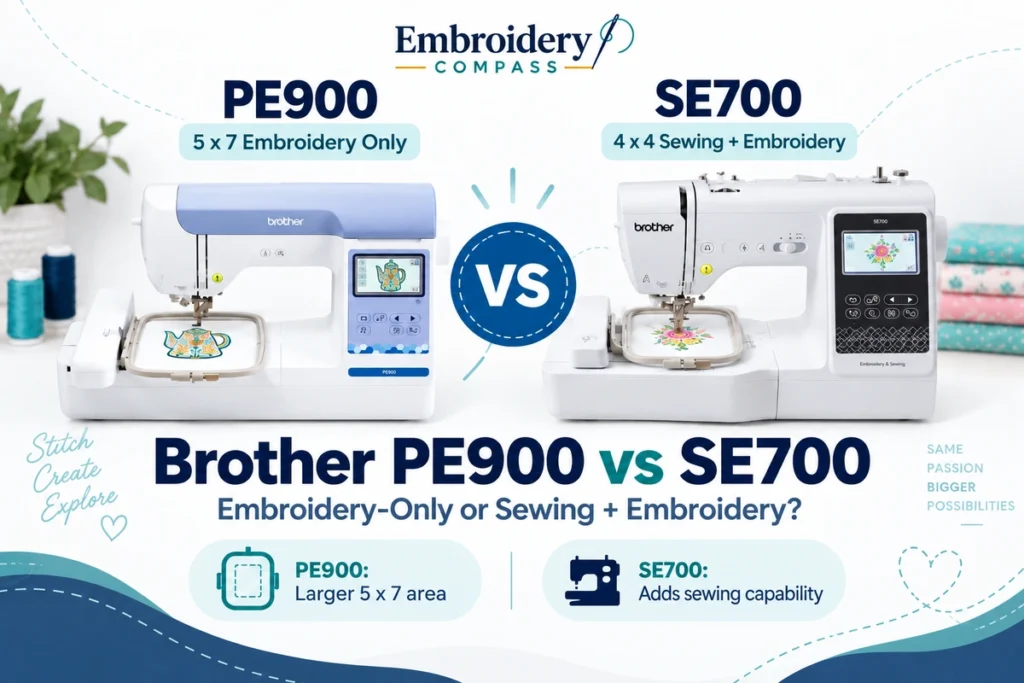
The Brother PE900 vs SE700 comparison comes down to a more important question than which machine has the longer feature list: do you need regular sewing, or is embroidery your main priority?
The Brother SE700 combines regular sewing with a 4 x 4-inch embroidery field. The PE900 gives up sewing capability entirely but moves to a much larger 5 x 7-inch embroidery field and adds embroidery-focused features such as Color Sort and jump-stitch trimming.
That makes the decision relatively clear. The SE700 is better suited to someone who wants one machine for both sewing and smaller embroidery projects. The PE900 is the stronger choice when embroidery is the priority, particularly if you already own a sewing machine or know that a 4 x 4 field will feel restrictive.
Brother PE900 vs SE700: Quick Verdict
| Choose the Brother SE700 if… | Choose the Brother PE900 if… |
| You want both regular sewing and embroidery in one machine. | Embroidery is your main priority. |
| Your planned embroidery projects fit within 4 x 4 inches. | You want the more flexible 5 x 7-inch embroidery field. |
| You do not already own a sewing machine you are happy with. | You already own a capable sewing machine. |
| You want an entry-level way to learn both crafts. | You want embroidery-focused workflow features such as Color Sort and jump-stitch trimming. |
| You mainly make monograms, small patches and compact personalization. | You expect to use medium-size designs that would outgrow a 4 x 4 field. |
Our short recommendation: Choose the SE700 when sewing capability matters as much as embroidery. Choose the PE900 when embroidery matters more than sewing and you want additional room to grow.
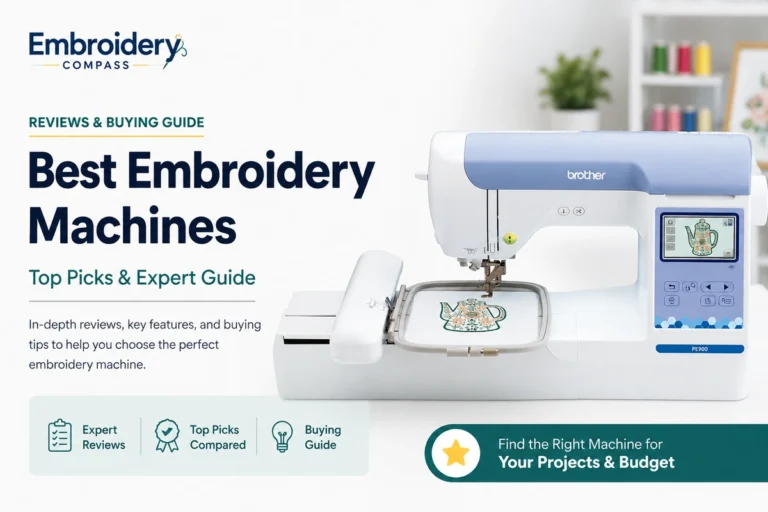
Brother PE900 Wireless Embroidery Machine


Brother SE700 Sewing & Embroidery Machine

Brother PE900 vs SE700 Specifications
We checked the important specifications against Brother’s current product documentation rather than relying only on retailer descriptions or seller-specific bundles.
| Feature | Brother SE700 | Brother PE900 |
| Machine type | Sewing + embroidery | Embroidery only |
| Maximum embroidery area | 4 x 4 inches | 5 x 7 inches |
| Built-in embroidery designs | 135 | 193 |
| Embroidery fonts | 10 | 13 |
| Built-in sewing stitches | 103 | Not applicable |
| One-step buttonholes | 10 | Not applicable |
| Maximum sewing speed | Up to 710 SPM | Not applicable |
| Maximum embroidery speed | Home 4 x 4 combo-machine platform | Up to 650 SPM |
| Wireless LAN | Yes | Yes |
| USB design import | Yes | Yes |
| Design Database Transfer | Yes | Yes |
| Artspira compatibility | Yes | Yes |
| Color Sort | Not listed as a feature | Yes |
| Jump-stitch trimming | Not listed as a feature | Yes |
| Automatic thread cutter | Yes | Yes |
| Advanced needle threading | Yes | Yes |
| Included embroidery frame | 4 x 4 inches | 5 x 7 inches |
| Warranty | Brother limited warranty | 1/2/25 Year Limited Warranty |
The most important differences are not the design counts or fonts. They are machine type and embroidery-field size. Those two factors should drive the buying decision before smaller feature differences.
The Biggest Difference: Sewing + Embroidery vs Embroidery Only
The SE700 and PE900 serve different types of users even though both belong to Brother’s home embroidery lineup.
The SE700 is a genuine sewing and embroidery combination machine. Brother equips it with 103 built-in sewing stitches, 10 one-step buttonhole styles and eight included presser feet. You can use it for normal garment sewing, repairs, craft projects, decorative stitching and buttonholes before switching to embroidery.
The PE900 cannot perform regular sewing. It is designed specifically for embroidery.
This means a buyer who needs only one machine and plans to sew regularly has a strong reason to choose the SE700. The PE900 makes much more sense when you already own a sewing machine or simply do not need sewing capability.
For a deeper look at the combination model, see our complete Brother SE700 review.
4 x 4 vs 5 x 7: How Much Difference Does the Embroidery Area Make?
This is the second major buying decision.
The SE700 has a maximum native embroidery field of 4 x 4 inches. The PE900 increases that to 5 x 7 inches.
Although the numbers may not look dramatically different at first, a 4 x 4 rectangle represents 16 square inches while a 5 x 7 rectangle represents 35 square inches. In simple rectangular-area terms, the PE900 provides more than twice the potential field area.
| Project Type | SE700 4 x 4 | PE900 5 x 7 |
| Small monograms | Good fit | Good fit |
| Names and initials | Good for smaller layouts | More layout flexibility |
| Small patches | Good fit | Good fit with more size options |
| Children’s clothing | Good for smaller motifs | More room for medium-size designs |
| Medium shirt designs | Often restrictive | Much better suited |
| Quilt blocks | Suitable for smaller designs | More flexible |
| Larger decorative motifs | Frequently too limited | Better, within the 5 x 7 limit |
| Large jacket-back designs | Not suitable as one placement | Still too limited for many large designs |
The PE900’s 5 x 7 field therefore gives you considerably more flexibility, but it is important not to overstate the difference. A 5 x 7 home machine still cannot handle every oversized embroidery project.
Can a Larger Hoop Turn the SE700 Into a 5 x 7 Machine?
No. A larger or repositionable hoop does not change the SE700’s native 4 x 4 maximum embroidery field.
Some multi-position projects can be divided and repositioned, but that is different from stitching a true 5 x 7 design as one native embroidery field. If you already know you need 5 x 7 designs regularly, starting with the PE900 or another native 5 x 7 machine is the cleaner solution.
PE900 Has the Stronger Embroidery Feature Set
Field size is not the PE900’s only embroidery advantage.
Brother gives the PE900 193 built-in embroidery designs and 13 embroidery fonts compared with 135 designs and 10 embroidery fonts on the SE700.
Those extra built-in options are useful, but downloaded designs mean built-in counts should not decide the purchase by themselves. More important are the PE900’s embroidery-specific workflow features.
Color Sort
The PE900 includes Brother’s Color Sort feature. For compatible multicolor designs, it can reorganize the stitch order so sections using the same thread color are grouped more efficiently.
The PE900 is still a single-needle machine, so you still need to change thread colors physically. Color Sort simply helps reduce unnecessary changes when the design structure allows it.
Jump-Stitch Trimming
The PE900 also includes jump-stitch trimming, which can automatically cut certain excess thread jumps within a color.
That can reduce some of the manual trimming required after embroidery and is particularly useful on more detailed designs containing separated stitched sections.
These features reinforce the PE900’s role as the more embroidery-focused machine.
Our full Brother PE900 review looks more closely at its embroidery workflow and 5 x 7 field.
SE700 Wins Easily for Regular Sewing
This category is not close because the PE900 does not provide normal sewing capability.
The SE700 includes 103 built-in sewing stitches, 10 one-step buttonhole styles, multiple included presser feet and sewing speeds up to 710 stitches per minute.
That gives it enough versatility for many everyday home sewing projects, including:
- Garment sewing
- Hemming and alterations
- Repairs
- Craft sewing
- Decorative stitching
- Buttonholes
- Home décor projects
If this will be your only machine and regular sewing is part of your plans, the SE700 becomes much easier to justify.
If you already have a sewing machine you like, however, that advantage becomes much less important and the PE900’s larger embroidery field starts to carry more weight.
Wireless Design Transfer: Both Machines Are Well Equipped
Both machines support wireless LAN and Brother’s Design Database Transfer system, allowing compatible embroidery designs to be transferred from a computer without relying entirely on a USB flash drive.
Both also support USB design import, so users who prefer a traditional file-based workflow still have that option.
Because wireless functionality is available on both machines, we would not use Wi-Fi as a deciding factor between them. Machine type and embroidery area matter much more.
Artspira Compatibility: Another Tie
The PE900 and SE700 are both compatible with Brother’s Artspira ecosystem for supported design access, creation and wireless transfer.
Artspira can be convenient for users who like a mobile design workflow, but it does not remove the machines’ fundamental hardware differences. An Artspira design sent to the SE700 still needs to fit its 4 x 4 embroidery area, while the PE900 supports designs within its larger 5 x 7 field.
Which Machine Is Easier for Beginners?
Both can work for beginners, but they suit different types of beginners.
The SE700 makes sense for someone who wants to explore both sewing and embroidery and does not yet want separate machines. Its smaller embroidery field also keeps the first projects relatively compact.
The PE900 can be a very approachable first embroidery-only machine, particularly for someone who already knows they want to focus on embroidery and does not want to start with a 4 x 4 field.
Current owner feedback for both models commonly mentions ease of learning, but it also shows that embroidery itself still has a learning curve. Stabilizer selection, hooping, thread choice, needles, file preparation and design placement remain important regardless of which machine you choose.
For more beginner-focused options, see our guide to the best embroidery machines for beginners.
What Owners Commonly Say About the PE900 and SE700
We do not assign our own star scores to these machines. Instead, we separate manufacturer specifications from recurring customer and owner-feedback patterns.
| Brother SE700 Owner Feedback | Brother PE900 Owner Feedback |
| Owners commonly appreciate having sewing and embroidery in one machine. | Owners commonly appreciate the larger 5 x 7 embroidery area. |
| Many beginners describe it as approachable once they learn the basic workflow. | Owners frequently describe the machine as relatively easy to learn and operate. |
| Automatic needle threading and thread cutting are commonly appreciated. | Embroidery-focused buyers appreciate having room for larger designs. |
| The 4 x 4 field is one of the most important limitations to consider. | The machine still requires users to learn hooping, stabilizing, threading and file preparation. |
| Some owners may eventually want a larger embroidery field. | Because it does not sew, owners need a separate sewing machine for regular sewing. |
These are recurring customer-feedback themes rather than guarantees about every user’s experience. Results can also depend on thread, needles, stabilizer, hooping, fabric preparation and the quality of the embroidery design.
Brother PE900 vs SE700 for Home Use
Both machines fit home use well, but the better option depends on how you divide your time between sewing and embroidery.
If you expect to sew garments, make repairs, create crafts and add occasional embroidery, the SE700 offers more overall versatility from one machine.
If your sewing needs are already covered and you want a dedicated embroidery station for personalized gifts, shirts, quilt blocks, patches and decorative designs, the PE900 is the more focused choice.
Our best Brother embroidery machines guide compares these models with additional Brother options.
Brother PE900 vs SE700 for a Small Business
Neither machine is designed as a high-volume commercial production system, but the PE900 generally has the stronger argument for embroidery-focused side-business use.
Its 5 x 7 field supports a broader range of products than the SE700’s 4 x 4 field, while Color Sort and jump-stitch trimming can make some multicolor embroidery workflows more efficient.
However, both machines remain single-needle models. Multicolor designs require manual thread changes, and production volume eventually becomes limited compared with multi-needle equipment.
The SE700 can still make sense for someone testing a very small personalization business while also needing regular sewing capability, but the PE900 provides more room for embroidery-specific growth.
If business use is your main objective, compare both machines with the options in our best embroidery machines for small business guide.
Brother PE900 vs SE700: Pros and Cons
Brother SE700 Pros
- Regular sewing and embroidery in one machine
- 103 built-in sewing stitches
- 135 built-in embroidery designs
- Wireless LAN and USB design transfer
- Artspira compatibility
- Automatic thread cutter and advanced needle threading
- Good fit for smaller embroidery and general home sewing
Brother SE700 Cons
- 4 x 4 embroidery area can be outgrown
- Less embroidery room than the PE900
- Does not include the PE900’s Color Sort and jump-stitch trimming features
- Single-needle workflow requires manual color changes
Brother PE900 Pros
- Native 5 x 7-inch embroidery field
- 193 built-in embroidery designs
- 13 embroidery fonts
- Embroidery speeds up to 650 stitches per minute
- Color Sort can reduce unnecessary color changes
- Jump-stitch trimming reduces some manual cleanup
- Wireless LAN, USB and Artspira support
- Better suited to embroidery-focused users
Brother PE900 Cons
- Cannot perform regular sewing
- Requires a separate sewing machine if you need both crafts
- Still a single-needle embroidery machine
- 5 x 7 is larger than 4 x 4 but still not suitable for many oversized designs
Who Should Buy the Brother SE700?
- First-time users who want both crafts: You can learn sewing and embroidery on one machine.
- Home sewists: Regular sewing capability makes the SE700 more versatile for garments, repairs and crafts.
- Users making smaller embroidery: Monograms, compact patches, names and small motifs fit the 4 x 4 field well.
- People without a separate sewing machine: One combination machine can cover both needs.
- Buyers who know 4 x 4 is sufficient: There is little reason to pay for a larger embroidery field if you genuinely will not use it.
Who Should Buy the Brother PE900?
- Embroidery-focused users: The PE900 gives up sewing capability in exchange for a stronger embroidery platform.
- People who already own a sewing machine: You do not need to pay for duplicate sewing functionality.
- Users worried about outgrowing 4 x 4: The native 5 x 7 field gives substantially more room.
- People making medium-size designs: The PE900 can handle many projects that exceed a 4 x 4 field.
- Embroidery hobbyists who value workflow features: Color Sort and jump-stitch trimming strengthen its embroidery-focused design.
Frequently Asked Questions
What is the main difference between the Brother PE900 and SE700?
The SE700 combines regular sewing with 4 x 4 embroidery. The PE900 is embroidery-only but provides a larger 5 x 7 embroidery field and additional embroidery-focused features such as Color Sort and jump-stitch trimming.
Can the Brother PE900 sew normally?
No. The PE900 is an embroidery-only machine. If you need conventional sewing as well as embroidery, the SE700 or another sewing-and-embroidery combination machine is the appropriate type of machine.
Is 5 x 7 much bigger than 4 x 4 for embroidery?
Yes. The increase is meaningful. A 4 x 4 rectangular field represents 16 square inches, while a 5 x 7 field represents 35 square inches. More importantly, the additional length and width allow many medium-size designs that cannot fit within a native 4 x 4 field.
Can the SE700 use a 5 x 7 hoop?
A larger or repositionable hoop does not convert the SE700 into a native 5 x 7 machine. Its supported embroidery field remains 4 x 4 inches for each embroidery position.
Do both machines have Wi-Fi?
Yes. Both the PE900 and SE700 include wireless LAN and support Brother’s Design Database Transfer system. Both also support USB design import.
Do both machines work with Artspira?
Yes. Both models support Brother’s Artspira ecosystem for compatible design access, creation and wireless transfer.
Which is better for a beginner: PE900 or SE700?
The SE700 is usually the more versatile first machine if you want to learn both regular sewing and embroidery. The PE900 is the more logical beginner choice if you already know embroidery is your priority and want to start with a larger 5 x 7 field.
Which is better for a small embroidery business?
Between these two, the PE900 generally provides more embroidery flexibility because of its 5 x 7 field and embroidery-focused workflow features. Neither is designed for high-volume production, however, because both use a single-needle embroidery workflow.
Should I buy the PE900 if I already own a sewing machine?
If you are satisfied with your current sewing machine and want to add embroidery, the PE900 is usually the more focused choice because you gain a 5 x 7 embroidery field without paying for another machine’s regular sewing capability.
Final Verdict: Brother PE900 or SE700?
There is no universal winner in the Brother PE900 vs SE700 comparison because the two machines solve different problems.
Choose the Brother SE700 if you want one machine for both regular sewing and smaller embroidery. Its 103 sewing stitches, 4 x 4 embroidery capability, wireless transfer and beginner-friendly features make it a practical all-in-one starting point for home users.
Choose the Brother PE900 if embroidery is your priority. Its native 5 x 7 field gives you considerably more design flexibility, while 193 built-in designs, 13 fonts, Color Sort, jump-stitch trimming and embroidery speeds up to 650 stitches per minute make it the more capable embroidery platform.
If you already own a sewing machine you like, the PE900 becomes particularly attractive because the SE700’s biggest advantage—regular sewing capability—would duplicate equipment you already have.
If this will be your only machine and you expect to sew as often as you embroider, the SE700 is the more versatile purchase.
The decision therefore comes down to two questions: Do you need regular sewing, and will a 4 x 4 embroidery field be enough? Answer those first and the better machine becomes much easier to identify.
Brother PE900 Wireless Embroidery Machine
Brother SE700 Sewing & Embroidery Machine
How we evaluate: Embroidery Compass develops its comparisons using manufacturer documentation, technical specifications, feature comparisons, current product information and recurring customer and owner feedback. We do not claim hands-on testing unless a machine has actually been personally tested.