Brother PE900 vs SE2000: Which 5×7 Machine Is Better?
Disclosure: As an Amazon Associate I earn from qualifying purchases. If you buy through links on this page, we may earn a small commission at no extra cost to you.
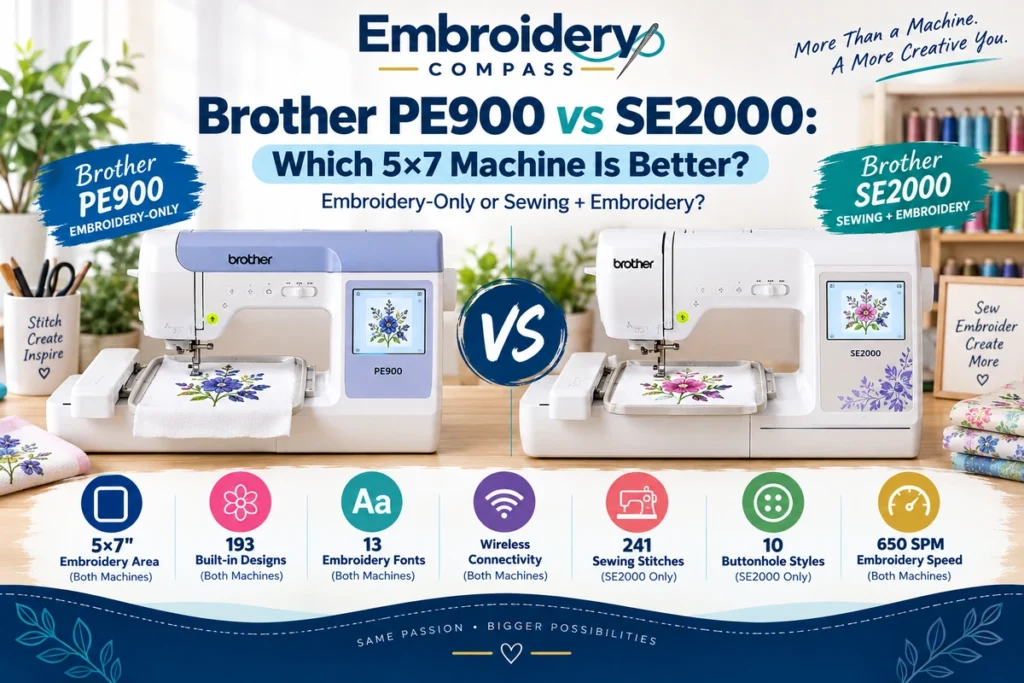
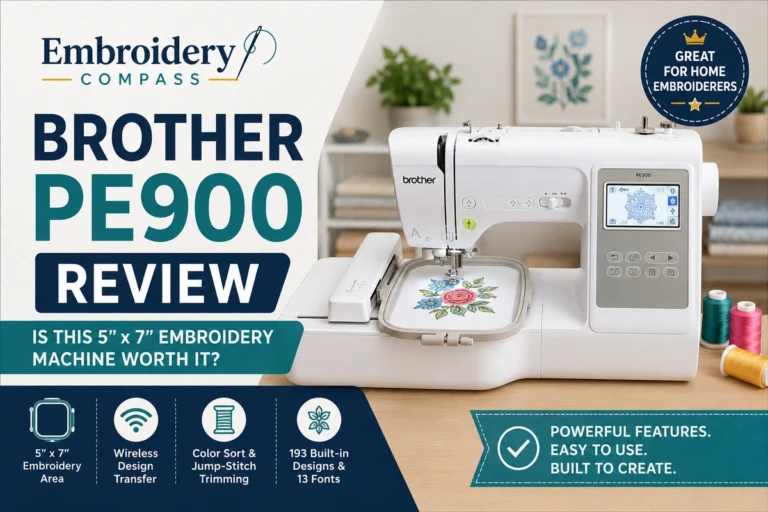
Choosing between the Brother PE900 vs SE2000 can be confusing because both machines offer a 5×7-inch embroidery area, 193 built-in embroidery designs, wireless connectivity, and many of the same embroidery features. However, they are designed for different types of users.
The Brother PE900 is a dedicated embroidery-only machine, while the Brother SE2000 combines sewing and embroidery in one machine. That distinction matters more than the similarities in their embroidery specifications.
If you already own a reliable sewing machine and want to expand into embroidery, the PE900 may provide everything you need without paying for another sewing system. If you want to sew garments, make alterations, and add embroidery using one machine, the SE2000 offers additional functionality.
In this Brother PE900 vs SE2000 comparison, we examine their embroidery capabilities, sewing features, built-in designs, touchscreen controls, wireless connectivity, included accessories, and overall value to help you decide which machine fits your projects and budget.
Brother PE900 vs SE2000: Quick Comparison
The main difference is straightforward: the PE900 focuses exclusively on embroidery, while the SE2000 provides both sewing and embroidery.
Both machines have a maximum embroidery area of 5×7 inches, 193 built-in embroidery designs, 13 embroidery fonts, and an advertised maximum embroidery speed of 650 stitches per minute.
The SE2000 adds 241 built-in sewing stitches, 10 one-step buttonhole styles, a knee lifter, and additional sewing accessories. These features make it suitable for users who want to construct garments or complete everyday sewing projects alongside embroidery.
| Feature | Brother PE900 | Brother SE2000 |
|---|---|---|
| Machine type | Embroidery-only | Sewing and embroidery |
| Maximum embroidery area | 5×7 inches | 5×7 inches |
| Built-in embroidery designs | 193 | 193 |
| Embroidery fonts | 13 | 13 |
| Maximum embroidery speed | 650 SPM | 650 SPM |
| Built-in sewing stitches | Not applicable | 241 |
| Maximum sewing speed | Not applicable | 850 SPM |
| One-step buttonhole styles | Not applicable | 10 |
| Touchscreen | 3.7-inch color LCD | 3.7-inch color LCD |
| Wireless LAN | Yes | Yes |
| USB design import | Yes | Yes |
| Artspira compatibility | Yes | Yes |
| Automatic thread cutter | Yes | Yes |
| Included embroidery hoop | 5×7 inches | 5×7 inches |
| Knee lifter | No | Yes |
Specifications are based on Brother’s published product information. SPM means stitches per minute. Actual stitching speeds depend on the project, design, fabric, and machine settings.
Brother PE900: Dedicated 5×7 Embroidery Machine
The Brother PE900 is designed for users who want a dedicated embroidery machine without additional conventional sewing functions.
Its 5×7-inch embroidery area provides room for names, monograms, decorative designs, patches, and medium-sized garment embroidery. The machine includes 193 built-in embroidery designs, 13 embroidery fonts, a 3.7-inch color touchscreen, and wireless design transfer.
Because the PE900 is embroidery-only, it makes particular sense for users who already own a sewing machine or have no interest in garment construction and everyday sewing.


Why the Brother PE900 Stands Out
The PE900 provides a focused embroidery workflow. You can prepare designs, transfer compatible files, position embroidery on fabric, and complete decorative projects without switching between sewing and embroidery functions.
Its 5×7-inch field also provides more design flexibility than a smaller 4×4-inch embroidery machine. This can be useful when working with medium-sized logos, garment personalization, and decorative projects.
The machine supports Brother’s Artspira app, Design Database Transfer, USB design import, Color Sort, and Jump Stitch Trimming. These features help users work with both built-in and compatible imported designs.
For a more detailed examination of its individual features and limitations, read our Brother PE900 review.
What Could Be Better?
The PE900 cannot perform conventional sewing. You cannot use it to construct garments, sew seams, make buttonholes, or complete general sewing repairs.
It is also a single-needle embroidery machine, meaning multicolor designs require manual thread changes. For occasional home embroidery, this may be manageable, but frequent commercial orders can make the process time-consuming.
Its 5×7-inch embroidery field is useful for many home projects, but it may still be restrictive for large jacket-back designs or other oversized embroidery.
Brother SE2000: Sewing and Embroidery in One Machine
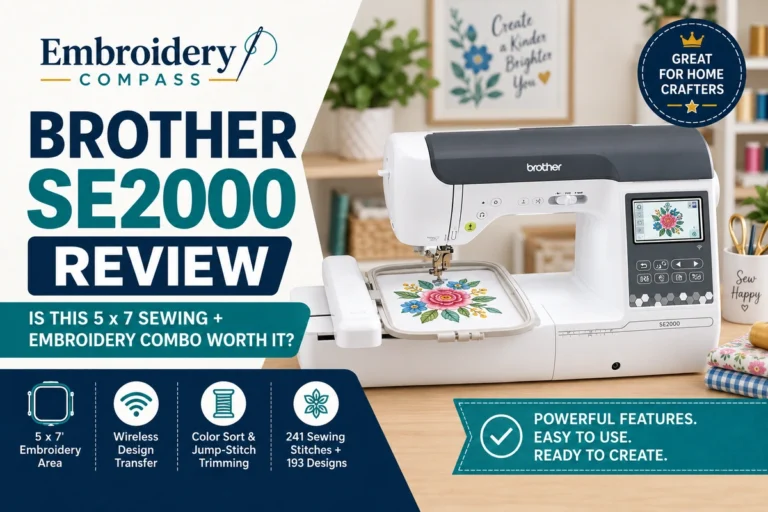
The Brother SE2000 combines the embroidery capabilities of a 5×7-inch home embroidery machine with a computerized sewing system.
Like the PE900, it includes 193 embroidery designs, 13 embroidery fonts, wireless connectivity, and a 3.7-inch color touchscreen. However, it also provides 241 built-in sewing stitches, 10 one-step buttonhole styles, and a maximum sewing speed of 850 stitches per minute.
That combination makes the SE2000 useful for someone who wants to sew clothing, complete alterations, create home décor, and personalize finished projects with embroidery.

Why the Brother SE2000 Stands Out
The SE2000’s main advantage is its ability to complete both sewing and embroidery projects on one machine.
For example, you can sew a tote bag, construct a garment, or complete a decorative home project, then use the embroidery function to add names, lettering, or decorative designs.
The 241 built-in sewing stitches provide options for utility sewing, decorative stitching, and specialized projects. Its 10 one-step buttonhole styles add flexibility for garment construction.
The included knee lifter and foot controller provide additional sewing convenience. The SE2000 also includes sewing presser feet for different applications, allowing users to perform a wider range of tasks without purchasing a separate conventional sewing machine.
What Could Be Better?
The SE2000 generally costs more than the PE900 because it includes additional sewing capabilities. However, it does not provide a larger embroidery field, more built-in embroidery designs, or a higher advertised maximum embroidery speed.
For someone who already owns a reliable sewing machine and primarily wants embroidery, the additional sewing functionality may offer limited practical benefit.
Like the PE900, the SE2000 uses a single needle for embroidery. Multicolor designs still require manual thread changes, and its maximum embroidery area remains 5×7 inches.
Brother PE900 vs SE2000: Embroidery Area and Design Size
Both machines offer a maximum embroidery area of 5×7 inches. This means neither machine provides an advantage over the other in maximum single-hooping embroidery dimensions.
A 5×7-inch embroidery field can accommodate many common home embroidery projects, including:
- Names and monograms on clothing
- Medium-sized decorative embroidery
- Personalized towels and household linens
- Small and medium garment logos
- Decorative patches and appliqué projects
- Personalized tote bags and gifts
Both machines include a 5×7-inch embroidery hoop in their standard accessory packages.
However, buyers should remember that a larger hoop does not automatically increase a machine’s maximum embroidery field. Compatible optional hoops may provide different positioning or hooping convenience, but the maximum embroidery dimensions remain limited by the machine itself.
If your main goal is to create larger embroidery designs, upgrading from the PE900 to the SE2000 will not provide a larger embroidery area.
Embroidery Designs, Fonts, and Editing Features
The Brother PE900 and SE2000 share many of the same built-in embroidery capabilities.
Each machine includes 193 built-in embroidery designs and 13 embroidery lettering fonts. Both also offer access to 50 additional downloadable embroidery designs through Brother’s supported design ecosystem.
These built-in designs provide starting options for decorative embroidery, personalization, and lettering projects without requiring users to purchase additional design files immediately.
Both machines also provide a 3.7-inch color LCD touchscreen for selecting, previewing, and editing embroidery designs.
Color Sort and Jump Stitch Trimming are available on both models. These functions can help organize certain multicolor designs and reduce some manual trimming work.
For users who mainly care about built-in embroidery designs, lettering, and basic editing, the SE2000 does not provide a meaningful advantage over the PE900 based on these published specifications.
Sewing Capabilities: The Biggest Difference
The most important distinction in the Brother PE900 vs SE2000 comparison is conventional sewing.
The PE900 is dedicated to embroidery. It cannot replace a sewing machine for everyday stitching, garment construction, or alterations.
The SE2000 provides 241 built-in sewing stitches, including utility and decorative stitch options, along with 10 one-step buttonhole styles.
Its sewing functions can be useful for:
- Garment construction and clothing projects
- Hemming and basic alterations
- Decorative stitching
- Home décor and craft sewing
- Buttonholes and garment finishing
- Quilting-related sewing tasks
- Making items before adding embroidery
For someone starting both sewing and embroidery, purchasing one combination machine may be more practical than buying two separate machines immediately.
However, if you already own a capable sewing machine, you may prefer keeping your existing sewing setup and adding the dedicated PE900 for embroidery.
Embroidery Speed and Multicolor Projects
Brother specifies a maximum embroidery speed of 650 stitches per minute for both machines.
This means the SE2000’s additional sewing functionality does not give it a higher advertised maximum embroidery speed than the PE900.
Actual embroidery time depends on stitch count, design density, fabric preparation, machine settings, thread changes, and other factors.
Both machines are single-needle models. When embroidering a design with multiple thread colors, you must change the thread as required by the design.
For occasional home embroidery, this is a normal part of the process. For businesses producing repeated multicolor orders, manual thread changes can become a productivity limitation.
Neither machine should be confused with a commercial multi-needle embroidery system that can keep several thread colors loaded simultaneously.
Wireless Connectivity and Design Transfer
The PE900 and SE2000 both support wireless LAN, USB design import, Brother’s Design Database Transfer software, and compatibility with the Artspira app.
Wireless connectivity allows users to transfer compatible embroidery designs from a computer using Brother’s supported software without relying exclusively on a USB drive.
Artspira provides access to supported design features and mobile-based embroidery workflows, depending on the app’s current capabilities and compatibility requirements.
USB design import provides another option for transferring compatible embroidery files to either machine.
Because both machines support these features, wireless connectivity alone should not determine your choice between them.
Ease of Use: Which Machine Is Better for Beginners?
Both machines provide beginner-friendly embroidery features, including a color touchscreen, built-in designs, advanced needle threading, and automatic thread cutting.
The PE900 offers a focused embroidery workflow. Beginners who already know how to sew, or who only want to learn embroidery, can concentrate on hooping, stabilizer selection, thread changes, design placement, and embroidery techniques.
The SE2000 allows beginners to learn both sewing and embroidery on one machine. However, learning two different workflows also introduces additional skills, including stitch selection, sewing-machine setup, fabric handling, and switching between sewing and embroidery functions.
Neither machine eliminates the need to learn proper embroidery preparation. Correct stabilizer choice, hooping, needle selection, and compatible design files remain important for successful results.
For a beginner who only wants embroidery, the PE900 offers a more focused purchase. For someone who wants to learn both crafts and does not already own a sewing machine, the SE2000 provides a broader range of functions.
Brother PE900 vs SE2000 for Home Crafting
The right machine for home crafting depends on whether your projects involve embroidery alone or a combination of sewing and embroidery.
If you mainly personalize purchased clothing, embroider towels, create decorative patches, or add names to finished products, the PE900 can handle those tasks without requiring conventional sewing functions.
If you want to make your own clothing, sew tote bags, create home décor, or construct projects before embroidering them, the SE2000 allows you to complete both stages on one machine.
There is also a workspace consideration. A combination machine can reduce the need for two separate machines, but switching between sewing and embroidery requires changing the machine’s setup.
Users who already have a dedicated sewing machine may prefer keeping their sewing and embroidery workflows separate.
Which Machine Makes More Sense for a Small Business?
Both machines can be used to explore small-scale personalization, including monograms, names, decorative designs, and small garment logos.
The PE900 may suit a business that purchases finished products and adds embroidery. For example, a home-based personalization business might embroider customer-provided shirts, towels, bags, or other suitable items.
The SE2000 offers additional flexibility for businesses that also sew or construct products. Someone making personalized tote bags, clothing, or fabric accessories can use its sewing functions before adding embroidery.
However, neither machine is designed to provide the same production workflow as a commercial multi-needle embroidery machine.
Both use a single needle, require manual color changes, and have a maximum embroidery field of 5×7 inches. These limitations become more important when handling larger designs or repeated commercial orders.
For occasional personalized products or testing a business idea, either machine may be sufficient. For sustained higher-volume production, buyers should also consider the cost and capabilities of larger-field or multi-needle equipment.
Brother PE900 vs SE2000: Price and Value
The SE2000 generally carries a higher purchase price because it includes a computerized sewing system in addition to embroidery.
That additional investment provides 241 sewing stitches, buttonhole functionality, a knee lifter, a foot controller, and sewing accessories. It does not provide a larger embroidery area or a higher advertised embroidery speed.
If you already own a sewing machine and do not need another one, the PE900 may provide a more economical way to add 5×7-inch embroidery to your workspace.
If you need both sewing and embroidery, compare the SE2000’s total purchase price with the cost of buying a dedicated embroidery machine and a separate sewing machine.
There is no universal answer because the value of the SE2000’s additional functions depends on how often you expect to use them.
Amazon prices and availability can change. Use the product boxes below to check the current listings rather than relying on a fixed price quoted in an article.
Brother PE900 Pros and Cons
Pros
- Dedicated embroidery-only machine
- 5×7-inch maximum embroidery area
- 193 built-in embroidery designs and 13 fonts
- Wireless LAN and USB design transfer
- Artspira compatibility
- 3.7-inch color touchscreen
- Automatic thread cutting and advanced needle threading
- Suitable for users who already own a sewing machine
- Generally lower purchase price than the SE2000
Cons
- Cannot perform conventional sewing
- Single needle requires manual thread changes
- 5×7-inch embroidery area may limit larger designs
- Not intended for high-volume commercial production
Brother SE2000 Pros and Cons
Pros
- Combines sewing and embroidery in one machine
- 5×7-inch maximum embroidery area
- 193 built-in embroidery designs and 13 fonts
- 241 built-in sewing stitches
- 10 one-step buttonhole styles
- Wireless LAN and USB design transfer
- Artspira compatibility
- 3.7-inch color touchscreen
- Includes a knee lifter and sewing accessories
- Useful for users who want to construct and embroider projects
Cons
- Generally more expensive than the PE900
- Does not provide a larger embroidery area than the PE900
- No higher advertised maximum embroidery speed
- Single needle requires manual thread changes
- Additional sewing functions may be unnecessary for users who already own a sewing machine
- Requires switching between sewing and embroidery setups
Who Should Buy the Brother PE900?
The PE900 is worth considering if your main interest is embroidery and you do not need additional conventional sewing functions.
- Existing sewing-machine owners: Add embroidery without purchasing another sewing system.
- Embroidery-focused beginners: Learn embroidery on a dedicated machine.
- Home hobbyists: Personalize clothing, towels, bags, and gifts.
- Small personalization businesses: Add embroidery to suitable finished products.
- Budget-conscious buyers: Avoid paying for sewing capabilities they do not expect to use.
The PE900 is less suitable if you need to sew garments, complete everyday alterations, or make fabric products from scratch and do not already own a sewing machine.
Who Should Buy the Brother SE2000?
The SE2000 is worth considering if you want both conventional sewing and embroidery in one machine.
- Beginners learning both crafts: Explore sewing and embroidery without immediately purchasing two machines.
- Garment makers: Construct clothing and add personalized embroidery.
- Home crafters: Complete sewing, decorative stitching, and embroidery projects.
- Users with limited workspace: Combine two functions in one machine.
- Small handmade-product businesses: Sew fabric products and personalize them using embroidery.
The SE2000 may be unnecessary if you already own a capable sewing machine and want only a dedicated embroidery system.
Brother PE900 vs SE2000: Frequently Asked Questions
What is the main difference between the Brother PE900 and SE2000?
The Brother PE900 is an embroidery-only machine, while the SE2000 combines conventional sewing and embroidery. Both offer a 5×7-inch embroidery area, 193 built-in embroidery designs, and 13 embroidery fonts.
Does the Brother SE2000 have a larger embroidery area than the PE900?
No. Both machines have a maximum embroidery area of 5×7 inches. The SE2000’s additional sewing functionality does not increase its maximum embroidery field.
Can the Brother PE900 sew regular fabric?
The PE900 is a dedicated embroidery machine and does not perform conventional sewing. If you need to construct garments, sew seams, or complete general sewing projects, you will need a separate sewing machine or a combination model such as the SE2000.
Do both machines have the same built-in embroidery designs?
Both machines include 193 built-in embroidery designs and 13 embroidery lettering fonts. They also support compatible imported embroidery designs through their wireless and USB transfer features.
Is the Brother SE2000 faster at embroidery than the PE900?
No. Brother lists a maximum embroidery speed of 650 stitches per minute for both machines. The SE2000 also has conventional sewing capabilities, with an advertised maximum sewing speed of 850 stitches per minute.
Can I upload my own embroidery designs to both machines?
Yes. Both machines support compatible embroidery design import through USB and wireless transfer using Brother’s supported software. They are also compatible with the Artspira app.
Which machine makes more sense if I already own a sewing machine?
If your existing sewing machine meets your needs and you only want to add embroidery, the PE900 may be a more economical purchase. It provides the same maximum embroidery area, built-in embroidery design count, and advertised embroidery speed as the SE2000.
Can I use the Brother PE900 or SE2000 for a small business?
Both machines can be used for occasional personalized products and small-scale embroidery projects. The PE900 focuses on embroidery, while the SE2000 also allows you to sew products before personalizing them. However, both are single-needle machines with a 5×7-inch maximum embroidery area, which can limit efficiency for larger or higher-volume orders.
Is the Brother SE2000 worth paying more for?
The additional cost may be worthwhile if you need its 241 sewing stitches, buttonhole functions, and other sewing capabilities. If you only need embroidery and already own a sewing machine, those additional functions may provide limited value for your projects.
Final Verdict: Brother PE900 vs SE2000
The Brother PE900 and SE2000 share many of the same core embroidery capabilities. Both provide a 5×7-inch embroidery area, 193 built-in embroidery designs, 13 embroidery fonts, wireless connectivity, and an advertised maximum embroidery speed of 650 stitches per minute.
The decision therefore comes down primarily to whether you need conventional sewing functionality.
Choose the Brother PE900 if: You want a dedicated embroidery machine, already own a reliable sewing machine, or have no plans to use conventional sewing functions. It provides the same maximum embroidery field and core embroidery specifications without requiring you to purchase a second sewing-capable machine.
Choose the Brother SE2000 if: You want to sew and embroider on one machine. Its 241 sewing stitches, buttonhole functions, and included sewing accessories make it suitable for garment construction, home crafting, alterations, and personalized handmade projects.
Neither machine is a larger-field embroidery upgrade over the other. If you expect to create designs beyond 5×7 inches or handle frequent commercial embroidery orders, consider whether a larger-field or multi-needle machine would better match your long-term requirements.
For a broader comparison of Brother’s embroidery-only, sewing-and-embroidery, and multi-needle models, visit our Best Brother Embroidery Machines guide. You can also read our Brother PE900 vs SE700 comparison if you are considering a smaller 4×4-inch combination machine.
How We Research Embroidery Machines
Embroidery Compass develops its buying guides and machine comparisons through manufacturer documentation, published specifications, product research, and feature comparisons. We evaluate embroidery area, machine capabilities, ease of use, project suitability, and purchasing considerations to help readers make informed decisions.
This comparison is based on research and published product information. We do not claim hands-on testing of either machine. Specifications, included accessories, prices, and availability may change, so confirm the current product details before purchasing.