Best Embroidery Machines: 5 Top Picks for Home & Small Business
Disclosure: As an Amazon Associate I earn from qualifying purchases. If you buy through links on this page, we may earn a small commission at no extra cost to you.
Choosing the best embroidery machine becomes much easier when you start with the projects you actually want to make. A beginner creating monograms and personalized gifts has very different needs from someone producing large designs, sewing and embroidering on the same machine, or filling customer orders for a small embroidery business.
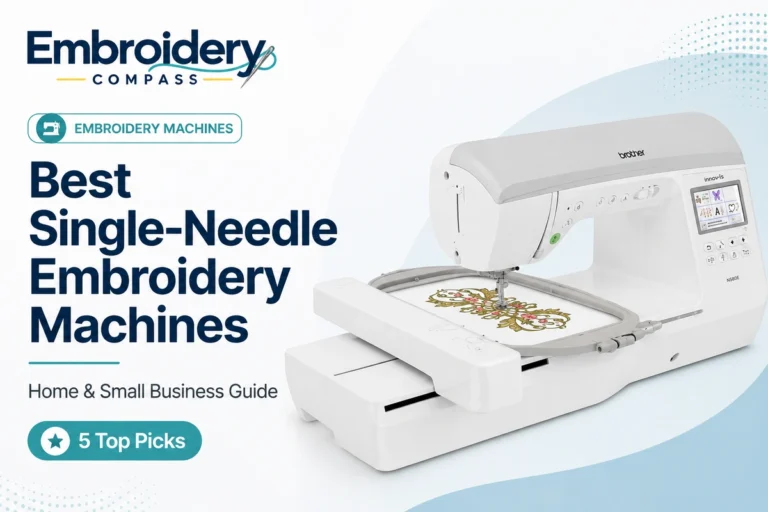
For this guide, we compared embroidery area, embroidery speed, design-transfer options, built-in features, needle configuration and overall suitability for different types of users. Our best overall embroidery machine is the Brother PE900 because its 5″ x 7″ embroidery area provides considerably more flexibility than entry-level 4″ x 4″ machines while still remaining approachable for home embroidery.
However, one machine is not right for everyone. The Brother PE545 is a more accessible choice for beginners, the Brother SE2000 combines sewing and embroidery, the Brother NQ1700E provides a larger embroidery field for serious home users, and the Smartstitch S-1001 moves into 10-needle territory for growing embroidery businesses.
Best Embroidery Machines at a Glance
| Embroidery Machine | Best For | Embroidery Area | Needles | Maximum Speed |
|---|---|---|---|---|
| Brother PE900 | Best Overall | 5″ x 7″ | 1 | 650 SPM |
| Brother PE545 | Best for Beginners | 4″ x 4″ | 1 | 400 SPM |
| Brother SE2000 | Best Sewing + Embroidery Combo | 5″ x 7″ | 1 | 650 SPM embroidery |
| Brother NQ1700E | Best Premium Home Machine | 6″ x 10″ | 1 | 850 SPM |
| Smartstitch S-1001 | Best for Small Business | 9.5″ x 14.2″ | 10 | 1,200 SPM |
The first four machines are designed primarily around home embroidery. The Smartstitch S-1001 belongs to a different category because its 10-needle configuration and larger embroidery area are designed for users who need substantially greater production capability.
How We Chose the Best Embroidery Machines
Embroidery Compass evaluates products around the buying decision rather than simply ranking machines by how many features appear on their specification sheets. For this comparison, we reviewed manufacturer specifications, machine capabilities, embroidery areas, connectivity options and the practical differences between machines designed for beginners, serious home embroiderers and small-business users.
We placed particular emphasis on the following factors:
- Embroidery area: The available embroidery field determines how large a design can be stitched without dividing it across multiple hoopings.
- Machine type: Some buyers need embroidery only, while others benefit from having sewing and embroidery in one machine.
- Needle configuration: Single-needle machines are suitable for most home users, while multi-needle systems can improve productivity for repeated multi-color work.
- Embroidery speed: Higher speeds become increasingly valuable as projects and order volumes grow.
- Design transfer: USB and wireless connectivity can make downloaded and custom embroidery designs easier to manage.
- Useful automation: Automatic trimming, color sorting and related features can reduce repetitive work.
- Room to grow: We considered whether a machine gives users enough capability to expand into larger or more complicated projects.
Our recommendations are based on product research and documented machine capabilities. We do not claim hands-on testing when a machine has not been personally tested by our editorial team.
1. Brother PE900 — Best Overall Embroidery Machine


Best for: Home embroiderers who want a capable dedicated embroidery machine with more room to grow than a basic 4″ x 4″ model.
The Brother PE900 earns our best overall position because it strikes a strong balance between embroidery area, useful automation and ease of use. Its 5″ x 7″ maximum embroidery field provides considerably more flexibility than entry-level 4″ x 4″ machines without requiring the size or investment associated with a premium or multi-needle machine.
Brother equips the PE900 with 193 built-in embroidery designs, 13 embroidery lettering fonts and a 3.7-inch color LCD display. Designs can be transferred using USB or wireless LAN, making it easier to move beyond the patterns included with the machine and start working with downloaded embroidery files.
Why the Brother PE900 Stands Out
The 5″ x 7″ embroidery area is one of the PE900’s biggest advantages. It gives users more flexibility for towels, bags, apparel, larger lettering and decorative motifs than a 4″ x 4″ machine can provide.
The machine also includes features that become increasingly useful as embroidery designs grow more complicated. Color Sort can help reduce unnecessary thread-color changes in compatible designs, while Jump Stitch Trimming automatically trims certain excess thread jumps instead of leaving all of that cleanup to the user.
Maximum embroidery speed reaches 650 stitches per minute, which provides a useful middle ground between entry-level machines and more expensive premium models.
Brother PE900 Key Specifications
- Maximum embroidery area: 5″ x 7″
- Built-in embroidery designs: 193
- Embroidery lettering fonts: 13
- Maximum embroidery speed: 650 SPM
- Display: 3.7-inch color LCD
- Wireless LAN: Yes
- USB design transfer: Yes
- Automatic thread cutting: Yes
- Color Sort: Yes
- Jump Stitch Trimming: Yes
What Could Be Better
The PE900 is an embroidery-only machine, so it will not replace a regular sewing machine. Buyers who need both functions should consider the Brother SE2000 instead.
It is also still a single-needle machine. Multi-color designs therefore require one needle to work through the different thread colors rather than keeping several colors permanently threaded as a multi-needle machine can.
Finally, 5″ x 7″ is versatile for home embroidery, but advanced users planning particularly large designs may eventually prefer the 6″ x 10″ field of the NQ1700E or a larger commercial-style machine.
Who Should Buy the Brother PE900?
- Home users primarily interested in embroidery
- Users who expect a 4″ x 4″ field to feel restrictive
- People making personalized gifts, clothing, towels and home décor
- Users who want wireless design transfer
- Beginners who want enough capability to grow into more advanced projects
Our verdict: The Brother PE900 offers the most balanced combination of embroidery area, convenience and growing room among the home-focused machines in this guide. For most buyers who specifically want an embroidery-only machine, it is our top recommendation.
2. Brother PE545 — Best Embroidery Machine for Beginners

Best for: Beginners learning machine embroidery, monograms and smaller personalized projects.
The Brother PE545 is our beginner recommendation because it provides the core features needed to learn machine embroidery without immediately moving into a larger and more expensive machine.
It offers a 4″ x 4″ maximum embroidery area, 135 built-in embroidery designs, 10 embroidery lettering fonts and a 3.7-inch color LCD screen. Wireless LAN and USB connectivity allow users to import additional compatible designs rather than relying only on the patterns built into the machine.
Why It Works Well for Beginners
A first embroidery machine should make it easier to learn essential skills such as hooping, stabilizer selection, threading, bobbin preparation, design positioning and working with different fabrics. The PE545 keeps the overall machine relatively approachable while still providing modern design-transfer options and an on-screen editing interface.
Its 4″ x 4″ embroidery area works particularly well for projects such as:
- Monograms
- Names and initials
- Small patches
- Children’s clothing
- Napkins
- Small towel designs
- Simple decorative motifs
- Personalized gifts
Brother PE545 Key Specifications
- Maximum embroidery area: 4″ x 4″
- Built-in embroidery designs: 135
- Embroidery lettering fonts: 10
- Maximum embroidery speed: 400 SPM
- Display: 3.7-inch color LCD
- Wireless LAN: Yes
- USB connectivity: Yes
- Automatic thread cutter: Yes
- Advanced needle-threading system: Yes
The Main Limitation: 4″ x 4″
The biggest issue to consider before choosing the PE545 is its embroidery area. A 4″ x 4″ field is perfectly useful for smaller designs, but it can become restrictive if you start wanting larger shirt designs, bigger towel embroidery, substantial decorative motifs or projects commonly created for 5″ x 7″ hoops.
If you already know that larger projects are part of your plans, spending more for the PE900 may prevent an early upgrade.
Who Should Buy the Brother PE545?
- First-time embroidery machine buyers
- Users mainly creating small designs and personalization
- People who already own a separate sewing machine
- Buyers who value ease of learning over a large embroidery field
- Hobbyists who want wireless connectivity without moving into a premium machine
Our verdict: The Brother PE545 is a practical entry point into machine embroidery. Its main compromise is the 4″ x 4″ field, so beginners who already expect to make medium-sized designs should consider stepping up to the PE900.
3. Brother SE2000 — Best Sewing and Embroidery Machine

Best for: Users who want one machine for both conventional sewing and machine embroidery.
The Brother SE2000 is the most versatile choice in our comparison because it combines a capable embroidery platform with a full range of sewing functions.
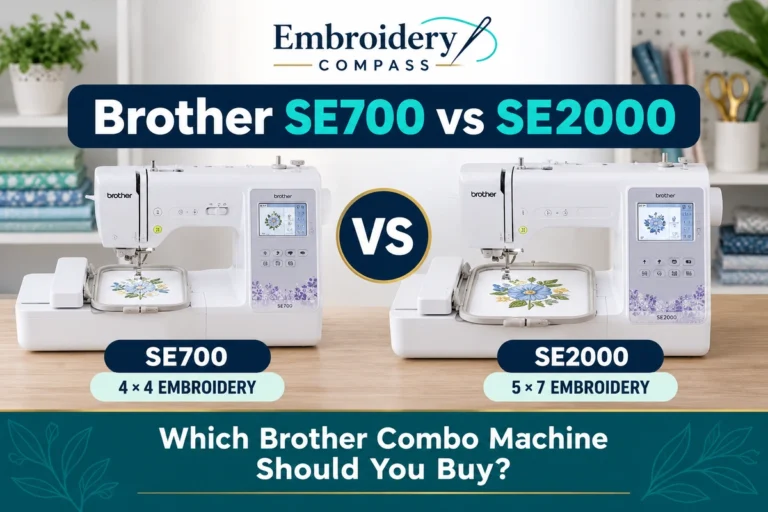
On the embroidery side, it offers a 5″ x 7″ maximum embroidery area, 193 built-in embroidery designs, 13 embroidery fonts, wireless connectivity and embroidery speeds up to 650 stitches per minute.
For sewing, the SE2000 adds 241 built-in sewing stitches, 10 one-step auto-size buttonhole styles and sewing speeds up to 850 stitches per minute. That makes it particularly attractive for users who want to construct a garment or other sewing project and then personalize it using embroidery without changing to another machine.
Why Choose the SE2000 Instead of the PE900?
The choice between these two machines depends primarily on whether you need sewing.
If you already own a sewing machine you like and your main objective is embroidery, the PE900 is the more focused choice. If you are building a sewing and embroidery setup from scratch or regularly move between garment construction and embroidery, the SE2000 can provide both capabilities in one machine.
The SE2000 also includes embroidery workflow features such as Color Sort and Jump Stitch Trimming, helping it remain a serious embroidery machine rather than simply a sewing machine with a basic embroidery feature added.
Brother SE2000 Key Specifications
- Machine type: Sewing + embroidery
- Maximum embroidery area: 5″ x 7″
- Built-in embroidery designs: 193
- Built-in sewing stitches: 241
- Embroidery lettering fonts: 13
- Maximum embroidery speed: 650 SPM
- Maximum sewing speed: 850 SPM
- Display: 3.7-inch color LCD
- Wireless LAN: Yes
- Color Sort: Yes
- Jump Stitch Trimming: Yes
What Could Be Better
The biggest question is whether you actually need the sewing functions. Buyers who want embroidery only may be paying for a large group of sewing capabilities they rarely use.
It also remains a single-needle embroidery machine, so it cannot provide the automatic multi-color workflow of a machine such as the 10-needle Smartstitch S-1001.
Who Should Buy the Brother SE2000?
- Users who need both sewing and embroidery
- People who want a 5″ x 7″ embroidery field
- Users who prefer one machine instead of separate sewing and embroidery machines
- People making garments and then adding personalized embroidery
- Home users who want wireless design transfer and useful automatic features
Our verdict: The Brother SE2000 is our preferred choice for users who genuinely need both sewing and embroidery. For buyers focused entirely on embroidery, the PE900 remains the more straightforward option.
4. Brother NQ1700E — Best Premium Home Embroidery Machine

Best for: Serious home embroiderers who want a larger working area and faster embroidery without moving to a commercial multi-needle machine.
The Brother NQ1700E provides a more substantial upgrade than simply adding more built-in patterns. Its defining feature is a 6″ x 10″ maximum embroidery area, giving users significantly more room than the 4″ x 4″ PE545 or 5″ x 7″ PE900.
The NQ1700E also increases maximum embroidery speed to 850 stitches per minute and includes 258 built-in embroidery designs, 13 embroidery fonts and a larger 4.85-inch color touchscreen.
Why the Larger Embroidery Area Matters
Hoop size is one of the most important differences between embroidery machines. Moving from 4″ x 4″ to 5″ x 7″ opens up noticeably more projects, and moving again to 6″ x 10″ provides even greater freedom for larger decorative designs, lettering layouts, apparel and home-décor projects.
A larger embroidery field can also reduce the need to divide suitable designs across multiple hoopings, which can make positioning and alignment easier.
Designed for More Frequent Embroidery
The NQ1700E’s 850 SPM maximum embroidery speed becomes more valuable for users who embroider frequently or work with larger, higher-stitch-count designs.
It also provides wireless design transfer, USB connectivity, automatic thread cutting, Color Sort and on-screen design editing, giving serious home users a more capable workflow without requiring them to move directly into a large multi-needle system.
Brother NQ1700E Key Specifications
- Machine type: Embroidery only
- Maximum embroidery area: 6″ x 10″
- Built-in embroidery designs: 258
- Embroidery lettering fonts: 13
- Maximum embroidery speed: 850 SPM
- Display: 4.85-inch color touchscreen
- Wireless LAN: Yes
- USB connectivity: Yes
- Automatic thread cutting: Yes
- Color Sort: Yes
What Could Be Better
Despite its larger field and faster performance, the NQ1700E is still a single-needle embroidery machine. Complex multi-color designs therefore require more operator involvement than they would on a multi-needle system.
It also represents a substantial step up from beginner machines, so its extra capability makes the most sense for users who already know they will take advantage of the larger field and faster workflow.
Who Should Buy the Brother NQ1700E?
- Serious home embroiderers
- Users who have outgrown 4″ x 4″ or 5″ x 7″ machines
- People frequently working with larger designs
- Users who value faster embroidery
- Buyers who want more capability without moving to a commercial multi-needle system
Our verdict: The Brother NQ1700E is the strongest premium home option in our comparison. Its 6″ x 10″ field and higher embroidery speed make it particularly appealing to experienced users who already know that embroidery will remain a serious hobby.
5. Smartstitch S-1001 — Best Embroidery Machine for Small Business

Best for: Growing home embroidery businesses that need multi-needle capability and a much larger embroidery area.
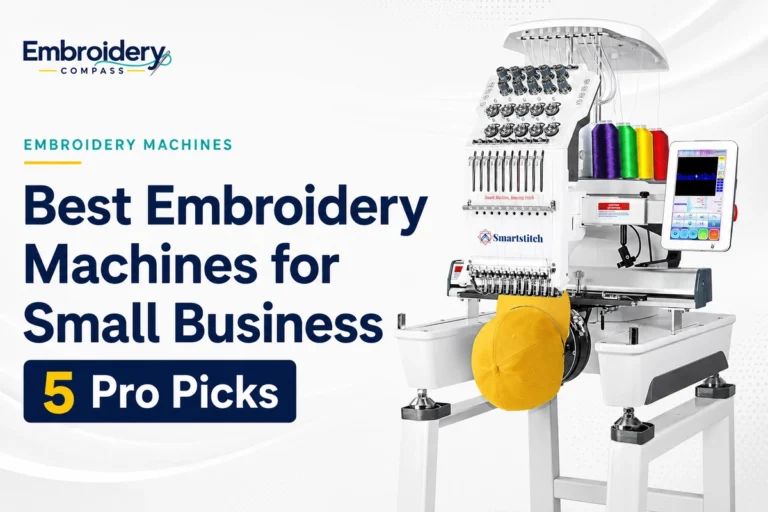
The Smartstitch S-1001 is fundamentally different from the other machines in this guide. Instead of using one needle for every thread color, it has 10 needles, allowing multiple colors to remain threaded and ready during compatible multi-color embroidery designs.
That difference becomes particularly important when embroidery changes from an occasional hobby into repeat customer work. The S-1001 provides a maximum flat embroidery area of approximately 9.5″ x 14.2″, a 7-inch touchscreen and maximum embroidery speeds up to 1,200 stitches per minute.
Why Multi-Needle Embroidery Matters for a Business
Consider a logo using several thread colors. On a single-needle machine, the operator has to work through those colors using one needle and change the thread as required by the design.
A 10-needle machine can keep multiple thread colors loaded simultaneously and switch between those needles as required. Across repeated shirts, hats, bags or customer orders, reducing manual intervention can provide a meaningful productivity advantage.
A Much Larger Embroidery Area
The S-1001’s approximately 9.5″ x 14.2″ flat embroidery area is considerably larger than the fields offered by the home Brother machines in this guide. That gives business users more flexibility for larger apparel designs, bags, patches and other projects that can quickly exceed the limits of smaller hoops.
Smartstitch also lists USB and Wi-Fi design transfer, a 270-degree cap embroidery system, automatic thread trimming and laser positioning among the S-1001’s production-oriented features.
Smartstitch S-1001 Key Specifications
- Machine type: Multi-needle embroidery
- Needles: 10
- Maximum flat embroidery area: 9.5″ x 14.2″
- Maximum embroidery speed: 1,200 SPM
- Display: 7-inch touchscreen
- Pattern transfer: USB and Wi-Fi
- Cap embroidery capability: Yes
- Laser positioning: Yes
- Automatic thread trimming: Yes
What Could Be Better
The S-1001 is not the machine we would recommend to someone simply learning embroidery. A multi-needle machine requires more space, a larger investment and a more involved learning process around threading, tension, maintenance, hooping and production workflow.
For occasional personalized gifts or hobby embroidery, that additional capability would usually be unnecessary. It becomes much more relevant when embroidery is generating regular orders and efficiency starts affecting the profitability of the business.
Who Should Buy the Smartstitch S-1001?
- Home embroidery businesses
- Users receiving repeated customer orders
- People regularly embroidering multi-color logos
- Users who want to embroider hats as well as flat garments
- Businesses that have outgrown the workflow of a single-needle machine
Our verdict: The Smartstitch S-1001 is excessive for most hobbyists, but its 10 needles, larger embroidery area and faster production-oriented workflow make it a substantially more appropriate option for a growing embroidery business.
Brother PE545 vs PE900 vs SE2000 vs NQ1700E
Four of our five recommendations are Brother machines, but each one targets a different type of buyer.
| Model | Choose It If… |
|---|---|
| Brother PE545 | You are a beginner and mainly need a 4″ x 4″ embroidery field. |
| Brother PE900 | You want dedicated embroidery with a more versatile 5″ x 7″ field. |
| Brother SE2000 | You need conventional sewing and embroidery in one machine. |
| Brother NQ1700E | You want a larger 6″ x 10″ embroidery area and faster premium home machine. |
For most embroidery-only buyers, we think the Brother PE900 occupies the sweet spot. The PE545 is more limited by its 4″ x 4″ field, the SE2000 makes the most sense when sewing is important, and the NQ1700E is designed for users who are willing to pay more for additional working area and speed.
How to Choose the Best Embroidery Machine
1. Start With the Embroidery Area
Embroidery area should be one of the first specifications you compare. A machine can include hundreds of designs, but those designs do not compensate for an embroidery field that is too small for the projects you want to create.
A simple way to think about the machines in this guide is:
- 4″ x 4″: Monograms, small names, patches and beginner projects
- 5″ x 7″: More flexible general-purpose home embroidery
- 6″ x 10″: Larger designs and serious home embroidery
- 9.5″ x 14.2″: Larger projects and production-oriented embroidery
If you already know that you plan to continue with embroidery, moving from a 4″ x 4″ field to 5″ x 7″ can provide noticeably more room to grow.
2. Decide Whether You Need Sewing Too
Not every embroidery buyer needs a combination machine. If you already own a sewing machine you enjoy using, purchasing a dedicated embroidery machine can keep the setup simpler.
If you are starting from scratch and want to make garments, bags or other sewn projects before decorating them, a combination machine such as the SE2000 may make more sense.
3. Understand Single-Needle vs Multi-Needle Machines
A single-needle machine is appropriate for most beginners, hobbyists and home embroiderers. The same needle handles the different thread colors required by a design, with the user changing thread as necessary.
A multi-needle machine keeps several thread colors loaded simultaneously. This becomes particularly valuable for businesses repeatedly stitching multi-color designs because it can reduce manual intervention between color changes.
4. Don’t Choose Based on Speed Alone
Maximum stitches per minute is useful information, but real embroidery productivity depends on more than motor speed.
Workflow also includes:
- Hooping the project
- Preparing stabilizer
- Changing thread colors
- Replacing bobbins
- Managing thread breaks
- Positioning designs
- Trimming excess thread
- Preparing the next item
For business users, reducing operator intervention can sometimes improve productivity more than a modest increase in maximum stitching speed.
5. Consider How You Will Transfer Embroidery Designs
Built-in patterns are useful when you first begin, but many embroiderers eventually purchase or create additional embroidery files. USB transfer is widely useful, while wireless connectivity can eliminate the need to move a USB drive between the machine and computer for every compatible design.
All four Brother machines in this comparison support wireless connectivity, while the Smartstitch S-1001 supports USB and Wi-Fi design transfer.
6. Embroidery Software Is a Separate Decision
You do not necessarily need professional digitizing software on the day you buy an embroidery machine. Beginners can start with built-in designs and compatible embroidery files purchased or downloaded from other sources.
Dedicated embroidery software becomes increasingly useful when you want to create original designs, substantially edit existing files, convert artwork into stitches or digitize customer logos.
Explore our embroidery software guides to learn more about software options and the features that matter when creating and editing embroidery designs.
7. Budget for Embroidery Supplies
The machine is only part of an embroidery setup. Depending on your projects, you may also need:
- Embroidery thread
- Bobbin thread
- Machine embroidery needles
- Tear-away stabilizer
- Cut-away stabilizer
- Wash-away stabilizer
- Temporary adhesive
- Additional hoops
- Scissors and thread-trimming tools
Visit our embroidery supplies and accessories guides for help choosing thread, stabilizers, needles, hoops and other essential supplies.
Which Embroidery Machine Should You Buy?
Choose the Brother PE545 if:
You are learning machine embroidery, mainly plan to create smaller designs and want an approachable entry point.
Choose the Brother PE900 if:
You primarily want embroidery and prefer the greater flexibility of a 5″ x 7″ field without moving into premium-machine territory.
Choose the Brother SE2000 if:
You want both regular sewing and machine embroidery in a single machine.
Choose the Brother NQ1700E if:
You are a serious home embroiderer who wants a larger 6″ x 10″ embroidery area and faster performance.
Choose the Smartstitch S-1001 if:
You are building a small embroidery business and the productivity advantages of a 10-needle machine will actually help with repeated customer orders.
Frequently Asked Questions
What is the best embroidery machine for beginners?
We recommend the Brother PE545 for beginners who specifically want an embroidery-only machine. Its 4″ x 4″ field works well for smaller learning projects, while wireless connectivity, a color display and built-in designs provide a modern starting point.
If you already know you want to create larger designs regularly, the Brother PE900 may provide more room to grow.
What is the best embroidery machine for home use?
For most embroidery-focused home users, our top pick is the Brother PE900. Its 5″ x 7″ embroidery field provides a useful balance between project flexibility, machine size and features.
Users who also need conventional sewing should consider the Brother SE2000 instead.
Is a 4″ x 4″ embroidery area big enough?
A 4″ x 4″ embroidery area can be enough for monograms, names, small patches and many beginner projects. However, buyers who already plan to make larger apparel designs, substantial towel embroidery or larger decorative motifs will usually appreciate a 5″ x 7″ or larger embroidery area.
Is the Brother PE900 better than the PE545?
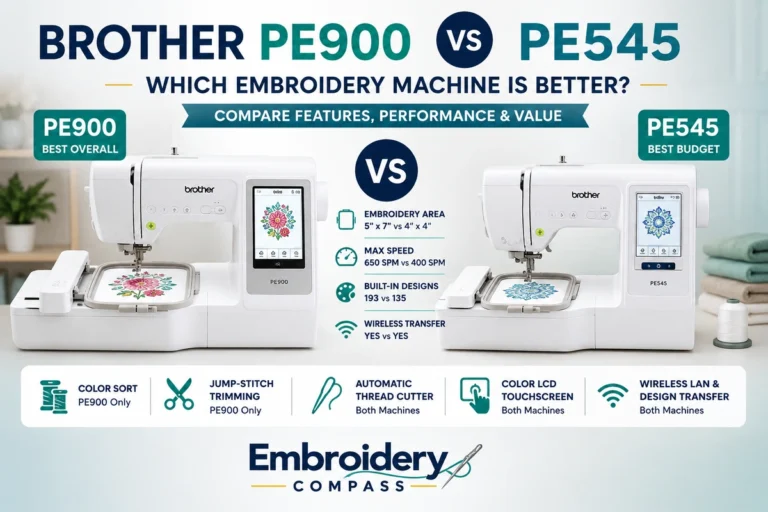
The PE900 provides more overall embroidery capability. Its maximum embroidery field increases from the PE545’s 4″ x 4″ to 5″ x 7″, while maximum embroidery speed increases from 400 to 650 stitches per minute. It also includes additional workflow features such as Color Sort and Jump Stitch Trimming.
The PE545 remains attractive for beginners who are comfortable working within a smaller embroidery field.
What is the difference between the Brother PE900 and SE2000?
Both machines provide a 5″ x 7″ embroidery area, 193 built-in embroidery designs and wireless connectivity. The major difference is that the PE900 is focused on embroidery, while the SE2000 combines sewing and embroidery and includes 241 built-in sewing stitches.
If you already have a sewing machine, the PE900 may be the more logical choice. If you need both functions, the SE2000 offers greater versatility.
Can I start a small business with a home embroidery machine?
Yes. A single-needle home machine can be suitable while you are learning, testing demand or handling a relatively small number of personalized orders. The challenge appears as order volume increases, particularly when you repeatedly produce multi-color designs.
At that point, a multi-needle machine can reduce manual thread changes and improve production efficiency.
Is a multi-needle embroidery machine worth it?
A multi-needle embroidery machine can be worth the investment when embroidery is generating regular revenue and repeated multi-color work. For occasional home embroidery, the extra cost and complexity are usually unnecessary.
For a growing business, however, keeping several colors threaded simultaneously can reduce operator intervention and make repeated production more efficient.
Do I need embroidery software when I buy a machine?
Not necessarily. You can begin with built-in designs and compatible purchased embroidery files without using professional digitizing software.
Embroidery software becomes more important when you want to create original designs, substantially modify existing files, convert artwork into stitch data or prepare custom customer logos.
Final Verdict
There is no single best embroidery machine for every user because the right choice depends heavily on embroidery area, project type, sewing requirements and expected workload.
For beginners working primarily with smaller designs, the Brother PE545 provides a straightforward starting point. The Brother SE2000 is more appropriate when conventional sewing and embroidery need to share one machine.
The Brother NQ1700E is our preferred premium home option for users who want a larger 6″ x 10″ working area, while the Smartstitch S-1001 addresses a very different buyer: someone who needs the productivity advantages of a multi-needle machine for a growing embroidery business.
For the widest group of home embroiderers, however, the Brother PE900 is our best overall choice. Its 5″ x 7″ embroidery area, wireless connectivity, useful automatic features and dedicated embroidery design provide a strong balance between beginner accessibility and enough capability to grow into more ambitious projects.